
MacBook Air M1 (A2337) Repair in Dubai
The M1 Air looks simple from the outside — the board inside is anything but. We diagnose at component level and repair the exact chip that failed, instead of declaring the board dead.
Component-level repair · Data treated as priority · 380+ reviews
Led by Dan, one of Dubai's best Mac engineers · Free pickup & delivery
The Quick Answer
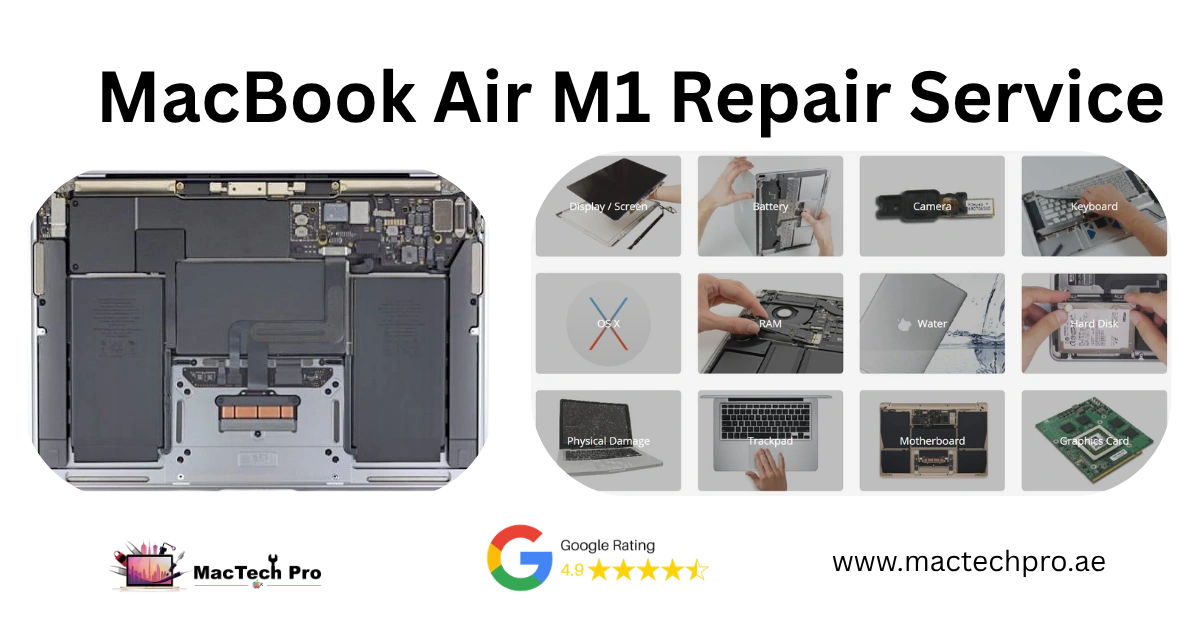
The MacBook Air M1 (A2337) is a single-board, soldered design: the M1 SoC carries the CPU, GPU, Neural Engine and Secure Enclave with on-package memory, while the NAND storage, power-management IC (PMIC), USB-C controllers and backlight circuit sit around it. Almost every fault — no power, no charge, no backlight, water damage — traces to one of those components. MacTech Pro diagnoses at board level using a DC power supply (current-draw analysis), a thermal camera (to find shorts), and a microscope with Apple schematics and boardview, then repairs the exact failed part. Free diagnosis, pickup and delivery across Dubai, UAE-wide courier, written warranty.
Plenty of shops will open an Air M1, fail to find the fault, and tell you the logic board is dead — buy a new Mac. Most of the time that's not true. It's one failed component on the board, and the reason they can't fix it is that they don't diagnose at component level. We do. This page explains how the M1 Air board actually works, how we find faults on it, and what we repair — because when you understand the why, you can see why a real repair is possible where others give up.
→ Been told your Air M1 board is dead? Get a real board-level diagnosis from MacTech Pro — call +971 50 951 6827 or WhatsApp us, free.
What's actually on the M1 Air board
Understanding the fault starts with understanding the board. Here's what's on the A2337 logic board, in plain terms:
- The M1 SoC. One chip holding the CPU, GPU, Neural Engine and Secure Enclave, with the RAM stacked on the same package. Because the memory is on the SoC it can't be changed — but the SoC itself rarely fails outright.
- NAND flash (storage). Separate chips soldered to the board. The storage controller, though, lives inside the M1, and everything is encrypted to the Secure Enclave. That's central to data recovery — more below.
- The PMIC (power-management IC). The chip that takes input power and generates the board's many voltage rails in sequence. If a rail is missing or shorted, the Mac won't power on — and the PMIC is where we start looking.
- USB-C / Thunderbolt controllers & retimers. The chips that manage charging, data and display over the USB-C ports, including the CC (configuration) lines that negotiate charging. Charging faults usually live here or on the charging path.
- The backlight circuit. A backlight boost driver, an inductor and a fuse that power the screen's LEDs. When this fails you get the classic “image there but no backlight.”
- There is no separate SMC or T2 chip. On Apple Silicon the old SMC is now firmware running on the M1, and the Secure Enclave is built in — so “SMC faults” are really power or firmware issues, which changes how you diagnose them.
MacBook Air M1 services
Every MacBook Air M1 (A2337) service we offer — board-level and beyond. Tap any service for details and pricing.
 MacBook Air M1 Screen ReplacementHardware
 MacBook Air M1 Battery ReplacementHardware
 MacBook Air M1 Keyboard ReplacementHardware
 MacBook Air M1 Trackpad ReplacementHardware
 MacBook Air M1 Hinges ReplacementHardware
 MacBook Air M1 Camera Repair / ReplacementHardware
 MacBook Air M1 Charging Port ReplacementHardware
 MacBook Air M1 Headphone Jack ReplacementHardware
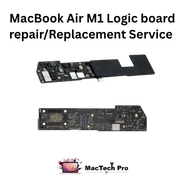 MacBook Air M1 Logic Board Repair / ReplacementHardware
 MacBook Air M1 Overheating RepairHardware
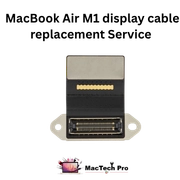 MacBook Air M1 Display Cable ReplacementSoftware & Upgrade
 MacBook Air M1 Virus RemovalSoftware & Upgrade
 MacBook Air M1 macOS UpgradeSoftware & Upgrade
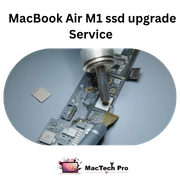 MacBook Air M1 SSD UpgradeSoftware & Upgrade
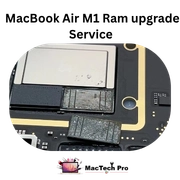 MacBook Air M1 RAM UpgradeSoftware & Upgrade
 MacBook Air M1 Key ReplacementSoftware & Upgrade
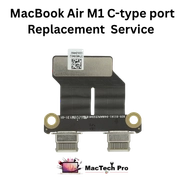 MacBook Air M1 C-Type Port ReplacementSoftware & Upgrade
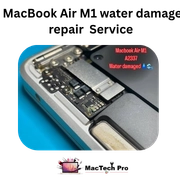 MacBook Air M1 Water Damage RepairSoftware & Upgrade
 MacBook Air M1 Liquid Damage RepairSoftware & Upgrade
 MacBook Air M1 Firmware Lock RemovalSoftware & Upgrade
We diagnose at board level — the “why”
This is the part that separates a real repair from a guess. We don't swap parts hoping one works. We measure, then fix what the measurements point to.
- Current-draw analysis on a DC power supply. We power the board from a bench supply and watch exactly how much current it pulls. Zero current, a tiny trickle, or a dead short each tell a different story and point us to a different part of the board.
- Thermal-camera short hunting. Inject power into a shorted rail and the faulty component heats up first. The thermal camera shows us precisely which chip or capacitor is the culprit — even when nothing looks burnt.
- Current-sensing resistor checks. Tiny sense resistors sit on the power rails. Measuring across them tells us which rail is drawing wrongly or has dropped out, narrowing a board-wide fault to a single circuit.
- Schematics, boardview & microscope. With Apple board schematics and boardview software we trace the failing rail to its exact component, then repair or replace it under the microscope with micro-soldering — often a part smaller than a grain of rice.
That method is why we can fix boards other shops declare dead. The fault was always a single component — they just had no way to find it.
Common Air M1 faults — and what's really behind them
Won't power on
Usually the PMIC isn't bringing up the rails, or a shorted decoupling capacitor is dragging a rail to ground so the board can't start. On the bench supply this shows as a short or abnormal current draw; the thermal camera finds the shorted part; we replace it and the rails come back. A “dead” Air M1 is very often this — a single cap or a PMIC issue, not a dead machine.
Won't charge
The charging path runs from the USB-C port through the port controller and the CC lines into the charging circuit. A faulty USB-C controller, a blown filter or sense resistor on the charge path, or a charging-IC fault stops the board accepting power. We trace it with the USB-C analyser and the power supply and repair the exact point of failure, rather than throwing a new battery at it. (See also: MacBook not charging.)
Backlight dead (faint image with a torch)
If you can see a faint desktop with a torch, the panel and image are fine — the backlight circuit has failed. Typically that's the backlight boost driver or an open fuse/inductor feeding the LEDs. It's a focused board-level repair, and usually a fraction of the cost of a new screen. (See also: MacBook black screen / dead backlight.)
No image, but an external monitor works
That points to the display side — the eDP signal lines, the display flex/connector, or the panel itself — not the board's graphics (the GPU is inside the M1 and is driving the external fine). We isolate it to cable or panel and repair accordingly.
Water / liquid damage
Liquid creates corrosion that bridges rails and eats component legs. We strip the board and clean it ultrasonically to remove corrosion from under the chips, then identify and replace damaged components and sense resistors, and re-verify every rail. Speed matters here — corrosion spreads while the board sits, so the sooner it reaches us the more we save. (See also: water damage MacBook repair.)
Kernel panics / random shutdowns
On the M1 these can be a marginal power rail, a failing component, or a thermal issue (remember the Air is fanless and leans on a heat spreader). We diagnose whether it's board-level or thermal and address the actual cause rather than just reinstalling macOS and hoping. (See also: kernel panics & random restarts.)
Data recovery on the M1 Air — the honest version
This is important and widely misunderstood. The NAND storage chips are soldered to the board, but the storage controller is inside the M1 SoC and the data is encrypted to the Secure Enclave. So you cannot simply unsolder the NAND and read it on another machine — the keys live in that specific M1. Recovery means reviving the board enough that the original M1 can read its own storage, which is exactly the board-level work we do. The honest caveat: if the M1 SoC itself is physically destroyed (rare, but it happens with severe damage), the encrypted data may be unrecoverable by anyone. We'll always tell you the realistic odds up front, and we prioritise your data before any other repair. (More: MacBook data recovery in Dubai.)
The lab behind the work
Advanced repair needs advanced tools. Ours — and what each is for:
- Microscope. Micro-soldering tiny board components.
- SMD rework / hot-air station. Removing and refitting surface-mount chips cleanly.
- DC power supply. Current-draw analysis to locate faults by how the board behaves.
- USB-C analyser. Pinpointing charging and Type-C controller faults.
- Ultrasonic cleaner. Lifting corrosion from under chips on liquid-damaged boards.
- Thermal camera. Finding a shorted component by the heat it produces.
- BIOS / firmware programmer. Firmware-level repair and recovery.
- SSD / NAND programmer. Storage-chip level work and data-recovery support.
- Charging-IC programmer. Restoring charging chips on the board.
- Apple schematics & boardview software. Tracing any rail or signal on the A2337 board.
- Full precision tool sets. The correct driver for every screw — no shortcuts.
MacBook Air M1, at a glance
| Model | MacBook Air 13-inch (2020) |
|---|---|
| Model number | A2337 |
| Chip | Apple M1 (SoC with on-package memory) |
| Storage | Soldered NAND, encrypted to Secure Enclave |
| Charging | USB-C (no MagSafe on this model) |
| Cooling | Fanless (heat spreader) |
| Repair approach | Component / board level |
| Service | Free diagnosis · pickup & delivery across Dubai · UAE courier |
Why MacTech Pro for advanced Air M1 work
- We fix the component, not swap the board. Cheaper than a board replacement — and it keeps your data.
- Proper diagnostics, not guesswork. Power-rail analysis, thermal imaging and schematics, led by Dan, one of the best Mac technicians in Dubai.
- Free, honest diagnosis. We show you the real fault and the real price before any work.
- Data treated as the priority. Especially on board and liquid-damage jobs.
- Across Dubai and the UAE. Free pickup and delivery citywide; secure courier to other emirates.
- 380+ reviews. Dubai's most trusted MacBook service centre.
MacBook Air M1 repair across Dubai
Looking for “MacBook Air M1 repair near me”? We collect and deliver free across all of Dubai, and ship securely to the wider UAE. Areas we regularly serve include:
MacBook Air M1 — frequently asked questions
Often not. A “dead board” is usually a single failed component — a shorted capacitor, a PMIC issue, a charging fault — that they couldn't locate because they don't diagnose at component level. We measure the board's power rails and current draw to find the actual fault. Free diagnosis.
We power the board on a DC bench supply and read its current draw, use a thermal camera to find shorted components by their heat, and check the current-sensing resistors on each rail. Then we trace the failing circuit with Apple schematics and boardview, and repair it under the microscope.
Usually — by reviving the board so the original M1 can read its own encrypted storage. The NAND is soldered and the keys live in that M1's Secure Enclave, so it can't simply be read elsewhere. We prioritise data first. The honest exception: if the M1 SoC itself is destroyed, the encrypted data may be unrecoverable. We'll tell you the real odds upfront.
The memory is built onto the M1 package and the storage NAND is soldered to the board, so neither can be swapped or upgraded after purchase. What's genuinely possible is board-level storage repair and data recovery. We won't promise an upgrade that physically can't be done.
Likely a backlight-circuit fault. Shine a torch on the screen: if you see a faint desktop, the panel works and the backlight boost driver or its fuse has failed — a focused board-level repair, far cheaper than a new screen. We confirm it free.
Being fanless, it throttles under sustained load rather than spinning a fan, which is normal. But persistent overheating, throttling or heat shutdowns can indicate a board or thermal issue, and over time heat stresses the board and battery. Worth a check.
Only for verified owners, through the proper ownership-based process, with proof of purchase. We don't bypass firmware or activation locks on devices that can't be verified as yours.