
MacBook Air M1 Headphone Jack Replacement in Dubai
No sound through headphones, crackling, or the Mac thinks headphones are plugged in when they aren't. We clean, test and repair the Air M1 headphone jack.
Component-level repair · Genuine-grade parts · 380+ reviews
Done by Dan's bench · Free pickup & delivery across Dubai
The Quick Answer
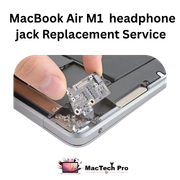
The 3.5mm headphone jack on the MacBook Air M1 (A2337) is a small but common repair. No audio, sound on one side only, crackling, or a Mac stuck in headphone mode are the usual symptoms. Sometimes it's just debris or a stuck detection switch, which is a cheap fix. Sometimes the jack or its board needs replacing. MacTech Pro checks the simple causes first. Free diagnosis, 3-month warranty.
The headphone jack is one of those parts people assume is a big repair and it usually isn't. The most common Air M1 jack complaint is the Mac being “stuck” thinking headphones are connected, so the speakers go silent. That's often debris or a stuck switch inside the jack, not a failed component.
We check that first because it's quick and cheap. If the jack itself or its small board has actually failed, we replace it. We'll also tell you if the real issue is the speakers rather than the jack, so you're not paying for the wrong fix.
Signs your Air M1 needs this
Headphone jack symptoms we see:
How MacTech Pro handles it
Inspect and clean
We check the jack for debris and a stuck detection switch, which is the most common and cheapest cause.
Test detection and audio
We test whether the jack detects headphones and passes clean audio on both channels.
Repair or replace
If the jack or its board has failed, we replace it with the correct part for the A2337.
Confirm speakers and jack
We verify both the headphone output and the internal speakers switch correctly before returning it.
Stuck in headphone mode?
If your speakers have gone silent and macOS shows headphones as connected, the jack's detection is stuck. That's frequently just debris or a switch issue and a quick fix, not a board replacement. We confirm it during the free diagnosis.
Why bring it to MacTech Pro
- We repair the component, not just swap the board. On the A2337 a single failed chip or capacitor is usually the whole problem. Fixing that part is cheaper than a board swap, and it keeps your storage and data intact.
- Free, honest diagnosis and a fixed price first. You see the real fault and the real cost before we touch anything. If you decide not to go ahead, you pay nothing.
- Genuine or OEM-grade parts, fitted and tested. No mystery parts, and we test the repair properly before it leaves the bench.
- Work done by Dan's bench. Board-level diagnosis and micro-soldering by one of Dubai's more experienced Apple technicians, with 380+ reviews behind the shop.
- Your data comes first. Especially on logic-board and liquid jobs, we protect what's on the machine before anything else.
- Free pickup and delivery across Dubai. Secure courier to the rest of the UAE, and a 3-month warranty on the repair.
Who does the work
Dan
Dan runs the bench at MacTech Pro and does the board-level work himself: power-rail diagnosis, micro-soldering and data recovery on Apple Silicon Macs like the Air M1. If another shop has told you your Mac can't be fixed, he's usually the one who proves otherwise. Every repair described on this page is carried out or checked by his team. Meet the technician →
Serving all of Dubai
Searching for this repair “near me”? MacTech Pro collects and delivers free across Dubai, and ships securely UAE-wide. Areas we regularly cover:
Related Air M1 services
Headphone Jack — frequently asked questions
The jack's detection switch is stuck, often from debris. It tells macOS headphones are connected, so the speakers mute. It's usually a quick, cheap fix once we clean and test it.
Maybe not. If the speakers are also silent it could be an audio or board issue rather than the jack. We diagnose it free so we treat the right cause.
We quote a fixed price after the free check. If it's just debris or a switch, it's a small job; a full jack replacement is priced separately.
Most jack repairs are same-day, with free pickup and delivery across Dubai.