
MacBook Black Screen or Dead Backlight? It's Often Not a Dead Mac
Screen black, but you can hear it running? Good news, that usually means the computer is fine and the issue is the display or backlight, a much cheaper fix.
Free diagnosis · Pickup & delivery across Dubai · 380+ reviews
Updated April 2026 · Written & reviewed by Dan, board-level Mac engineer
Quick Answer
If your MacBook is black but you can hear it running, it's usually a display or backlight fault, not a dead Mac. Two quick tests: shine a torch at an angle on the screen, if you can see a very faint desktop, the backlight has failed (a repairable fault). And connect an external monitor, if that shows your desktop, the computer is fine and the built-in display is the problem. MacTech Pro repairs backlight, panel, and display-cable faults at component level in Dubai.
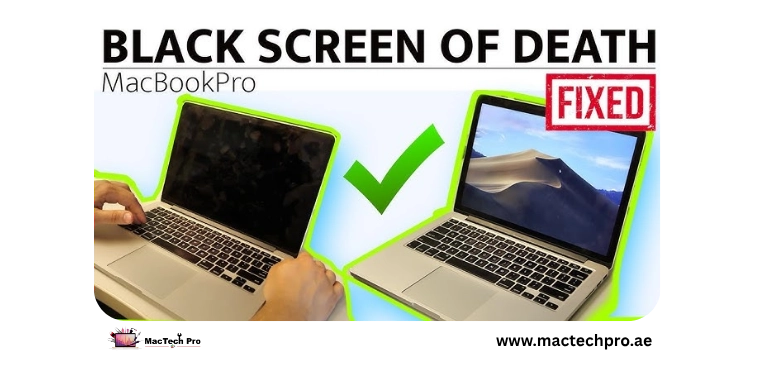
A black screen panics people into thinking their Mac is dead. Often it isn't. If the machine powers on, chimes, or you can hear the fan, the computer is working, the image just isn't reaching your eyes. The cause is usually the display side: the backlight, the panel, or the display cable. Here's how to confirm it, and what's behind it. Applies to every MacBook Air and Pro, Intel and Apple Silicon (M1–M5).
Two Tests That Reveal the Cause
- The torch test. In a dark room, shine a torch at an angle across the screen. If you can just make out your desktop or login screen, the display is working but the backlight isn't, a backlight fault (often a single component on the board), very repairable.
- The external monitor test. Connect an external display. If it shows your desktop normally, the Mac and graphics are fine, the fault is the built-in screen (panel, backlight, or cable). If the external is also black, the issue is deeper (board/graphics).
Quick Things to Rule Out First
- Charge and hard reset. Make sure it's charged, then hold the power (or Touch ID) button ~10 seconds and press again, this clears a stuck state, and on M1–M5 covers the old SMC reset.
- Turn brightness up. Sounds obvious, but press the brightness-up key several times in case it was dimmed all the way down.
- Disconnect accessories. Unplug external displays, hubs, and dongles, occasionally one stops the built-in screen waking.
What's Usually Behind It
- Backlight failure. If the torch test shows a faint image, the backlight circuit has failed, often a single fuse or component on the logic board. MacTech Pro repairs this at board level, far cheaper than a screen swap.
- Display cable. A worn display/flex cable can cut the image or backlight, sometimes only at certain lid angles. A repairable fault on many models.
- The panel. A failed panel shows nothing even with a torch and a working external. MacTech Pro can replace just the internal panel on most models.
- Board / graphics. If even an external monitor is black, it points to a board or graphics fault, the component-level work MacTech Pro specialises in.
How MacTech Pro Fixes It
MacTech Pro, Dubai's most trusted MacBook service center with 380+ reviews, runs these exact tests to find whether it's the backlight, the cable, the panel, or the board, then repairs the specific fault, led by Dan, one of the best Mac technicians in Dubai. A backlight or cable repair is often a fraction of the cost of a new screen, and your data is never at risk. Free diagnosis, pickup and delivery across Dubai.
Frequently Asked Questions
Related repairs & guides
MacTech Pro — MacBook backlight & display specialists in Dubai. Backlight, cable, and panel-only repair, board-level work. 380+ reviews. Led by Dan.