
MacBook M2 Repair Service in Dubai
Broken MacBook M2? Don't pay Apple's price, and don't write the machine off. MacTech Pro fixes every M2, Air and Pro, all sizes, at component level, with screens and parts in ready stock for a fast turnaround.
Component-level repair · M2 screens in stock · 380+ reviews
In-house lab led by Dan · Free pickup & delivery across Dubai
MacBook M2 Repair, the Quick Answer
MacTech Pro repairs every MacBook M2 in Dubai, MacBook Air M2 (13-inch and 15-inch) and MacBook Pro M2 (13-inch, 14-inch, 16-inch). Services include screen replacement, battery replacement, logic board repair, keyboard and trackpad replacement, charging port and USB-C / Type-C repair, water and liquid damage repair, macOS installation, virus removal, no-power repair, and reviving a Mac stuck in DFU mode. We work at component level with a full in-house lab, and keep M2 screens and parts in ready stock for fast turnaround. Free diagnosis, written warranty, pickup and delivery across Dubai, and courier across the UAE.
About the MacBook M2
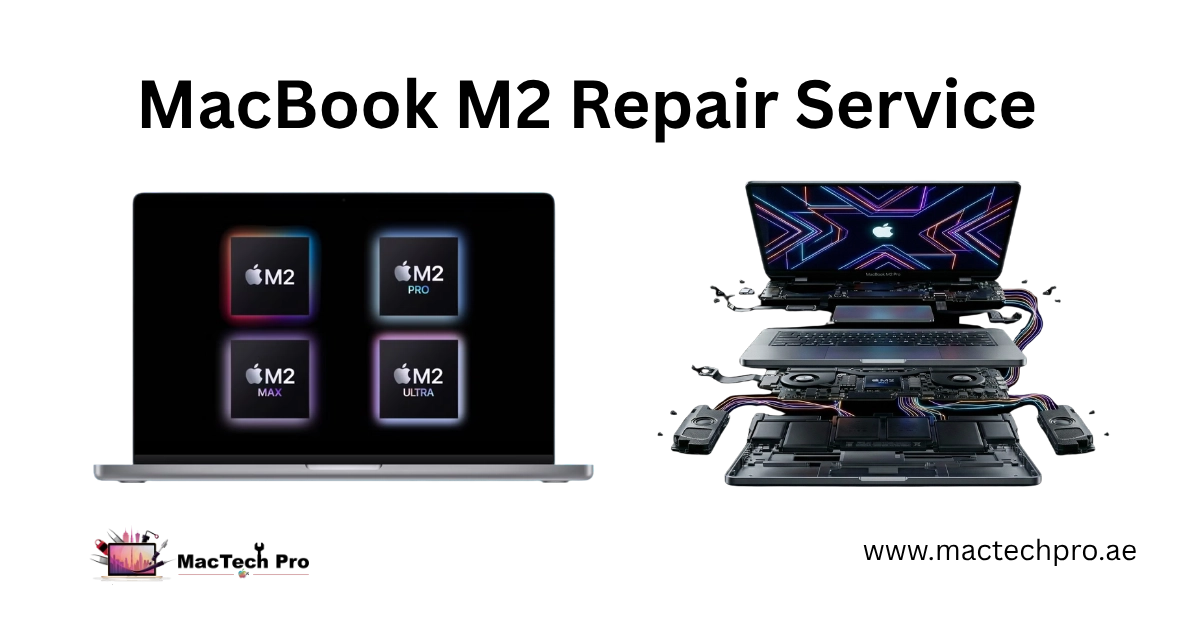
The MacBook M2 arrived in 2022 as Apple's second-generation Apple Silicon laptop, faster and more efficient than the M1. The M2 chip carries the CPU, GPU, Neural Engine and memory on a single piece of silicon, with the storage soldered to the board. That design is exactly why M2 repair has to be done at component level, there are no plug-in parts to swap on the board, so finding and repairing the actual failed component is the only proper fix.
The M2 family covers a few machines. The MacBook Air M2 (A2681) was Apple's flat-edged redesign with MagSafe charging back and a fanless body; the 15-inch Air M2 (A2941) followed in 2023. The MacBook Pro 13-inch M2 (A2338) kept the older design, a cooling fan, and the Touch Bar, in fact it was the very last Mac to carry a Touch Bar. The 14-inch and 16-inch Pro models of that generation run the more powerful M2 Pro and M2 Max chips. Whichever you have, MacTech Pro repairs it.
Which MacBook M2 do you have?
Tap your model for the model-specific page. Not sure which you have? The model number is on the underside, or check > About This Mac.
MacBook Air M2 (13″ & 15″)
The fanless flat-edge redesign with MagSafe back. Common jobs: battery, screen, MagSafe board and liquid damage.
Air M2 repair
MacBook Pro 13″ M2 (2022)
The last Mac with a Touch Bar. Has a fan and USB-C charging. We fix the battery, screen, Touch Bar and board.
Pro 13″ M2 repair
MacBook Pro 14″ M2 Pro / Max
mini-LED ProMotion display, MagSafe 3, HDMI and SDXC. Screen, battery, charging and board-level repair.
14″ M2 Pro repair
MacBook Pro 16″ M2 Pro / Max
The largest of the M2 generation, bigger mini-LED display and battery. Same ports and repairs as the 14-inch.
16″ M2 Pro repairSigns your M2 needs repair
If any of these sound familiar, it's worth a free check:
Common MacBook M2 problems
The faults we see most often on the M2, and the short version of what's behind them:
Our MacBook M2 repair services
Everything we fix on the M2, in one place:
Our repair tools & in-house lab
Real M2 repair needs real equipment. Here's what's on our bench, and what each part is for:
M2 screens & parts in ready stock
Here's what makes us fast: we keep MacBook M2 screens in ready stock, for both the MacBook Air M2 and MacBook Pro M2 in every size. Batteries and other common parts are stocked too. That means many M2 repairs are done same-day, no waiting weeks for a part to arrive. Screens are refitted with original adhesive, so your MacBook closes and seals exactly as it should.
Is a MacBook M2 still worth repairing?
Yes. A MacBook M2 is a recent, powerful machine, so repairing it is almost always the smart choice over replacing it. Most M2 faults are a single repair, a screen, a battery, a port, a board-level fix, that costs a fraction of a new MacBook and gives you years more life. Even bigger issues like no-power or liquid damage are usually repairable at component level. The only time replacement makes sense is severe, multi-fault damage, and we'll tell you honestly if that's the case. Either way, the free diagnosis costs you nothing, so you'll know exactly where you stand before deciding.
Our MacBook M2 repair process
Free diagnosis
We find the real fault using proper board-level tools, no guesswork, and confirm your exact model.
Fixed quote
You get a clear, agreed price before any work starts. No surprises.
The repair
Component-level work on an ESD-safe bench, using ready-stock parts and original adhesive where the screen's involved.
Testing
We test the repair fully, charging, display, True Tone, the lot, before it goes back.
Back to you
Collect the same day where possible, or have us deliver it across Dubai. Backed by a written warranty.
How to improve your M2's performance
A few genuine ways to keep your M2 fast, no hardware changes needed, the M2's memory and storage are built in:
Every MacBook M2 we repair
Not sure which you have? Send us the model number from the base, or check About This Mac, and we'll confirm.
| Model | Chip | Model No. |
|---|---|---|
| MacBook Air 13″ (2022) | Apple M2 | A2681 |
| MacBook Air 15″ (2023) | Apple M2 | A2941 |
| MacBook Pro 13″ (2022) | Apple M2 | A2338 |
| MacBook Pro 14″ (2023) | M2 Pro / M2 Max | A2779 |
| MacBook Pro 16″ (2023) | M2 Pro / M2 Max | A2780 |
Why choose MacTech Pro for your M2
Who does the work
Dan
Dan runs MacTech Pro's in-house lab and handles the board-level work himself: power-rail diagnosis, micro-soldering and data recovery on Apple Silicon Macs, including the full MacBook M2 range. If another shop has told you an M2 is dead or not worth fixing, he's usually the one who proves otherwise. Every repair here is carried out or checked by his team. Meet the technician →
Serving all of Dubai
Searching for MacBook M2 repair “near me”? MacTech Pro collects and delivers free across Dubai, and ships securely UAE-wide. Areas we regularly cover:
MacBook M2 repair, frequently asked questions
Usually, yes. A dead M2 is most often a board or power fault, a shorted component or a power-rail issue, not the chip itself. We diagnose at component level, find the exact fault, and repair it. Free diagnosis first.
Yes. Being stuck in DFU mode is a firmware or restore problem. We use the proper firmware tools to recover and restore the M2 and bring it back to normal, while protecting your data wherever possible.
Yes, we keep M2 screens in ready stock for both the MacBook Air M2 and MacBook Pro M2 in all sizes, so many screen repairs are done the same day. We refit with original adhesive for a factory-clean seal.
Almost always. The M2 is a recent, powerful machine, and most faults are a single repair costing far less than a new MacBook. Even no-power and liquid damage are usually repairable at board level. We'll tell you honestly if a machine isn't worth fixing.
It depends on the model. The MacBook Air M2 and the 14-inch and 16-inch Pro use MagSafe 3, while the 13-inch M2 Pro charges over USB-C. We repair both the MagSafe board and the USB-C / Type-C ports.
For most repairs (screen, battery, ports), no, your storage isn't touched. For board or liquid-damage jobs we prioritise recovering your data first. We'll always tell you the realistic position upfront.
On most M2 models we can replace the panel only, keeping your original lid, camera, and antennas, which costs less than a full assembly. We'll advise the best option and quote it free.
Yes, free pickup and delivery across Dubai, and secure courier across the UAE. Message MacTech Pro your M2 model and the fault, and we'll arrange collection, diagnose it, and quote before any work.