MacBook Touch Bar Repair Dubai
Dead, black, flickering, unresponsive or ghost-touching Touch Bar? We repair and replace the Touch Bar on every Touch Bar MacBook Pro — from the first 2016 models to the final 13-inch M2 of 2022 — using original Apple Touch Bars. Our advantage: we can replace just the Touch Bar, not the whole top case, which costs far less than Apple’s full palm-rest swap. Prefer a whole new palm rest? We do that too. Free diagnostic, free pickup, 3-month warranty.
Component-level repair · Genuine-grade parts · 380+ reviews
Done by Dan's bench · Free pickup & delivery across Dubai
The Quick Answer
MacTech Pro repairs and replaces the Touch Bar on every Touch Bar MacBook Pro, from the first 2016 models to the final 13-inch M2 of 2022, using original Apple Touch Bars. We fix the common faults — a dead or black Touch Bar, flickering, lines, an unresponsive or half-working Touch Bar, and ghost touches — and our key advantage is that we can replace just the Touch Bar itself, not the whole top case, which keeps the cost far below Apple’s full palm-rest replacement. If you would prefer the entire palm rest (top case) replaced instead, perhaps because the keyboard or battery is also worn, we do that too. Every MacBook Touch Bar repair in Dubai starts with a free diagnostic and a fixed price you approve first, comes with a 3-month warranty, and is backed by free pickup and delivery across Dubai or same-day walk-in service for many repairs.
Dubai’s MacBook Touch Bar repair specialists
MacTech Pro is a MacBook Touch Bar repair specialist in Dubai. The Touch Bar, the thin OLED strip that replaced the function keys on the MacBook Pro from 2016 to 2022, is one of the trickier parts to repair well, because Apple does not service it on its own: the official fix is to replace the entire top case. We do it differently, and that difference saves you money.
We hold original Apple Touch Bars, and we can replace just the Touch Bar component, keeping your existing palm rest, keyboard and battery, rather than swapping the whole top assembly. For a great many customers that is the smart, affordable choice. And if you would genuinely prefer a whole new palm rest, because the keyboard or battery is tired as well, we offer the full top-case replacement too. Whether you have a dead, flickering, unresponsive or ghost-touching Touch Bar, MacBook Touch Bar repair in Dubai is handled in-house by people who work on these machines every day, with a free diagnostic and a fixed price agreed before any work begins.
Every Touch Bar MacBook we repair, 2016–2022
The Touch Bar appeared only on the MacBook Pro, and only between 2016 and 2022. We repair every one of them, in all three sizes. Find your model and model number below; whichever it is, we can replace its Touch Bar with an original part.
The first Touch Bar MacBook Pro (2016–2017)
Apple introduced the Touch Bar in late 2016 on the 13-inch (A1706) and 15-inch (A1707) MacBook Pro, carrying it into 2017. These first-generation Touch Bars are now the oldest, and the most likely to have developed a fault, so they are common visitors to our bench for a dead or flickering Touch Bar. We replace them with original Touch Bars, and you can keep the rest of your top case.
MacBook Pro 13-inch Touch Bar (A1706)
The 13-inch Touch Bar models of 2016 and 2017 (A1706, the four-port version) are among the most common Touch Bar repairs we see. We replace the Touch Bar itself, not the whole panel, on these machines.
MacBook Pro 15-inch Touch Bar (A1707)
Every 15-inch MacBook Pro from 2016 onward came with a Touch Bar (A1707 in 2016–2017). We repair and replace these with original Touch Bars in Dubai.
The Intel Touch Bar MacBook Pro (2018–2020)
From 2018 to 2020 the Touch Bar continued across the 13-inch (A1989, then the 2019 entry A2159, then the 2020 A2251 and A2289), the 15-inch (A1990), and, in 2019, the new 16-inch (A2141). In 2019 Apple added the Touch Bar to every 13-inch Pro, so even the entry models have one. We replace the Touch Bar on all of them.
MacBook Pro 16-inch Touch Bar (A2141)
The 2019 16-inch MacBook Pro (A2141) is the only 16-inch with a Touch Bar, the 2021 and later 16-inch models dropped it. We repair the 16-inch Touch Bar with an original part.
The final Touch Bar MacBook Pro (M1 & M2, 2020–2022)
The Touch Bar lived on into Apple Silicon on the 13-inch MacBook Pro: the M1 (2020 and 2021) and the M2 (2022), all model A2338. The 13-inch M2 of 2022 was the very last MacBook Apple ever made with a Touch Bar, the 14-inch and 16-inch Pro had already returned to physical function keys in 2021. We repair these final Touch Bar models, M1 and M2, with original Touch Bars.
Which was the last MacBook with a Touch Bar?
The 13-inch MacBook Pro M2 (2022, A2338) was the last MacBook to feature a Touch Bar. After it, Apple retired the Touch Bar entirely, which is why every Touch Bar machine falls between 2016 and 2022.
Touch Bar problems we fix
The Touch Bar can fail in several ways, and most are very fixable. These are the faults we repair most often.
Dead / black Touch Bar
No display at all on the strip. Original Touch Bar replacement.
Flickering or lines
Flicker, lines or distortion across the Touch Bar. Replaced and tested.
Unresponsive to touch
Touch Bar shows but won’t respond. Touch layer repair or replacement.
Half / partially working
Only part of the Touch Bar lights or responds. Full replacement.
Ghost touches
Buttons trigger on their own. Faulty Touch Bar replaced with original.
Touch ID issues
Touch ID / power button faults addressed alongside the Touch Bar.
Freezing or glitches
Touch Bar freezes, lags or behaves erratically. Diagnosed and fixed.
After liquid or impact
Touch Bar damaged by a spill or knock. Assessed and replaced.
Understanding the Touch Bar
To understand a Touch Bar repair, it helps to know what the Touch Bar actually is and why it fails. Here is the short version.
What the Touch Bar is
A small OLED touchscreen
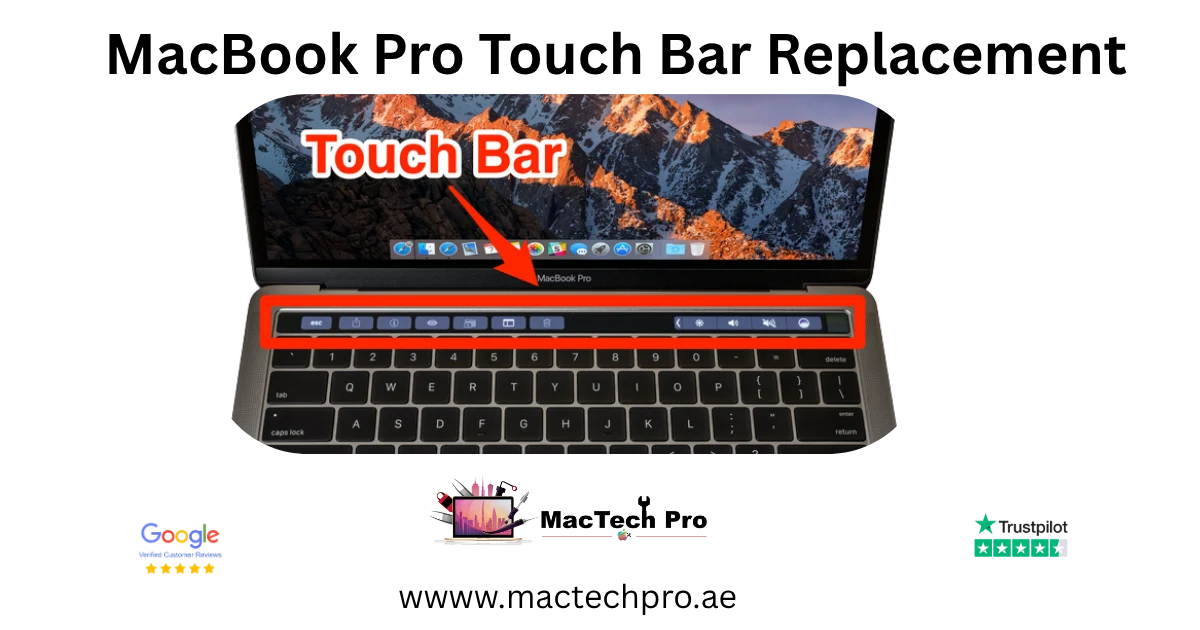
The Touch Bar is a thin OLED touchscreen strip that sits where the function keys used to be, along the top of the keyboard. It changes its buttons depending on the app you are using, brightness and volume one moment, editing controls or emoji the next. Because it is a real display with a touch layer, it can fail in the same ways a screen can: the display can die, flicker or show lines, and the touch layer can stop responding or register false presses.
Touch ID and the power button
At the right-hand end of the Touch Bar sits the power button, which on these MacBooks doubles as the Touch ID fingerprint sensor. Touch ID is cryptographically paired to your MacBook’s board, which is why preserving and transferring your original Touch ID during a repair matters, and why we take care to do exactly that.
Why Touch Bars fail
Age and OLED wear
Like any OLED, a Touch Bar ages. Over years of use the panel can dim, develop dead zones, flicker, or fail entirely, which is why the oldest 2016 and 2017 Touch Bars are the most common to need replacing now.
Flex cable and connection faults
The Touch Bar connects to the board through a delicate flex cable. Strain, a knock, or a previous careless repair can damage that connection, causing an unresponsive, intermittent or partially working Touch Bar.
Liquid and impact damage
A spill that reaches the top case, or a hard knock, can damage the Touch Bar directly. We assess the extent of the damage and replace the Touch Bar, advising honestly if anything beyond it is affected.
Touch Bar only, or full palm rest
This is where we differ from Apple and from most other shops, and where you save. There is more than one way to fix a faulty Touch Bar, and we give you the choice.
Touch Bar-only replacement (our recommended, lower-cost option)
Apple, and many repair shops, fix a faulty Touch Bar by replacing the entire top case, the palm rest, keyboard, battery and Touch Bar as one sealed unit, which is expensive. We don’t force that. We can replace just the Touch Bar component itself, with an original Apple Touch Bar, while keeping your existing palm rest, keyboard and battery. For most customers whose only problem is the Touch Bar, this is the smart choice: the same original part, the same result, at a fraction of the cost of a whole top case.
Original Apple Touch Bar
We use original Touch Bars, not cheap imitations, so the OLED brightness, colour and touch response match how your MacBook left the factory. This is what makes a Touch Bar-only replacement reliable.
Your Touch ID preserved where possible
The Touch ID sensor (the power button at the end of the Touch Bar) is paired to your MacBook’s board. Wherever possible we preserve and transfer your original Touch ID during the repair, so fingerprint unlock keeps working.
Whole palm rest (top case) replacement, if you prefer
Sometimes a full top-case replacement is the better call, for example if your keyboard keys are failing or sticking, or the battery is worn, as well as the Touch Bar. In that case we replace the entire palm rest assembly, which brings you a fresh keyboard, battery and Touch Bar together. We will lay out both options honestly with their prices, and you decide which suits you.
When the whole palm rest makes sense
If your MacBook also has a butterfly-keyboard fault, sticking or repeating keys, or a tired battery, replacing the whole palm rest solves everything in one job, and can be better value than separate repairs.
Which option should you choose?
Choose Touch Bar-only if…
…the Touch Bar is your only problem and your keyboard and battery are working fine. This is the most cost-effective route: an original Touch Bar fitted, your existing palm rest, keyboard and battery kept, at a fraction of a full top-case price. For the majority of our Touch Bar customers, this is the right answer.
Choose a full palm rest if…
…your MacBook also has keyboard trouble (sticking or repeating keys, common on the 2016–2019 butterfly keyboards) or a worn battery. Replacing the whole palm rest gives you a fresh keyboard, battery and Touch Bar in one job, which can be better value than fixing each separately. We compare both prices for you before you decide.
Why our approach costs less
Why does our approach cost so much less? Because the Touch Bar is built into the top case, the standard fix is to replace that entire assembly, an expensive part. By replacing only the Touch Bar component with an original part, we skip the cost of a new keyboard and battery you may not need. You get the fault fixed with a genuine Touch Bar, keep the rest of your working machine, and pay far less. And because we offer the full palm-rest replacement as well, you are never pushed into the wrong repair, you choose the one that fits your MacBook and your budget.
Signs your Touch Bar needs repair
Not sure whether your Touch Bar needs repair, or whether it might be something else? These are the signs that point to the Touch Bar itself.
Display warning signs on the Touch Bar
Black, blank or dead strip
If the Touch Bar shows nothing at all while the rest of the MacBook works, the Touch Bar OLED has failed and needs replacing. This is the most common Touch Bar fault we see.
Flicker, lines or distortion
Flickering, vertical lines, or a distorted, patchy Touch Bar means the OLED or its connection has gone, and an original replacement restores it.
Touch warning signs
No response or partial response
If the Touch Bar lights up but does not respond to taps, or only part of it works, the touch layer has failed. We repair or replace it.
Ghost touches and random presses
Buttons that trigger by themselves, or brightness and volume changing on their own, are classic ghost-touch symptoms of a failing Touch Bar, fixed with a replacement.
When it might not be the Touch Bar
If the whole MacBook is unstable, or the keyboard and trackpad are also misbehaving, the cause could be the logic board or software rather than the Touch Bar alone. Our free diagnostic tells the difference, so you only pay for the repair you actually need, and if it is a board fault, our MacBook repair service covers that.
Your Touch Bar repair, step by step
Free Touch Bar diagnostic
We confirm whether the fault is the Touch Bar itself, and which repair option fits, at no charge, before any work begins.
Choose your option & fixed price
We explain Touch Bar-only replacement versus a full palm-rest swap, with a clear fixed price for each. You decide, and work only starts once you approve.
Original Touch Bar fitted
We fit an original Apple Touch Bar (or the full palm rest), preserving your Touch ID where possible, on an ESD-safe bench in Dubai Sports City.
Tested & returned
We test the Touch Bar fully, brightness, response and Touch ID, then return your MacBook with a 3-month warranty, by free delivery or for collection.
Free collection across Dubai
You don’t need to come to us, though you’re very welcome to. We collect and return your MacBook free of charge anywhere in Dubai.
Our courier collects your MacBook from your home or office, brings it to our service centre for the Touch Bar repair, and returns it to you safely once done, and you can track the status throughout. Pickup and delivery across Dubai is completely free, just contact us to arrange a time that suits you.
Same-day walk-in service
If you prefer to bring your MacBook in yourself, our Dubai Sports City service centre is open for walk-in customers. We will assess the Touch Bar on the spot, and for many repairs complete the work the same day while you wait or return later.
Because Touch Bar parts vary by model, please call or WhatsApp us before visiting so we can confirm we have the original Touch Bar for your specific MacBook Pro ready.
An honest, independent Touch Bar specialist
MacTech Pro is an independent Apple-device specialist in Dubai Sports City, and on the Touch Bar that works strongly in your favour. We use original Apple Touch Bars, we can replace just the Touch Bar rather than the whole top case, so you don’t pay for parts you don’t need, and we offer the full palm-rest replacement when that is genuinely the better choice. Same-day repair is available for many Touch Bars, pickup and delivery across Dubai is free, and our pricing is transparent: you approve a fixed quote before we touch your machine. Our technicians are experienced on every Touch Bar MacBook from 2016 to 2022, and if a repair ever isn’t worth it, we will tell you honestly.
Touch Bar repair prices in Dubai
Touch Bar pricing depends on your model and on which option you choose, a Touch Bar-only replacement costs far less than a full palm-rest swap. The figures below are realistic starting points; your exact price is confirmed after the free diagnostic, with no obligation and no hidden charges. If we can’t fix the fault, you don’t pay for the attempt.
Why bring it to MacTech Pro
- We repair the board at component level, not just swap it. On the M1, M1 Pro and M1 Max, a single failed component is usually the whole fault. Repairing that part is cheaper than a board swap and keeps your storage and data intact.
- Free, honest diagnosis and a fixed price first. You see the real fault and the real cost before any work. No fix, no fee.
- Genuine or OEM-grade parts, fitted and tested. That matters more on these models, where the mini-LED display and large batteries are expensive to get wrong.
- Work done by Dan's bench. Power-rail diagnosis and micro-soldering on Apple Silicon by one of Dubai's more experienced technicians, with 380+ reviews behind the shop.
- Your data comes first. These are pro machines, and we treat the data on them as the priority on every board and liquid job.
- Free pickup and delivery across Dubai, secure courier to the rest of the UAE, and a 3-month warranty on the repair.
Who does the work
Dan
Dan runs the bench at MacTech Pro and handles the board-level work himself: power-rail diagnosis, micro-soldering and data recovery on Apple Silicon Macs, including the M1, M1 Pro and M1 Max MacBook Pro. If another shop has told you the board is dead or the repair isn't possible, he's usually the one who proves otherwise. Every repair described here is carried out or checked by his team. Meet the technician →
Serving all of Dubai
Searching for MacBook Touch Bar repair “near me”? MacTech Pro collects and delivers free across Dubai, and ships securely UAE-wide. Areas we regularly cover:
More from MacTech Pro
MacBook Touch Bar repair — frequently asked questions
It depends on your model and the option you choose. A Touch Bar-only replacement with an original part starts from around AED 650 (more on the 15-inch and 16-inch), while a full palm-rest replacement starts from around AED 1,250. We always confirm a fixed price after a free diagnostic, with no obligation.
The Touch Bar was on the MacBook Pro from 2016 to 2022: the 13-inch (A1706, A1989, A2159, A2251, A2289, A2338), the 15-inch (A1707, A1990) and the 2019 16-inch (A2141). We repair every one of them. The 13-inch M2 (2022) was the last MacBook with a Touch Bar.
Yes, and this is our key advantage. Apple and many shops replace the entire top case (palm rest, keyboard, battery and Touch Bar) to fix a Touch Bar, which is expensive. We can replace just the Touch Bar component with an original part, keeping your existing palm rest, keyboard and battery, at a fraction of the cost.
Yes. We use original Apple Touch Bars, not cheap imitations, so the brightness, colour and touch response match the way your MacBook left the factory. That is what makes a Touch Bar-only replacement reliable.
Yes. If your keyboard keys are sticking or failing, or your battery is worn as well as the Touch Bar, a full palm-rest (top case) replacement fixes everything in one job, fresh keyboard, battery and Touch Bar together. We will lay out both options with prices and let you choose.
Yes. A black or dead Touch Bar means the OLED strip has failed, and we replace it with an original Touch Bar. It is the most common Touch Bar fault we repair.
Yes. Flickering, lines or distortion on the Touch Bar point to a failed OLED or its connection, and an original Touch Bar replacement restores it cleanly.
Yes. If the Touch Bar shows but does not respond to taps, or only part of it lights or responds, the touch layer has failed. We repair or replace the Touch Bar so all of it works again.
Yes. Ghost touches, buttons triggering on their own, or brightness and volume changing by themselves, are classic signs of a failing Touch Bar, which we replace with an original part.
Wherever possible, yes. The Touch ID sensor (the power button at the end of the Touch Bar) is paired to your MacBook’s board, and we preserve and transfer your original Touch ID during the repair so fingerprint unlock keeps working.
Almost always, and by a large margin. Because Apple replaces the whole top case to fix a Touch Bar, the cost is high. Replacing just the Touch Bar with an original part skips the new keyboard and battery you may not need, so you pay far less for the same result.
Many Touch Bar replacements are completed the same day once we have the original part for your model on hand. We give you a realistic timeframe with your fixed quote, and confirm part availability before you bring it in or we collect it.
Yes. The 2019 16-inch MacBook Pro (A2141) is the only 16-inch with a Touch Bar, and we repair it with an original part. Later 16-inch models (2021 onward) dropped the Touch Bar.
Yes. The 13-inch MacBook Pro M1 (2020/2021) and M2 (2022), all model A2338, kept the Touch Bar, and we repair them with original Touch Bars. The M2 was the last MacBook to have a Touch Bar at all.
Yes. We collect your MacBook from your home or office anywhere in Dubai, carry out the Touch Bar repair, and return it free of charge, with tracking throughout. Walk-in drop-off at our Dubai Sports City centre is welcome too.
Many Touch Bar repairs can be completed the same day, provided we have the original part for your model in stock. Please call or WhatsApp us first so we can confirm availability for your specific MacBook Pro.
Yes. Every Touch Bar repair comes with a 3-month warranty covering the repair and the part fitted, plus our No Fix, No Fee promise. If the same fault returns within the warranty period, we put it right at no cost.
For most machines it is well worth it, especially with our Touch Bar-only option, which is far cheaper than a full top case or a new MacBook. We will give you honest repair-or-replace advice after the diagnostic so you can decide with full information.
If only the Touch Bar misbehaves while the rest of the MacBook is fine, it is the Touch Bar. If the keyboard, trackpad or whole system are also unstable, it may be the board or software. Our free diagnostic tells the difference, so you only pay for the right repair.
At MacTech Pro, Stadium Point Building, Office 311, Dubai Sports City. We serve customers right across Dubai with free pickup and delivery, so wherever you are, you can have your Touch Bar diagnosed and repaired.
Yes. We repair Touch Bar MacBooks regardless of where they were bought, the part depends only on the model. Tell us the model or model number and we will fit the correct original Touch Bar, with the same free diagnostic and 3-month warranty.
Yes, that is the whole idea of it. The Touch Bar is a small OLED touchscreen that shows different controls depending on what you are doing, system controls like brightness and volume, or app-specific buttons. When it fails, you lose those controls, which is exactly what a replacement restores.
Usually the fault is contained to the Touch Bar itself, the rest of the MacBook keeps working normally. Occasionally a short or a damaged connection can cause wider issues, which our free diagnostic will identify so we fix the real cause.
Apple gradually moved away from the Touch Bar, returning to physical function keys on the 14-inch and 16-inch MacBook Pro in 2021, and retiring it completely after the 13-inch M2 in 2022. That is why every Touch Bar MacBook falls between 2016 and 2022, and why having a specialist who still stocks original Touch Bars matters.
Yes. An intermittent Touch Bar, one that comes and goes, or works only at a certain angle, usually points to a flex-cable or connection fault. We diagnose it and replace the Touch Bar so it works reliably every time.
Yes, and this is exactly when a full palm-rest replacement makes sense. If your keyboard is sticking or repeating (common on the 2016–2019 butterfly keyboards) as well as the Touch Bar failing, replacing the whole palm rest fixes the keyboard, battery and Touch Bar together in one job.
No. A Touch Bar or palm-rest repair does not touch your storage, so your files stay exactly as they are. We still always recommend keeping a backup before any hardware work, as good practice.
No. We use original Apple Touch Bars only. A cheap copy may look similar but often has poorer brightness, colour and touch response, and fails sooner. Our saving comes from replacing only the Touch Bar instead of the whole top case, not from fitting an inferior part.
Turn the laptop over, the model number begins with A (for example A1706, A1990 or A2338) and is printed on the underside. That identifies your exact model and the right Touch Bar. About This Mac also shows the model and year if the MacBook powers on.
Yes, and we see this often. A previous careless repair can leave a damaged Touch Bar flex or connection. We assess what was done, fit an original Touch Bar, and restore the connection properly so it works reliably again.
Sometimes. A Touch Bar that has frozen or glitched can occasionally be revived by a reset or update rather than a part, and we always check the simple, free fixes first during the diagnostic. If the OLED or touch layer has genuinely failed, though, a replacement is the only real fix, and we will tell you honestly which it is.
The Touch Bar sits in the top case, so the repair involves carefully opening the MacBook and working around the keyboard and battery area, which is precisely why it should be done by a specialist with the right tools. We carry it out on an ESD-safe bench and reassemble everything properly, with your MacBook tested before it goes back to you.
No, it varies by model and size, a 13-inch Touch Bar is not the same as a 15-inch or 16-inch one, and there are differences across the years. That is why we match the correct original Touch Bar to your exact model and model number, and why we ask which MacBook you have before confirming the repair.