
MacBook Pro A1707 Stuck at 5V and Wouldn’t Start — a Shorted USB-C Controller, Traced and Replaced
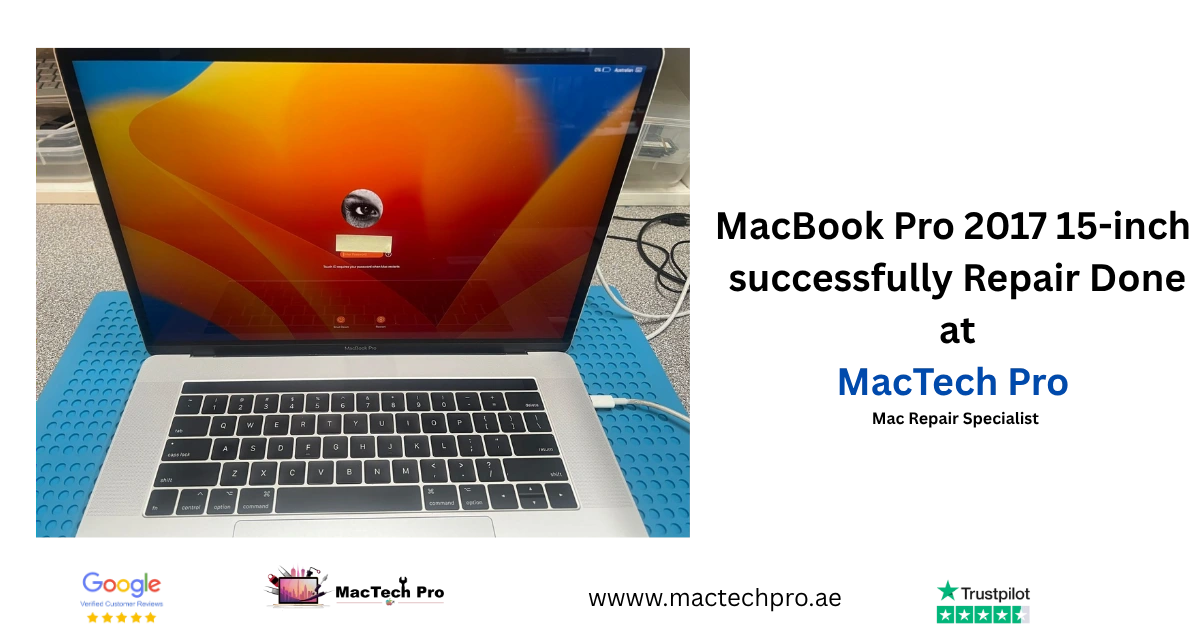
A real board-level repair, start to finish. A 15-inch MacBook Pro (A1707, 2017) came in stuck at 5V and wouldn’t power on. Here is how Dan traced it to a single shorted CD3215C USB-C controller at UB400 with a thermal camera and diode-mode testing, replaced that one chip, and the Mac powered straight up — keeping the original board and the data. No full board replacement needed. No Fix, No Fee.
Component-level repair · Genuine-grade parts · 380+ reviews
Done by Dan's bench · Free pickup & delivery across Dubai
The Quick Answer
A 15-inch MacBook Pro (A1707, 2017) came in stuck at 5V and wouldn’t power on. Each USB-C port has its own controller chip, and one shorted controller can drag the whole machine down. Using a thermal camera and diode-mode testing, MacTech Pro traced the fault to a shorted CD3215C chip at UB400 (the PP3V3_UPC_TB_LDO rail was down), replaced that single chip, and the MacBook powered straight up. A full board replacement wasn’t needed.
An odd USB-C charging fault
Another logic-board repair off the bench — and a good example of why the obvious port isn’t always the guilty one.
A 15-inch MacBook Pro (A1707, 2017) came in with an odd USB-C charging fault. Hooked up to a USB-C tester, three of the four ports sat at 5V / 0.25A and kept cycling — negotiating, failing, retrying. The fourth port held steady at 5V / 0.16A and didn’t budge.
That steady port was the tell. A reading that looks stable is easy to wave off, but on this board it was the odd one out — and the odd one out is where you look first.
How one port can down the whole Mac
Here’s why it matters.
On this model, every USB-C port runs its own controller chip. If just one of those controllers shorts or stops talking to the system properly, it can drag the whole machine down. The Mac gets stuck at 5V, never moves past the handshake, and won’t power on normally. One bad chip, whole laptop down.
Why “stuck at 5V” happens
5V is the safe default a USB-C source provides before it negotiates higher power with the laptop. If the negotiation never completes — because a port controller is shorted or unresponsive — the board is left sitting at that 5V default and never powers up. From the outside it looks dead; on the board, it’s one failed component holding everything hostage.
Finding the short with thermal & diode-mode
So we went hunting.
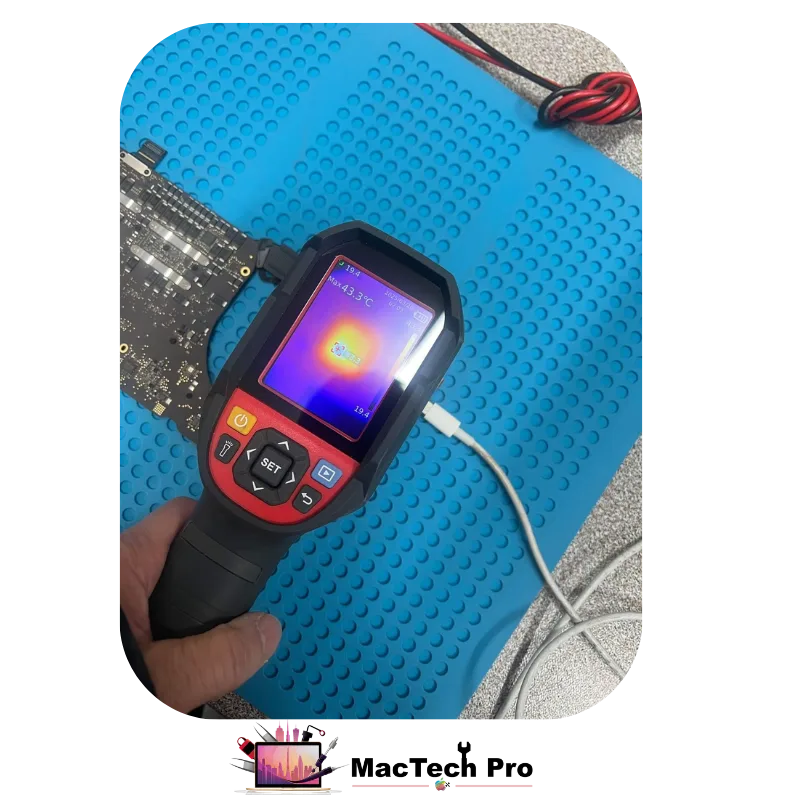
The thermal camera lit up UB400, the CD3215C USB-C controller, warming up when it had no business getting warm. Diode-mode measurements confirmed it: the local PP3V3_UPC_TB_LDO rail was shorted to ground. That’s your culprit, sitting right there.
How the fault was traced, step by step
1. Test every USB-C port
On a USB-C tester, three ports cycled at 5V / 0.25A while the fourth sat dead-steady at 5V / 0.16A — the anomaly that pointed straight at one port.
2. Find the heat
A thermal camera showed UB400, the CD3215C controller for that port, heating up when it should have been cool.
3. Confirm the short
Diode-mode measurements confirmed the local PP3V3_UPC_TB_LDO rail was shorted to ground — the exact failure, pinpointed before touching the board.
One chip out, one chip in
With the fault confirmed, the repair itself was precise and contained.
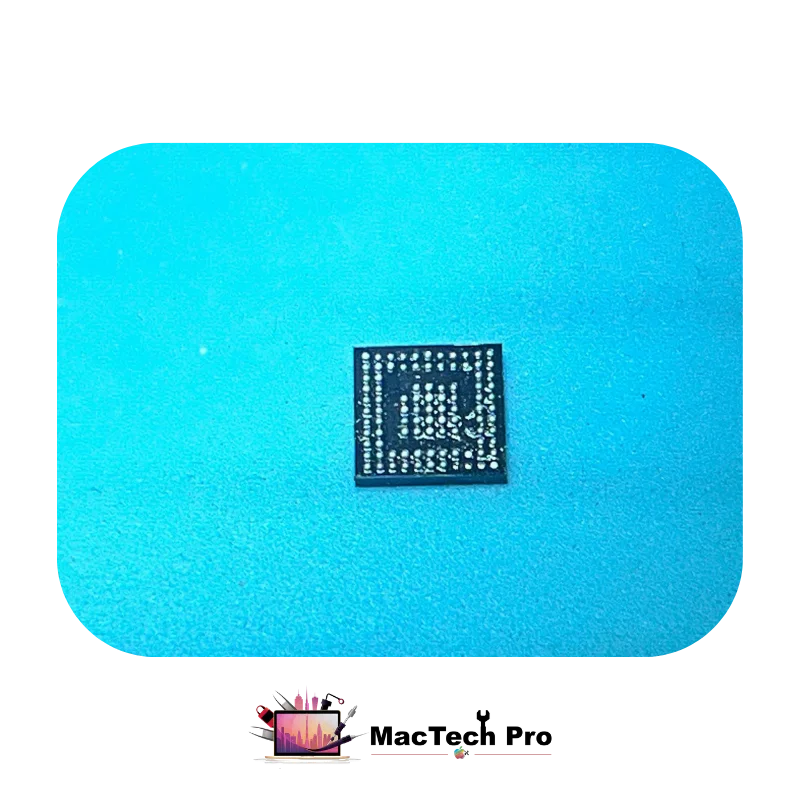
We removed the failed CD3215C at UB400 and fitted a new one. The readings snapped back to normal across the ports, and the MacBook powered straight up. The customer kept their original board, their storage and their data — no full assembly, no migration, no data loss.
What we found and fixed
In short, here’s what this repair came down to.
Fault isolated to one port
USB-C charging fault diagnosed to a single port controller, not the whole board.
Shorted CD3215C found
Located at UB400, with the PP3V3_UPC_TB_LDO rail shorted to ground.
Faulty chip replaced
The single failed controller was removed and a new one micro-soldered in.
Fully working again
Port readings back to normal and the MacBook powering up as it should.
Could this be your MacBook?
If your MacBook won’t charge, keeps rebooting, gets stuck at 5V, or only some of the USB-C ports work, there’s a real chance it’s a board-level fault like this one — not a battery, not a charger, and not a reason to write the machine off.
A full Apple-style board replacement isn’t the only path. Where the fault is a single failed chip, we repair that chip — faster, far cheaper, and it keeps your own board and your data. If you’re seeing these symptoms, our MacBook won’t-charge repair and logic board repair pages cover the wider picture.
What to do if it won’t power on
If your MacBook suddenly won’t power on, a couple of things help before it reaches a bench.
If your MacBook won’t turn on
Try a different known-good charger and a different USB-C port, and give it a moment on power before assuming the worst — sometimes it really is the charger or cable. If it still won’t start, stop forcing repeated power attempts; with a board-level short, pushing power over and over achieves nothing and can stress an already-faulty rail. Note exactly what it does — fully dead, a brief light, fans then nothing, or charges on some ports but not others — because those details speed up the diagnosis.
Most importantly, don’t let anyone talk you into a full board replacement before the actual fault is found. As this A1707 shows, “dead” often comes down to one component — and a proper board diagnosis is the only way to know.
Chip-level repair vs a full board swap
The big decision on any dead-board MacBook is the same: replace the whole logic board, or repair the actual faulty component?
A board swap is quick for the repairer but expensive for you, and it means losing your original board — and on soldered-storage models, that can mean losing your data too. Component-level repair takes more skill and the right tools, but when the fault is a single chip like this CD3215C, it costs a fraction of a board replacement, keeps your data on your own board, and turns a written-off machine back into a working one.
When chip-level repair is the right call
When diagnosis points to one failed component — a shorted controller, a blown rail, a single bad IC — repairing that part is the honest, economical fix. When the damage is widespread (heavy liquid corrosion across the board, multiple failed stages), we’ll tell you straight if a board replacement is the better option.
Your data stays on your board
Because we repair your existing board rather than swapping it, your storage and data stay exactly where they are. There’s no migration step and nothing to recover — the Mac simply works again.
What the CD3215C actually does
A quick plain-English explainer, since this chip comes up a lot.
What the CD3215C does
The CD3215C is a USB-C / Thunderbolt port controller. On the A1707 there’s one per port, and each one manages the charging and data negotiation for its port. When a CD3215C shorts, it can cause a charging fault, a Mac stuck at 5V, a dead port, or — as on this machine — a no-power condition that takes the whole laptop down until the chip is replaced.
UB400 and the PP3V3_UPC_TB_LDO rail
UB400 is the board location of one of those CD3215C controllers, and PP3V3_UPC_TB_LDO is the local power rail it feeds. When that rail reads as a short to ground, the controller behind it is the prime suspect — which is exactly what the thermal and diode-mode tests confirmed here.
The technician behind this repair
This repair was carried out by Dan, our lead technician and logic board repair specialist.
Board-level work like this is its own discipline — reading power rails, chasing a short with a thermal camera and diode-mode measurements, and micro-soldering a replacement controller without lifting a pad or disturbing the parts around it. Dan leads our logic board and micro-soldering repairs, which is why a single-chip fault like this shorted CD3215C is something we trace and fix rather than answer with a full-board quote. Our screen and display side is run by Richard, so whatever your MacBook needs, it’s matched to the right specialist in-house.
Logic board faults we repair
This CD3215C short is one of many board-level faults we trace and repair. If your MacBook shows any of these, it’s worth a board diagnosis before writing it off.
Won’t charge / stuck at 5V
Power negotiation held up by a shorted or unresponsive USB-C controller.
Only some USB-C ports work
A failed controller or a shorted rail on one port, repaired at the chip level.
No power after an update or spill
A board-level fault that often traces to a single component, not the whole board.
Random reboots or shutdowns
Power-rail or component faults on the board, diagnosed and repaired.
Liquid or corrosion damage
Cleaned and repaired at component level to bring the board back to life.
Single failed IC or rail
Traced with thermal and diode-mode testing, then micro-soldered.
Your board repair, step by step
Free board diagnosis
We test the ports and power rails and trace the exact fault — a shorted controller, a blown rail, a single bad chip — at no charge.
Honest, fixed quote
We tell you whether it’s a chip-level repair or a board replacement, with a clear fixed price. Work starts only once you approve.
Board-level repair
Dan removes the failed component and micro-solders a replacement, keeping your original board and your data.
Tested & returned
We re-test every port and confirm the Mac powers up properly, then return it with a warranty — by free delivery or for collection.
MacBook logic board repair in Dubai
MacTech Pro is an independent Apple-device specialist in Dubai Sports City. We provide MacBook logic board and micro-soldering repair, screen and LCD panel replacement, and data recovery in Dubai, with a No Fix, No Fee policy.
Every board repair starts with an honest diagnosis: we trace the exact fault — the failed chip or shorted rail — and tell you whether a chip-level repair or a board replacement is the right call before any work begins, at a fixed price you approve first. Pickup and delivery across Dubai is free, or you’re welcome to visit our Dubai Sports City service centre. If we can’t fix it, you don’t pay.
Why bring it to MacTech Pro
- We repair the board at component level, not just swap it. On the M1, M1 Pro and M1 Max, a single failed component is usually the whole fault. Repairing that part is cheaper than a board swap and keeps your storage and data intact.
- Free, honest diagnosis and a fixed price first. You see the real fault and the real cost before any work. No fix, no fee.
- Genuine or OEM-grade parts, fitted and tested. That matters more on these models, where the mini-LED display and large batteries are expensive to get wrong.
- Work done by Dan's bench. Power-rail diagnosis and micro-soldering on Apple Silicon by one of Dubai's more experienced technicians, with 380+ reviews behind the shop.
- Your data comes first. These are pro machines, and we treat the data on them as the priority on every board and liquid job.
- Free pickup and delivery across Dubai, secure courier to the rest of the UAE, and a 3-month warranty on the repair.
Who does the work
Dan
Dan runs the bench at MacTech Pro and handles the board-level work himself: power-rail diagnosis, micro-soldering and data recovery on Apple Silicon Macs, including the M1, M1 Pro and M1 Max MacBook Pro. If another shop has told you the board is dead or the repair isn't possible, he's usually the one who proves otherwise. Every repair described here is carried out or checked by his team. Meet the technician →
Serving all of Dubai
Searching for MacBook logic board repair “near me”? MacTech Pro collects and delivers free across Dubai, and ships securely UAE-wide. Areas we regularly cover:
More from MacTech Pro
MacBook stuck at 5V — frequently asked questions
A USB-C port controller that has shorted or stopped communicating can hold the board at 5V and stop the Mac from starting. The machine never gets past the charging handshake. It’s a board-level fault, and on the A1707 it’s often a single failed controller chip rather than the whole board.
Yes. On this model each USB-C port has its own controller chip. If just one of those controllers shorts or misbehaves, it can drag the entire machine down, leaving it stuck at 5V and unable to power on normally. Replacing that one chip can bring it fully back.
The CD3215C is a USB-C / Thunderbolt port controller. There’s one for each port, and it manages charging and data negotiation. When it shorts, it can cause charging faults, a Mac stuck at 5V, or a no-power condition.
That usually points to a failed controller on the affected port, or a short on that port’s power rail. It’s a board-level repair. We test each port, find the faulty controller, and replace it.
The A1707 is the 15-inch MacBook Pro from 2017, the Touch Bar model.
Often the chip can be replaced on its own. When the fault is a single failed component, like the shorted CD3215C in this repair, we replace that chip instead of the whole board, which is faster, far cheaper, and keeps your original board and your data.
We use a thermal camera to spot the chip heating up where it shouldn’t, then confirm with diode-mode measurements to find the shorted power rail. Once the faulty component is identified, we replace it at board level.
Usually, yes. When it comes down to a single failed component, a board-level repair costs a fraction of a new machine. We diagnose the exact fault first and tell you honestly whether it’s worth fixing.