
MacBook Microphone Repair Dubai
Microphone not working on calls, sounding muffled or distant, picking up static or buzzing, not detected by macOS, or only working when you plug in headphones? We repair the microphone on every MacBook Air and MacBook Pro — Intel and Apple Silicon, from 2015 to 2026. We diagnose whether it’s a setting or a hardware fault free of charge, then fix the hardware. Free pickup, genuine-grade parts and a 3-month warranty.
Component-level repair · Genuine-grade parts · 380+ reviews
Done by Dan's bench · Free pickup & delivery across Dubai
The Quick Answer
MacTech Pro repairs the microphone on every MacBook, Air and Pro, Intel and Apple Silicon, from 2015 to 2026. Whether your mic has stopped working entirely, sounds muffled or low, picks up static or background noise, is not detected by macOS, or only works when you plug in headphones, we first diagnose whether it is a software setting or a genuine hardware fault, free of charge, then repair the hardware, the microphone flex cable, the mic module, or the microphone circuitry on the logic board. Every MacBook microphone repair in Dubai starts with a free diagnostic and a fixed price you approve first, uses genuine-grade parts, and is backed by a 3-month warranty, free pickup and delivery across Dubai, or same-day walk-in service for many repairs.
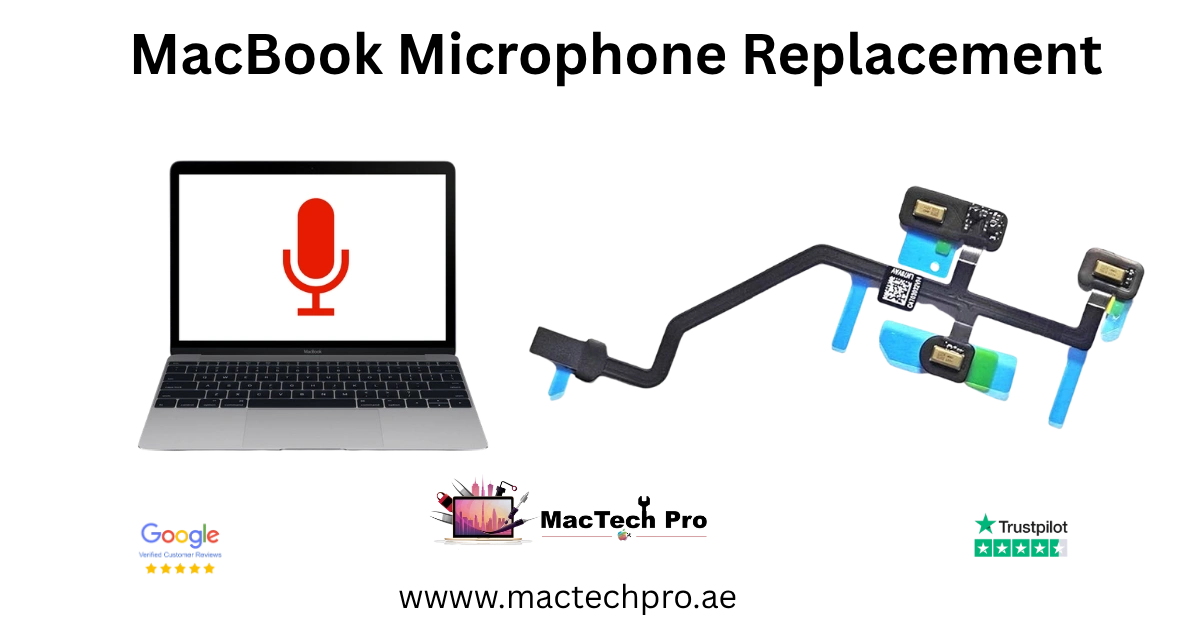
Dubai’s MacBook microphone repair specialists
MacTech Pro repairs MacBook microphones in Dubai, on every model from 2015 to 2026. A failing mic is one of the most frustrating faults, you only notice it on a call, in a recording or on a video, often at the worst possible moment, and because the microphone is tucked deep inside the MacBook, it is not a fix for a general shop. We diagnose the real cause and repair it properly, with an honest, fixed price agreed before any work begins.
The first thing we do is work out whether the problem is even hardware. A surprising number of “dead mic” cases are actually a macOS setting, an app permission, or an input-selection issue, and if that is all it is, we will tell you, often at no charge. When the microphone itself, its flex cable, or the circuitry that drives it has genuinely failed, we repair or replace the affected part. From the dual mics of the Intel MacBook Air to the studio-quality three-mic array of the latest 14-inch and 16-inch MacBook Pro, MacBook microphone repair in Dubai is handled in-house by people who work on these machines every day.
Microphones across every MacBook, 2015–2026
Every MacBook has a built-in microphone, and the design has evolved from a single mic to today’s studio-quality three-mic arrays. We repair the microphone on all of them, Air and Pro, Intel and Apple Silicon.
MacBook Air microphones (Intel & Apple Silicon)
The Intel MacBook Air used a dual-microphone setup, while the Apple Silicon Air (M1 to M4) moved to a microphone array for clearer calls. We repair microphone faults on every MacBook Air, 11-inch, 13-inch and 15-inch, from 2015 to 2026, whether the mic is dead, muffled, noisy or undetected.
MacBook Pro microphones (Intel, M1–M5)
The 13-inch MacBook Pro, Intel and the M1 and M2, uses a microphone array, and the 14-inch and 16-inch MacBook Pro from 2021 onward carry a studio-quality three-mic array prized for calls and recording. We repair microphone faults across the whole MacBook Pro range, from 2015 to the latest M5 models.
13-inch MacBook Pro microphone
On the 13-inch MacBook Pro the microphone array sits inside the chassis near the speaker assembly. We diagnose and repair mic faults on every 13-inch Pro, Intel through M2.
14-inch & 16-inch MacBook Pro three-mic array
The 14-inch and 16-inch MacBook Pro (M1 to M5) use a three-microphone array. If one or more mics in the array fail, or the whole array goes quiet, muffled or noisy, we repair it with genuine-grade parts.
Microphone problems we fix
Microphone faults show up in a few distinct ways. These are the ones we diagnose and repair most often.
Mic not working at all
No sound recorded and others can’t hear you. Mic or circuit repair.
Muffled or low volume
Your voice sounds distant, quiet or underwater. Mic replacement.
Static, buzzing or noise
Crackle, hiss or background noise on the mic. Flex / module repair.
Not detected by macOS
No internal microphone listed in Sound settings. Connection repair.
Only works with headphones
Internal mic dead but headset mic works. Internal mic repair.
Distorted or robotic
Garbled, distorted or robotic audio input. Diagnosed and fixed.
After liquid damage
Mic stopped after a spill. Cleaning and component-level repair.
Works intermittently
Mic comes and goes. Flex-cable or connection repair.
How we fix a MacBook microphone
How we repair a MacBook microphone
Microphone repairs are carried out in-house by Dan, our lead technician. Because the mic is buried inside the MacBook, often on a flex cable shared with other components, or as part of the speaker or antenna assembly, the repair takes careful disassembly and, where the fault is on the board, micro-soldering. We always start with a free diagnostic to pinpoint exactly where the fault lies before quoting.
Software and settings check first
We rule out the simple causes first, input selection, app permissions, sound settings and software, because if your mic is fine and only a setting is wrong, you should not be paying for a hardware repair. If that is all it is, we will often sort it at no charge.
Microphone flex or module replacement
If the microphone itself or its flex cable has failed, we replace the affected part with a genuine-grade component, restoring clear input. On models where the mic is part of a larger assembly, we replace the assembly.
Board-level microphone circuit repair
Sometimes the mic is fine but the circuitry that drives it on the logic board has failed, often the real cause when macOS does not detect the microphone at all. We repair the mic circuit at component level with micro-soldering.
Liquid-damage microphone repair
A spill can corrode the mic or its connections. We clean the affected area, including ultrasonic cleaning where needed, and repair or replace the microphone components.
Why MacBook microphones fail
Why does a MacBook microphone fail in the first place? A few causes come up repeatedly, and knowing them helps explain the repair.
Why MacBook microphones fail
Flex-cable wear and connection faults
The microphone connects to the board through a thin flex cable, often shared with other components. Over time, or after a previous repair, that flex or its connector can fail, producing a dead, intermittent or crackling mic. Replacing the flex or re-seating the connection restores clear input.
Liquid and humidity
Even a small spill, or long exposure to humidity, can corrode the tiny microphone or its solder pads. This is a common cause of a mic that suddenly sounds muffled, noisy or stops working, and the sooner it is cleaned, the better the outcome.
Board-level circuit faults
The microphone relies on a small circuit on the logic board to power it and carry its signal. If a component there fails, macOS may stop detecting the mic entirely, even though the mic itself is fine. We repair that circuit at component level.
Physical damage and pressure
A knock, a drop, or pressure on the chassis can damage the microphone or its connection, especially on the thin MacBook Air and the latest Pro. We assess the damage and replace the affected part.
Why a working microphone matters
For most people the MacBook microphone is no longer a minor feature, it is how you join video calls, record voice notes, dictate, and meet online for work or study. When it fails, you are effectively cut off mid-conversation. That is why we prioritise microphone repairs, test them thoroughly on real calls and recordings, and back them with a warranty, so you can rely on being heard.
Microphone problems we hear most
Microphone problems tend to arrive in familiar shapes. Here are the situations our Dubai customers describe most, and what each usually means.
“People on calls say they can’t hear me”
The most common report. We confirm whether it is a setting (input selection or app permission) or hardware, then repair the microphone or its circuit so callers hear you clearly again.
“My voice sounds muffled or far away”
Muffled, distant or underwater-sounding input usually means a failing microphone or a partial connection fault, which a mic or flex replacement resolves.
“There’s a buzzing or crackling on my mic”
Static, buzzing or crackling typically points to a damaged flex connection or a failing mic. We locate and repair the source so your audio is clean.
“macOS says there’s no microphone”
When no internal microphone appears in Sound settings, the cause is usually a hardware or connection fault, often the mic circuit on the board, which we repair at component level.
Is it the mic or a setting?
Not sure whether your mic needs a repair, or whether it is just a setting? Here is how to tell, and what each sign points to.
When it points to hardware
No internal mic in Sound settings
If macOS shows no built-in microphone at all in System Settings, Sound, the input, that usually means a hardware or connection fault, and is a repair rather than a setting.
Dead in every app
If the mic fails in every app, FaceTime, Voice Memos, Zoom, the browser, rather than just one, it points to hardware rather than a single app’s permission.
Internal mic dead but headset works
If a plugged-in headset microphone works perfectly while the built-in mic is silent, the internal microphone or its connection has failed, a clear hardware fault.
When it might just be a setting
Only one app is affected
If the mic works in some apps but not others, it is usually a permission for that specific app, which we can show you how to fix, no repair needed.
Wrong input selected
If an external device or virtual input is selected, your voice goes to the wrong place. We check the input selection as part of the free diagnostic.
Your microphone repair, step by step
Free microphone diagnostic
We confirm whether the fault is hardware or a setting, at no charge, testing the mic across apps and inputs before any work begins.
Honest, fixed quote
If it is a hardware fault we give you a clear, fixed price, with no hidden fees. If it is only a setting, we will often sort it at no charge. Work only starts once you approve.
Microphone repair
We replace the microphone, flex or module, or repair the mic circuit on the board with micro-soldering, on an ESD-safe bench in Dubai Sports City.
Tested & returned
We test the mic on a recording and a call, then return your MacBook with a 3-month warranty, by free delivery or for collection.
Free collection across Dubai
You don’t need to come to us. We collect and return your MacBook free of charge anywhere in Dubai.
Our courier collects your MacBook from your home or office, brings it in for the microphone repair, and returns it safely once done, with tracking throughout. Pickup and delivery across Dubai is completely free, or you are welcome to drop by our Dubai Sports City service centre.
Visit our Dubai Sports City centre
You’re welcome to bring your MacBook in to our Dubai Sports City service centre. We will run the microphone diagnostic on the spot, and for many repairs complete the work the same day while you wait or return later.
Because parts vary by model, please call or WhatsApp us before visiting so we can confirm we have the microphone part for your specific MacBook ready.
An honest, independent repair specialist
MacTech Pro is an independent Apple-device specialist in Dubai Sports City. On microphone faults that works in your favour twice over: we will not charge you for a hardware repair when the real fix is a free settings change, and when it genuinely is hardware, we repair the microphone, flex or board-level circuit in-house rather than sending your MacBook away. Pickup and delivery across Dubai is free, our pricing is transparent with a fixed quote before any work, and our technicians are experienced on every MacBook microphone from 2015 to today. If a repair ever isn’t worth it, we will tell you honestly.
Microphone repair prices in Dubai
Microphone repair pricing depends on your model and where the fault lies, a flex or module replacement differs from a board-level circuit repair. The figures below are realistic starting points; your exact price is confirmed after the free diagnostic, and if it turns out to be only a setting, we will often sort it at no charge. If we can’t fix the fault, you don’t pay for the attempt.
Why bring it to MacTech Pro
- We repair the board at component level, not just swap it. On the M1, M1 Pro and M1 Max, a single failed component is usually the whole fault. Repairing that part is cheaper than a board swap and keeps your storage and data intact.
- Free, honest diagnosis and a fixed price first. You see the real fault and the real cost before any work. No fix, no fee.
- Genuine or OEM-grade parts, fitted and tested. That matters more on these models, where the mini-LED display and large batteries are expensive to get wrong.
- Work done by Dan's bench. Power-rail diagnosis and micro-soldering on Apple Silicon by one of Dubai's more experienced technicians, with 380+ reviews behind the shop.
- Your data comes first. These are pro machines, and we treat the data on them as the priority on every board and liquid job.
- Free pickup and delivery across Dubai, secure courier to the rest of the UAE, and a 3-month warranty on the repair.
Who does the work
Dan
Dan runs the bench at MacTech Pro and handles the board-level work himself: power-rail diagnosis, micro-soldering and data recovery on Apple Silicon Macs, including the M1, M1 Pro and M1 Max MacBook Pro. If another shop has told you the board is dead or the repair isn't possible, he's usually the one who proves otherwise. Every repair described here is carried out or checked by his team. Meet the technician →
Serving all of Dubai
Searching for MacBook microphone repair “near me”? MacTech Pro collects and delivers free across Dubai, and ships securely UAE-wide. Areas we regularly cover:
More from MacTech Pro
MacBook microphone repair — frequently asked questions
It depends on your model and where the fault lies. A microphone flex or module replacement starts from around AED 350, and a board-level mic circuit repair from around AED 480, all quoted after a free diagnostic. If the problem turns out to be only a setting, we will often sort it at no charge.
Every MacBook Air and MacBook Pro from 2015 to 2026, Intel and Apple Silicon, including the 12-inch MacBook, the dual-mic Intel Air, the Apple Silicon Air’s mic array, and the studio-quality three-mic array in the 14-inch and 16-inch MacBook Pro.
Yes. First we confirm it is hardware and not a setting or permission, free of charge. If the microphone, its flex cable or the mic circuit on the board has failed, we repair or replace it so your voice comes through clearly again.
Yes. Muffled, quiet or distant input usually means a failing microphone or a partial connection fault, and replacing the mic or its flex restores clear, full-volume audio. We test it on a recording before returning your MacBook.
Yes. Crackle, hiss or buzzing on the microphone points to a faulty mic or a damaged flex connection, which we repair or replace. If it is interference from a setting or app, we will identify that too.
Yes. When no built-in microphone shows in Sound settings, the cause is usually a hardware or connection fault, often the mic circuit on the board. We diagnose it and repair the connection or circuit at component level.
Yes. That pattern, headset mic fine, built-in mic silent, points clearly to the internal microphone or its connection having failed. We repair or replace the internal mic so you no longer need a headset.
That is exactly what our free diagnostic determines. Many “dead mic” cases are actually input selection, an app permission, or a sound setting, and if so we will tell you, often fixing it at no charge. Only genuine hardware faults need a paid repair.
Yes, and sooner is better, because liquid keeps corroding components. We clean the affected area, including ultrasonic cleaning where needed, and repair or replace the microphone parts. Success depends on the extent of corrosion, which we assess honestly at the diagnostic.
Yes. A microphone repair does not touch your storage, so your files stay intact. We still recommend a backup before any hardware work as good practice.
Many microphone repairs are completed the same day once we have the part for your model on hand. Board-level circuit repairs take a little longer. We give you a realistic timeframe with your fixed quote.
Yes. The 14-inch and 16-inch MacBook Pro (M1 to M5) use a studio-quality three-microphone array. If one or more mics fail, or the array goes quiet, muffled or noisy, we repair it with genuine-grade parts.
That is almost always an app permission rather than a hardware fault. Each app must be allowed to use the microphone in macOS privacy settings. We can show you how to fix it, usually no repair needed, and we check this during the free diagnostic.
Yes. We collect your MacBook from anywhere in Dubai, carry out the microphone repair, and return it free of charge, with tracking throughout. Walk-in drop-off at our Dubai Sports City centre is welcome too.
Many microphone repairs can be completed the same day, provided we have the part for your model in stock. Please call or WhatsApp us first so we can confirm availability for your specific MacBook.
Yes. Every microphone repair comes with a 3-month warranty covering the repair and the part fitted, plus our No Fix, No Fee promise. If the same fault returns within the warranty period, we put it right at no cost.
Not usually, most mic faults are the microphone, its flex, or a localised circuit. Occasionally a board fault is behind it, which our free diagnostic will identify so we fix the real cause rather than just the symptom.
At MacTech Pro, Stadium Point Building, Office 311, Dubai Sports City. We serve customers right across Dubai with free pickup and delivery, so wherever you are, you can have your microphone diagnosed and repaired.
Yes. We repair MacBook microphones regardless of where the machine was bought, the repair depends only on the model and the fault. Tell us the model and symptoms and we will diagnose and quote it, with the same free diagnostic and 3-month warranty.
Almost always repairable. A microphone fault is a small, localised repair, far cheaper than replacing the MacBook. We will confirm at the free diagnostic and, if anything ever isn’t worth repairing, tell you honestly.
Yes. A mic that drops out mid-call usually has an intermittent connection, a flex-cable or solder fault, that we can reproduce, locate and repair so it works reliably throughout your calls.
Always. We test the repaired microphone on a real recording and a call, checking clarity, volume and that macOS detects it correctly, before returning your MacBook to you.
Yes. Every Apple Silicon MacBook Air uses a microphone array, and we repair mic faults on all of them, 13-inch and 15-inch, whether the mic is dead, muffled, noisy or undetected, with genuine-grade parts and a free diagnostic first.
Yes. The 12-inch Retina MacBook (2015–2017) has a built-in microphone, and we repair mic faults on it like any other model, after confirming the fault is hardware and not a setting.
That is a permission issue, not a hardware fault. macOS requires each app to be granted microphone access in privacy settings, and apps like Zoom or your browser may not be allowed yet. We can show you how to enable it, usually no repair needed, and we check this during the free diagnostic.
On some models, yes, the microphone can sit on a flex or assembly shared with the speakers or near the camera. That is one reason careful diagnosis matters: we identify exactly which component has failed so we repair the right part.
It can muffle it. The mic openings are tiny and can collect dust, which dulls the sound. We clean them as part of the service, though a genuinely muffled or dead mic is usually a hardware fault that needs repair, which the diagnostic confirms.
Yes. If your voice is faint even with input volume maxed, the microphone or its connection is likely failing. Replacing the mic or its flex restores full, clear volume, and we test it on a recording before returning your MacBook.
If your MacBook is within AppleCare and the fault is covered, Apple may repair it, though often by replacing a whole assembly. As an independent specialist we offer a faster, usually lower-cost component-level repair. We are happy to advise on the best route for your situation.
Occasionally an update changes sound settings or app permissions, which can look like a broken mic but is really software. We always check for this first, free of charge. If the mic hardware has genuinely failed, that is a separate, repairable fault.
No. We replace only the microphone components, and where the mic shares an assembly we take care to preserve the camera and speakers. Everything is tested before your MacBook goes back to you.
Echo and feedback are often caused by settings or the room rather than the mic itself, so we check those first. If the microphone or its connection is genuinely at fault, we repair it. The free diagnostic separates the two.
Our job is to restore your microphone to how it performed when the MacBook was new, clear and at full volume. We cannot make it better than the original hardware, but a repair brings a degraded or failing mic back to its proper quality.
Yes. We repair microphones across the whole range from 2015 onward, including the 2015–2017 MacBook, MacBook Air and MacBook Pro, with the same free diagnostic and genuine-grade parts.
Then we tell you exactly what it is, and you have paid nothing for the diagnostic. If it is a free settings fix, we will often sort it on the spot. If it is a different hardware fault, we will quote that repair clearly so you can decide.
Open Voice Memos and record a few seconds, or check the input level bar in System Settings, Sound, while you speak. If the level does not move, or the playback is silent, muffled or noisy, bring it in for a free diagnostic and we will confirm the cause.
Ideally, yes, the three-mic array on the 14-inch and 16-inch MacBook Pro works together for clear, directional sound. If one mic fails, quality drops noticeably. We repair the array so all three work as designed.
Sometimes. Excess background noise can be a setting or a failing mic. We check the settings first, and if the microphone hardware is degraded, replacing it restores cleaner, more focused audio. The diagnostic tells us which it is.
Yes, and we see this. A previous repair can disturb or damage the microphone flex or connector. We diagnose what happened, re-seat or replace the affected part, and get your mic working reliably again.
No, it varies by model and generation, the 12-inch MacBook, the Intel Air’s dual mics, the Apple Silicon Air’s array, and the three-mic array in the 14-inch and 16-inch Pro are all different. That is why we match the correct part to your exact model, and ask which MacBook you have before confirming the repair.
Yes. On models with more than one microphone, one failing mic can make your audio sound uneven, weaker or off-centre. We test each mic, identify the failed one, and repair the array so it sounds balanced and full again.
Yes. We work with businesses, studios and offices across Dubai, and can handle several microphone or other repairs together, with collection and delivery arranged. Tell us your fleet and the faults and we will advise on turnaround.
No. A microphone repair is a hardware fix and does not affect your macOS installation or your files. Your MacBook comes back exactly as it was, with the microphone working again.
Yes. A mic that drops out only when the machine warms up usually has a marginal solder joint or connection that expands with heat. We reproduce the fault under those conditions, find it, and repair it so it stays reliable hot or cold.
If you rely on calls, classes or recordings, it is worth sorting promptly, a dead mic effectively locks you out of meetings. We offer a free diagnostic, fast turnaround on many repairs, and free pickup across Dubai so it is easy to get sorted quickly.
Yes. Some audio apps, virtual-meeting tools or sound drivers take control of the microphone or set themselves as the default input, which can make the built-in mic seem dead. We check for this during the free diagnostic and, if that is the cause, help you resolve it without a hardware repair.