
MacBook Internal Screen Replacement Keep Your True Tone, Keep Your Money
Almost every shop in Dubai answers a cracked screen the same way: replace the whole display assembly, lid, camera, antennas and all. We replace the internal screen only — so you keep original display quality, True Tone carries on working, and you don’t pay for parts that were never broken.
Anti-static dust-free workstation · Original adhesive · 380+ reviews
Screen work by Richard — 18 years on MacBook screens · Free pickup & delivery across Dubai
Quick Answer
Most repair shops in Dubai fix a damaged MacBook screen one way: they replace the entire display assembly, lid, camera, antennas and all. MacTech Pro does something different. When your display assembly is still in good condition, we replace the internal screen only. You keep original display quality, True Tone carries on working (it often stops after a full assembly swap), and you pay far less because you’re not buying parts that were never broken. Every internal screen is fitted on an anti-static, dust-free workstation with original adhesive, and fully tested before it goes back. Internal screens in ready stock for Intel and M1, M2, M3, M4 and M5 MacBook Air and Pro, 13″, 14″, 15″ and 16″. Every internal screen replacement comes with free pickup and delivery across Dubai and a 3-month warranty. Call MacTech Pro on +971 50 951 6827.
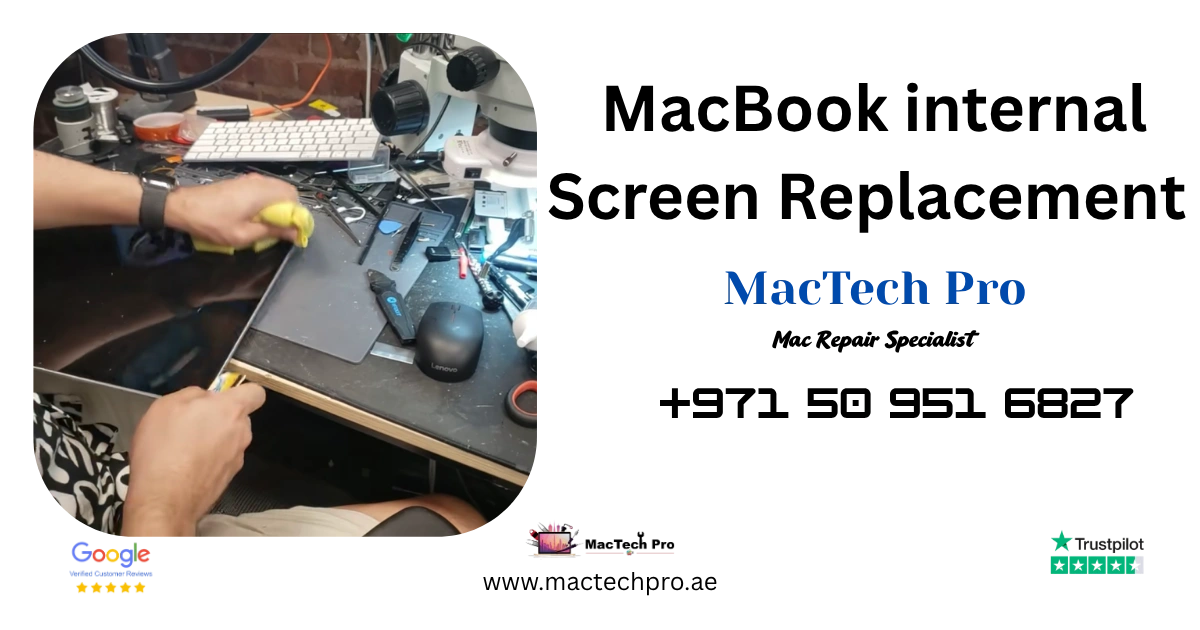
We were the first in Dubai to replace the internal screen of a MacBook, rather than swapping the whole display assembly.
Walk into almost any other service centre or repair shop in this city with a cracked MacBook screen, and you’ll be told the same thing: the whole display has to go. Panel, lid, hinges, camera, antennas, all of it, replaced as one sealed unit. That’s the standard answer, and for most shops it’s the only answer they have.
We do it differently. If your display assembly is still in good shape, and most of the time it is, there’s no reason to throw it away. We remove the damaged internal screen and fit a new one into your existing assembly. Same flawless result. A lot less money. And, crucially, you keep the things a full assembly swap tends to take away from you.
What Internal Screen Replacement Actually Means
A MacBook display isn’t one part. It’s an assembly, several components built together into a single unit:
- The internal screen (the LCD itself), the part that actually produces the image, and the part that cracks.
- The lid and housing, the aluminium shell around it.
- The hinges, holding it to the body.
- The camera and antennas, sitting at the top of the lid.
- The backlight layers, behind the internal screen.
When you drop your MacBook or catch the screen, it’s almost always the internal screen that breaks. The lid is usually fine. The camera is fine. The antennas are fine. The hinges are fine. One part is broken, and the rest of that expensive assembly is doing its job perfectly.
A full assembly replacement throws every one of those working parts in the bin and charges you for brand-new ones. An internal screen replacement removes the broken part, fits a new internal screen into your existing assembly, and leaves everything else exactly where it is. That’s the whole idea, and it’s why the price difference is so significant.
Internal Screen, LCD, Inner Screen — Same Repair, Different Names
Search for this repair and you’ll see it called half a dozen different things, which gets confusing quickly. MacBook internal screen replacement. MacBook LCD replacement. MacBook display panel replacement. MacBook screen panel replacement. MacBook inner screen replacement.
They all describe the same job: removing the broken screen from inside your display assembly and fitting a new one, without replacing the lid, camera and antennas around it.
We call it internal screen replacement because that’s exactly what it is: the screen inside the assembly. If you’ve been quoted elsewhere for a MacBook LCD replacement or a MacBook display panel replacement, that’s the same repair we’re talking about here. The name on the invoice doesn’t matter. What matters is the question underneath it: is the shop replacing only the broken screen, or charging you for the whole display assembly? Those two answers are worlds apart in price, and only one of them keeps your True Tone.
The True Tone Problem Nobody Warns You About
Here’s the part that costs people something they can’t get back, and most only find out afterward.
True Tone is the feature that quietly adjusts your display’s white balance to match the light in the room, so whites look natural whether you’re under office lighting or sitting outside. It works because your MacBook’s display is calibrated and paired to that specific machine, working together with the ambient light sensor in the lid.
Replace the entire display assembly, and True Tone very often stops working. The new assembly isn’t the one your Mac was calibrated with, and without the proper calibration, that pairing is broken. The screen still lights up, so plenty of customers don’t notice on collection day. They notice a week later, when the display feels subtly wrong in every room they sit in, and by then it’s too late.
Replace only the internal screen, and that problem disappears. Your original assembly stays with your machine, your camera and ambient light sensor stay where they are, and the calibration stays intact. True Tone keeps working, exactly as it did before the screen broke.
That’s the single biggest reason we push internal screen replacement whenever it’s possible. You’re not just saving money, you’re keeping the display working the way Apple built it to.
Why It’s Kinder to Your Wallet
The maths is simple. A complete display assembly is one of the most expensive parts on any MacBook, because you’re paying for the lid, the hinges, the camera, the antennas and the internal screen together, as one unit.
An internal screen costs a fraction of that. So when your assembly is still good, replacing just the internal screen brings the price of a screen repair down dramatically, for the same end result: a flawless display. You’re paying for the one part that actually broke, and nothing else.
Our Anti-Static, Dust-Free Workstation
Internal screen work only works if the environment is right, which is exactly why most shops don’t attempt it. It takes a dedicated setup, not a corner of a counter.
We use an anti-static, dust-free cleaning table. First we safely separate the display from the MacBook body on it, then the display assembly goes onto our anti-static, dust-free workstation, where the internal screen is removed and the new one installed. Every stage of the job happens in that controlled space.
Both halves of that matter, and for different reasons.
Anti-static protects the electronics. Static discharge you’d never even feel is more than enough to damage sensitive components, and it doesn’t always kill them outright, sometimes it weakens them so they fail weeks later. A properly grounded, anti-static surface stops that happening in the first place.
Dust-free protects what you actually see. The internal screen sits directly against the backlight layers, with essentially no gap. A single speck of dust that lands during the repair gets sealed inside permanently, and you’ll spot it every time you open a bright page, a tiny dark dot on a brand-new screen, and the only way to remove it is to open the display all over again. Working dust-free means nothing gets trapped behind the glass. Ever.
Our MacBook Internal Screen Replacement Process
Here’s exactly how the job runs, start to finish.
Step 1: Inspection
First we confirm what’s actually wrong. Is the screen broken, blank, cracked, flickering, or showing lines? Any of those means the internal screen needs replacing, and we tell you that plainly before anything else happens.
Step 2: Removal
Then the display comes off the body, and onto the anti-static work table.
- 1. Heating pad. We soften the adhesive with a heating pad. This is where patience earns its keep.
- 2. Wait roughly 5 minutes. You cannot rush this. The adhesive holding a MacBook display together is strong, and if you start prying before it’s properly softened, you crack the frame, bend the bezel, or tear the delicate cables underneath. Five minutes of waiting saves a ruined assembly, which is precisely the assembly we’re trying to keep for you.
- 3. Bezel removal. We carefully remove the bezel using our SOFIX S-F401 tools, made for exactly this work. The right tool doesn’t gouge or mark the frame the way a generic pry tool will.
- 4. Screws and gasket. Once the bezel is off cleanly, we remove the screws and take out the rubber gasket.
- 5. Cutting the adhesive. We use the SOFIX S-F401 to carefully cut the internal display adhesive tape, then safely remove the damaged internal screen.
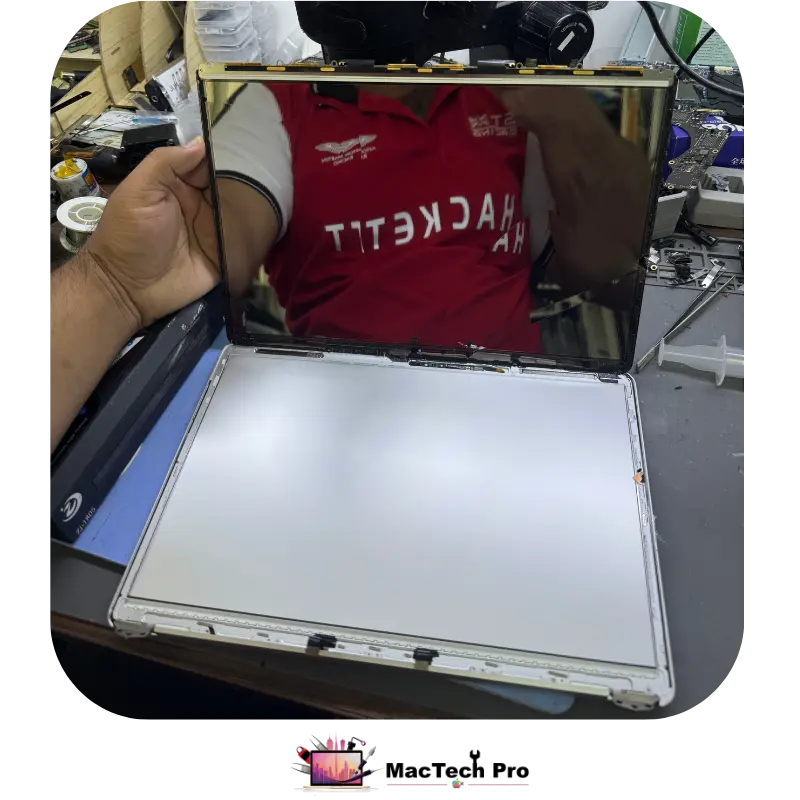
The whole point of this stage is that everything except the broken internal screen survives it, undamaged. That’s what a full assembly swap never has to worry about, and what makes this work harder.
Our Installation Process
Fitting the new internal screen is where a repair either lasts for years or quietly fails in a few months. This is our process, and every step of it has a reason.
- 1. Remove all the old adhesive. Completely. Not most of it, all of it. Any old tape left behind stops the new adhesive sitting flat, and you end up with an uneven bond and gaps.
- 2. Clean the aluminium frame with isopropyl alcohol. This strips off adhesive residue and oils, and it evaporates clean without leaving anything of its own behind. Adhesive will not bond properly to a dirty or oily frame, no matter how good the tape is.
- 3. Apply primer. Primer prepares the surface so the adhesive genuinely grips the aluminium instead of just resting on it.
- 4. Install original adhesive tape. We use proper original adhesive, not a generic roll of double-sided tape. It’s the correct thickness and the correct strength, which is what keeps the display sitting flat and sealed the way it should.
- 5. Refit the side rubber. Back where it belongs.
- 6. Apply primer again, before installing the new internal screen adhesive. Yes, primer twice. That second pass is what keeps the screen securely bonded so it doesn’t work loose over time, and loose screens are exactly what you get from repairs that skip it. Months later the customer notices a lifting edge or a gap, and blames the screen. It was never the screen. It was the prep.
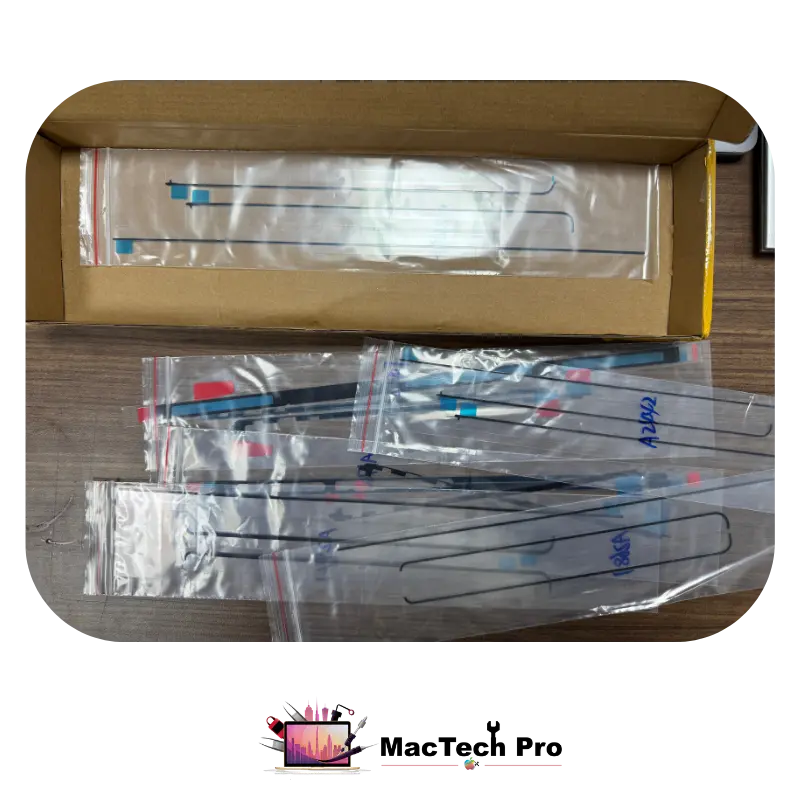
Tested Before It’s Sealed, Not After
Here’s a detail that matters more than it sounds: we test the display thoroughly before we complete the assembly, not after. If something needs attention, we find it while the display is still open, instead of sealing it up and discovering a problem when it’s too late to fix without starting again.
At that stage we check:
- Brightness, across the full range
- Camera, working correctly
- True Tone, working exactly as it should
- Overall display functionality
Only once everything passes do we complete the assembly. Then all the screws go back in, and we run our full screen testing process on the finished machine. Final result: all tests passed. That’s when the job is done, and not a moment before.
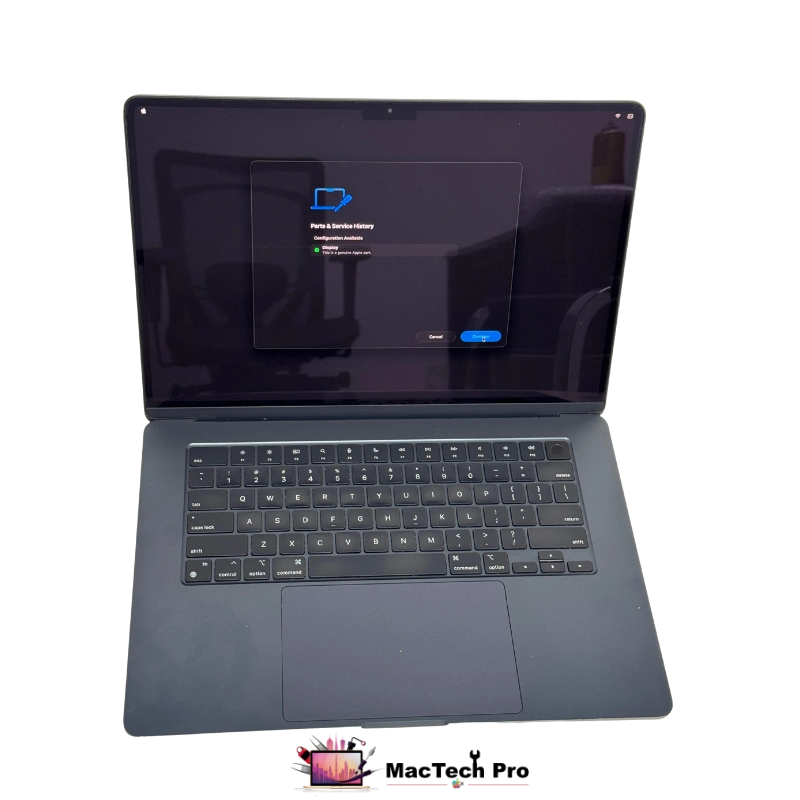
Internal Screens in Ready Stock, Every Model
Having the skill is one half. Having the screen on the shelf is the other. There’s no point being able to do a repair if the customer has to wait three weeks for a part to arrive from overseas.
We keep internal screens, the LCD panels themselves, in ready stock across the whole MacBook range:
| Generation | Internal screens in ready stock |
|---|---|
| Intel MacBooks | All Intel MacBook Air and MacBook Pro models |
| Apple Silicon | M1, M2, M3, M4 and M5 |
| Sizes | 13-inch, 14-inch, 15-inch and 16-inch |
| Range | MacBook Air and MacBook Pro, all sizes |
Which means most internal screen replacements are done fast, often the same day, instead of your laptop sitting in a drawer waiting on a delivery. Not sure which model you have? Call MacTech Pro on +971 50 951 6827 and we’ll confirm it in a minute.
MacBook Internal Screen Replacement Price List, 2017 to 2026
Every MacBook Air and MacBook Pro we cover, with the model number and how long the repair takes. Find your machine below. Not sure which one you have? Open the Apple menu, click About This Mac, or read the model number off the base, and we’ll confirm it for you in a minute.
MacBook Air — Internal Screen Replacement
| Model | Model No. | Fixing Time | Price (AED) |
|---|---|---|---|
| MacBook Air 13 inch 2017 | A1466 | 2 hours | AED 450 |
| MacBook Air 13 inch 2018 | A1932 | 2 hours | AED 750 |
| MacBook Air 13 inch 2019 | A1932 | 2 hours | AED 750 |
| MacBook Air 13 inch 2020 (Intel) | A2179 | 2 hours | AED 750 |
| MacBook Air 13 inch 2020 (M1) | A2337 | 2 hours | AED 850 |
| MacBook Air 13 inch 2022 (M2) | A2681 | 2 hours | AED 1150 |
| MacBook Air 15 inch 2023 (M2) | A2941 | 2 hours | AED 1250 |
| MacBook Air 13 inch 2024 (M3) | A3113 | 2 hours | AED 1130 |
| MacBook Air 15 inch 2024 (M3) | A3114 | 2 hours | AED 1350 |
| MacBook Air 13 inch 2025 (M4) | A3240 | 2 hours | AED 1150 |
| MacBook Air 15 inch 2025 (M4) | A3241 | 2 hours | AED 1250 |
| MacBook Air 13 inch 2026 (M5) | A3449 | 2 hours | AED 1450 |
| MacBook Air 15 inch 2026 (M5) | A3448 | 2 hours | AED 1650 |
MacBook Pro — Internal Screen Replacement
| Model | Model No. | Fixing Time | Price (AED) |
|---|---|---|---|
| MacBook Pro 13 inch 2017 (2 ports) | A1708 | 2 hours | AED 850 |
| MacBook Pro 13 inch 2017 (Touch Bar) | A1706 | 2 hours | AED 850 |
| MacBook Pro 15 inch 2017 | A1707 | 2 hours | AED 1250 |
| MacBook Pro 13 inch 2018 | A1989 | 2 hours | AED 950 |
| MacBook Pro 15 inch 2018 | A1990 | 2 hours | AED 1250 |
| MacBook Pro 13 inch 2019 (4 ports) | A1989 | 2 hours | AED 950 |
| MacBook Pro 13 inch 2019 (2 ports) | A2159 | 2 hours | AED 950 |
| MacBook Pro 15 inch 2019 | A1990 | 2 hours | AED 1250 |
| MacBook Pro 16 inch 2019 | A2141 | 2 hours | AED 1450 |
| MacBook Pro 13 inch 2020 (2 ports) | A2289 | 2 hours | AED 950 |
| MacBook Pro 13 inch 2020 (4 ports) | A2251 | 2 hours | AED 950 |
| MacBook Pro 13 inch 2020 (M1) | A2338 | 2 hours | AED 1050 |
| MacBook Pro 14 inch 2021 (M1 Pro / Max) | A2442 | 2 hours | AED 1450 |
| MacBook Pro 16 inch 2021 (M1 Pro / Max) | A2485 | 2 hours | AED 1650 |
| MacBook Pro 13 inch 2022 (M2) | A2338 | 2 hours | AED 1050 |
| MacBook Pro 14 inch 2023 (M2 Pro / Max) | A2779 | 2 hours | AED 1450 |
| MacBook Pro 16 inch 2023 (M2 Pro / Max) | A2780 | 2 hours | AED 1650 |
| MacBook Pro 14 inch 2023 (M3) | A2918 | 2 hours | AED 1550 |
| MacBook Pro 14 inch 2023 (M3 Pro / Max) | A2992 | 2 hours | AED 1550 |
| MacBook Pro 16 inch 2023 (M3 Pro / Max) | A2991 | 2 hours | AED 1850 |
| MacBook Pro 14 inch 2024 (M4) | A3112 | 2 hours | AED 1650 |
| MacBook Pro 14 inch 2024 (M4 Pro) | A3401 | 2 hours | AED 1650 |
| MacBook Pro 14 inch 2024 (M4 Max) | A3185 | 2 hours | AED 1650 |
| MacBook Pro 16 inch 2024 (M4 Pro) | A3403 | 2 hours | AED 1850 |
| MacBook Pro 16 inch 2024 (M4 Max) | A3186 | 2 hours | AED 1850 |
| MacBook Pro 14 inch 2025 (M5) | A3434 | 2 hours | AED 1950 |
| MacBook Pro 14 inch 2026 (M5 Pro) | A3426 | 2 hours | AED 1950 |
| MacBook Pro 14 inch 2026 (M5 Max) | A3427 | 2 hours | AED 1950 |
| MacBook Pro 16 inch 2026 (M5 Pro) | A3428 | 2 hours | AED 2250 |
| MacBook Pro 16 inch 2026 (M5 Max) | A3429 | 2 hours | AED 2250 |
A few notes worth knowing. Some model numbers cover more than one machine, the A1989 was sold as both the 2018 and 2019 13-inch Pro, and the A2338 covers both the M1 (2020) and M2 (2022) 13-inch Pro. Tell us the year and the chip and we’ll pin it down exactly. Fixing times assume your display assembly is in good condition and the internal screen is in stock, which for most models it is.
Every price in these tables includes free pickup and delivery across Dubai and a 3-month warranty on the screen.
Can’t find your model, or not sure which one you’ve got? Send MacTech Pro a photo of your MacBook and the damage on WhatsApp, +971 50 951 6827, and we’ll identify it and quote you properly.
Free Pickup & Delivery, and a 3-Month Warranty
Two things worth knowing before you decide where to take your MacBook.
Free pickup and delivery, right across Dubai
You don’t have to fight traffic or lose half a day to a screen repair. Tell us where you are, we’ll collect the machine, do the work, and bring it back to you. No charge for the trip, it’s part of the service, whether you’re in Dubai Sports City, Motor City, Dubai Marina, Downtown, Business Bay, Al Barsha, JLT, JVC, Deira, or anywhere else in the city.
A 3-month warranty on every internal screen replacement
We stand behind the screen and the work. If anything goes wrong with the screen we fitted within three months, bring it back and we’ll sort it out. That warranty exists because of how we do the job, original adhesive, primer applied twice, a dust-free workstation and full testing before assembly, so screens we fit don’t come loose, don’t trap dust, and don’t fail early. When a shop cuts those corners, they can’t offer a warranty like that, because they know what’s coming.
Free pickup and delivery across Dubai, and a 3-month warranty on your screen. Call or WhatsApp MacTech Pro on +971 50 951 6827 and we’ll come to you.
Who does the work
Richard
Internal screen replacement is Richard’s speciality. With 18 years replacing 13, 14, 15 and 16-inch MacBook Air and Pro screens — including years at the heart of the parts industry in China — he does every job on the anti-static, dust-free workstation, uses original adhesive with primer applied twice, tests each screen before and after on a professional LCD analyzer, and refits every single screw. Board-level and liquid work is handled by our lead technician Dan. Meet Richard →
When Internal Screen Replacement Is Possible, and When It Isn’t
We’ll always tell you the truth about which repair your machine actually needs. Internal screen replacement is the right call when:
- The display assembly is still in good condition
- The lid and hinges are undamaged
- The camera and antenna area at the top of the lid are fine
- The backlight layers behind the internal screen are in good condition
- The damage is limited to the internal screen itself
If the assembly is bent, the hinges are damaged, or the lid has taken a serious hit, then a full display assembly is the honest answer, and we’ll say so rather than sell you a repair that won’t hold. We’d rather lose a job than do the wrong one.
Signs Your MacBook Needs an Internal Screen Replacement
It isn’t always an obvious crack. Any of these usually means the inner screen needs replacing, so bring it in if you’re seeing:
- A cracked screen, or dark “ink-blot” pressure marks spreading across the display.
- Vertical or horizontal lines running through the picture.
- Flickering, or a display that dims and brightens on its own.
- A blank or black screen, even though the Mac is clearly running.
- Dead or stuck pixels, or patches of discolouration.
Send us a photo of the damage on WhatsApp, +971 50 951 6827, and we’ll tell you straight whether you need an internal screen or a full assembly, and what it’ll cost, before you commit to anything.
Why Dubai Customers Choose MacTech Pro for Screens
You live with a screen repair every time you open the lid. It’s worth getting right.
- Internal screen replacement, not a default full-assembly swap, so you’re not paying for parts that aren’t broken
- True Tone keeps working, because your original assembly and its calibration stay with your machine
- Anti-static, dust-free workstation, no static damage, and nothing trapped behind the glass
- Proper original adhesive, with primer applied twice, so the screen stays bonded and never works loose
- Professional SOFIX S-F401 tooling, so your bezel and frame survive the repair undamaged
- Tested before assembly and again after, brightness, camera, True Tone, the lot
- Internal screens in ready stock for Intel and M1–M5, Air and Pro, 13″ to 16″, so most repairs are quick
- A 3-month warranty on every internal screen replacement, we stand behind the work
- Free pickup and delivery across Dubai, we collect it, fix it, and bring it back
- Your data is never touched during a screen repair
- Serving customers right across Dubai, including Dubai Sports City, Motor City, Dubai Marina, Downtown Dubai, Business Bay, Al Barsha, JLT, JVC, and Deira
MacBook internal screen replacement in Dubai
MacTech Pro is an independent Apple-device specialist in Dubai Sports City, and we were the first in Dubai to replace MacBook internal screens rather than swapping whole display assemblies. Every job runs on a No Fix, No Fee basis.
Send a photo, get a straight answer
Message the damage on WhatsApp and we’ll tell you honestly whether you need an internal screen or a full assembly, and exactly what it’ll cost, before you commit to anything.
Fitted dust-free by Richard, usually in 2 hours
Because internal screens are in ready stock for Intel and M1–M5, most repairs are done the same day on our anti-static, dust-free workstation, with original adhesive and full testing before assembly.
Free pickup and delivery, plus a 3-month warranty
We collect your MacBook anywhere in Dubai, replace the internal screen at our Dubai Sports City bench, and bring it back — free of charge — with a 3-month warranty on the screen.
More from MacTech Pro
What Our Dubai Customers Say
Frequently Asked Questions
A MacBook display is an assembly, the internal screen plus the lid, hinges, camera and antennas. Most shops replace the whole thing, even though only the internal screen is broken. MacTech Pro replaces the internal screen only and fits it into your existing assembly, which costs far less and keeps your original camera, lid and calibration. Call MacTech Pro on +971 50 951 6827 to find out if yours qualifies.
It very often does after a full display assembly swap, because the new assembly isn’t the one your Mac was calibrated with. With internal screen replacement, your original assembly stays on the machine, and True Tone keeps working exactly as before. That’s one of the main reasons MacTech Pro does it this way. Call +971 50 951 6827 if you’d like it explained for your model.
Considerably. A full assembly means paying for the lid, hinges, camera and antennas as well, parts that usually aren’t damaged at all. An internal screen is a fraction of that cost, for the same flawless result. Call MacTech Pro on +971 50 951 6827, send a photo of the damage, and we’ll quote you properly.
Most likely, yes. MacTech Pro keeps internal screens in ready stock for all Intel MacBooks and for M1, M2, M3, M4 and M5, in 13-inch, 14-inch, 15-inch and 16-inch, across MacBook Air and MacBook Pro. That means most repairs are done fast rather than waiting weeks on a part. Check your model with us on +971 50 951 6827.
Not with us. The internal screen sits directly against the backlight layers, so any dust that lands during the repair is sealed in permanently and shows up on bright pages. MacTech Pro does all internal screen work on an anti-static, dust-free workstation specifically to prevent that. Questions? Call +971 50 951 6827.
Not when it’s bonded properly. We strip every trace of the old adhesive, clean the aluminium frame with isopropyl alcohol, apply primer, fit original adhesive tape, then apply primer again before the internal screen adhesive goes on. That’s what stops a screen lifting or loosening months later, and it’s the step cheaper repairs skip. Ask us about it on +971 50 951 6827.
No. A screen repair doesn’t touch your storage at all, your files, photos and apps stay exactly where they are. If you have any concerns, raise them when you call MacTech Pro on +971 50 951 6827.
Yes, MacTech Pro gives a 3-month warranty on every internal screen replacement. If anything goes wrong with the screen we fitted inside that period, bring it back and we’ll take care of it. We can offer that because of how the job is done, original adhesive, primer twice, dust-free workstation, full testing. Questions about your model? Call +971 50 951 6827.
Yes, free pickup and delivery right across Dubai. You don’t need to come to us at all, tell MacTech Pro where you are on +971 50 951 6827, and we’ll collect your MacBook, replace the internal screen, and deliver it back to you. No charge for the collection or the drop-off.
There isn’t one, they’re different names for the same repair. MacBook internal screen replacement, MacBook LCD replacement, MacBook display panel replacement, MacBook screen panel replacement and MacBook inner screen replacement all mean replacing the broken screen inside your display assembly rather than swapping the whole assembly. MacTech Pro does exactly this, whichever name you’ve been given, call +971 50 951 6827 and describe the damage.
Yes, and often with an internal screen replacement. Flickering, lines, a blank display, or dead pixels all point to the internal screen, and none of them require a full assembly if the rest of the display is sound. Bring it in, or call MacTech Pro on +971 50 951 6827 and describe what you’re seeing.