
MacBook GPU & Graphics Repair Dubai
Screen artefacts, distorted graphics, lines, flickering, a black screen, random crashes or kernel panics, or no picture on an external display? We fix every kind of MacBook GPU and graphics fault in Dubai — the dedicated AMD Radeon GPUs on Intel MacBook Pros, and board-level graphics, CPU and chip faults on Apple Silicon M1, M2, M3, M4 and M5 machines. Component-level repair, free diagnostic, free pickup and a 3-month warranty.
Component-level repair · Genuine-grade parts · 380+ reviews
Done by Dan's bench · Free pickup & delivery across Dubai
The Quick Answer
MacTech Pro repairs every kind of MacBook graphics and GPU fault, on both Intel and Apple Silicon machines, at component level in Dubai. On Intel MacBook Pros with a dedicated AMD Radeon GPU, we repair or replace the failed graphics chip itself. On Apple Silicon MacBooks, where the GPU is built into the M1, M2, M3, M4 or M5 chip, we repair the board, the power delivery and the supporting components around the SoC — the only way these graphics and CPU faults can be fixed without a full, costly logic-board swap. We resolve screen artefacts, distortion and lines, no display, black screen, flickering, graphics glitches, kernel panics and crashes, and external-display failures. Every MacBook GPU repair in Dubai starts with a free diagnostic and a fixed price you approve first, comes with a 3-month warranty, and is backed by free pickup and delivery across Dubai or same-day service for many repairs.
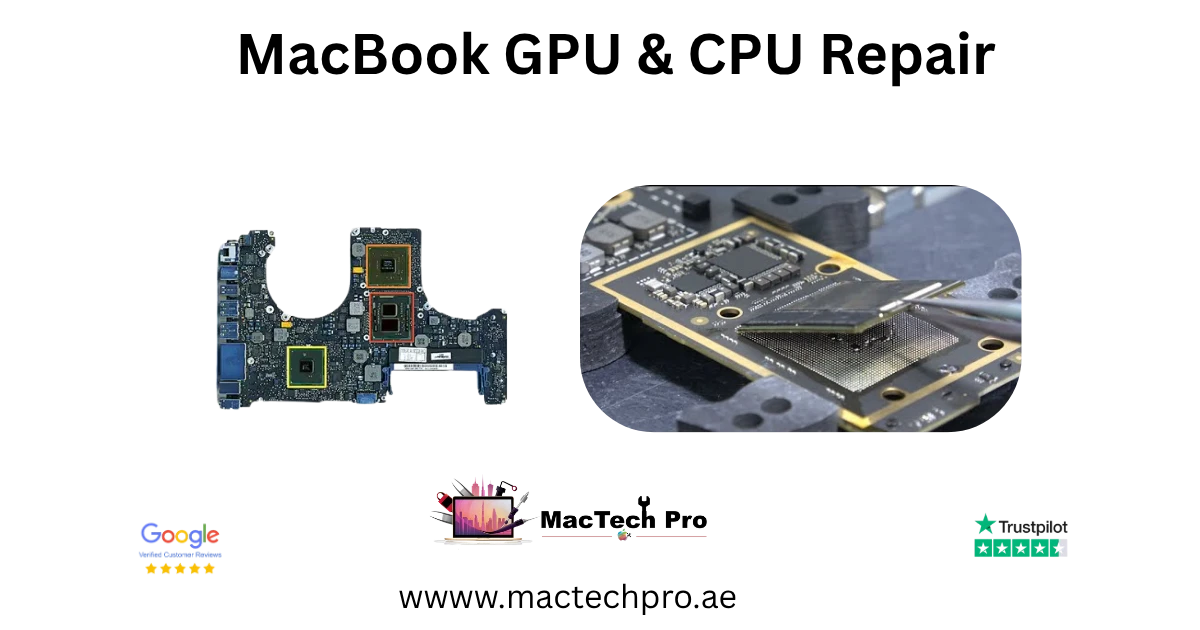
Dubai’s MacBook GPU & graphics specialists
MacTech Pro is a board-level MacBook repair specialist in Dubai, and graphics faults are some of the most demanding repairs we do. A failing GPU can show up as artefacts on the screen, distortion, lines, a black display, flickering, sudden crashes and kernel panics, or no signal to an external monitor, and getting to the real cause takes proper diagnosis, not guesswork. We repair graphics faults at component level on every MacBook, Intel and Apple Silicon alike.
How the repair works depends on your machine. On Intel MacBook Pros, especially the 15-inch and 16-inch, the GPU is a separate dedicated AMD Radeon chip on the logic board, and a failed one can be repaired, reballed or replaced. On Apple Silicon MacBooks, the GPU is not a separate part at all, it is built into the M1, M2, M3, M4 or M5 chip alongside the CPU, so a graphics or CPU fault is fixed by repairing the board, the power delivery and the components that feed that chip. Either way, MacBook GPU repair in Dubai is handled in-house, with a free diagnostic and a fixed price agreed before any work begins, and at a fraction of the cost of the full logic-board replacement an authorised counter would quote.
Graphics across every MacBook, Intel & M-chip
Every MacBook handles graphics in one of two ways: a dedicated GPU chip (on the larger Intel MacBook Pros) or an integrated GPU built into the Apple Silicon chip. Here is how it maps across the range, and we repair graphics faults on all of them.
Apple Silicon graphics: M1, M2, M3, M4 and M5
On every Apple Silicon MacBook, from the M1 of 2020 to the M5 of 2026, the GPU is integrated into the system-on-chip together with the CPU and the unified memory. That makes them fast and efficient, but it also means the graphics cannot be replaced as a separate part. When an M1, M2, M3, M4 or M5 MacBook develops a graphics or chip fault, the repair is at board level: the power delivery to the chip, the supporting components, and the connections around the SoC. This is exactly the work we specialise in, and it is what saves you from a full board replacement.
M1, M1 Pro and M1 Max
The first Apple Silicon graphics, in the MacBook Air and 13-inch, 14-inch and 16-inch Pro of 2020–2021. We repair graphics and chip faults on M1, M1 Pro and M1 Max MacBooks at board level.
M2, M3 and M4
The M2 (2022–2023), M3 (2023–2024) and M4 (2024–2025) MacBooks, across the Air and Pro, all use an integrated GPU. Graphics faults on these are repaired by addressing the board and power around the chip, never by swapping the GPU, which is not possible.
M5, M5 Pro and M5 Max
The latest M5, M5 Pro and M5 Max MacBooks (2025–2026) follow the same design, with the GPU inside the SoC. We repair graphics and chip-level faults on the newest MacBooks at component level too.
Intel graphics: integrated Iris and dedicated AMD Radeon
Intel MacBooks split into two groups. The 13-inch models use integrated Intel Iris graphics built into the processor, repaired at board level. The 15-inch and 16-inch MacBook Pros add a dedicated AMD Radeon Pro GPU, a separate chip that handles heavy graphics, and these discrete GPUs are the ones most prone to outright failure, the classic cause of artefacts and no-display faults on these machines.
15-inch MacBook Pro (AMD Radeon, 2015–2019)
The 15-inch MacBook Pro carried a dedicated AMD Radeon GPU, the R9 M370X in 2015, then the Radeon Pro 450 to 560X series. A failed discrete GPU here can be repaired, reballed or replaced at chip level.
16-inch MacBook Pro (AMD Radeon, 2019)
The 2019 16-inch MacBook Pro used the AMD Radeon Pro 5300M to 5600M. We repair these dedicated GPUs at component level, restoring graphics without replacing the whole board.
GPU & graphics problems we fix
Graphics faults take many forms. These are the GPU and chip-related symptoms we diagnose and repair most often.
Artefacts & distortion
Coloured blocks, garbled or distorted graphics on screen.
Lines & flicker
Vertical or horizontal lines, flickering or tearing.
Black / no display
Backlight on but no image, or no signal at all from the GPU.
Kernel panics & crashes
Sudden restarts and crashes traced to the graphics or chip.
No external display
Nothing on a connected monitor or projector. GPU / port path.
Graphics lag / glitches
Stuttering, glitches or poor performance under graphics load.
GPU overheating
Heat and throttling tied to the graphics chip and its power.
No power tied to the chip
SoC or GPU power faults that stop the MacBook starting.
GPU, chip & board repair
Apple Silicon graphics & chip-level repair (M1–M5)
Board-level repairs are led by Dan, our lead technician. On Apple Silicon, because the GPU and CPU share one chip, a graphics fault and a processor fault are often the same kind of repair: we diagnose the board, the power rails that feed the M1, M2, M3, M4 or M5 chip, and the surrounding components, using micro-soldering to fix the failed part. This is the only route to repairing these machines short of a full board swap, and it keeps your original MacBook and your data.
Power delivery and supporting components
Many “GPU” symptoms on Apple Silicon are really power-delivery faults around the chip. We test the rails and repair the failed components, restoring stable graphics and performance.
CPU and SoC faults
Because the M-chip is both CPU and GPU, we also repair processor-side faults at the same board level, crashes, no-boot and instability that trace back to the chip’s support circuitry.
Intel dedicated GPU repair (AMD Radeon)
On the 15-inch and 16-inch Intel MacBook Pro, the dedicated AMD Radeon GPU is a separate BGA chip that can fail with age and heat, the classic source of artefacts, lines and no-display faults. We diagnose the GPU directly and, depending on the fault, repair its power and connections, reball it, or replace the chip, all at component level.
Reballing and chip replacement
Where a discrete GPU has failed at its solder connections, we can reball or replace it under proper hot-air rework, restoring graphics without condemning the whole logic board.
Integrated Intel graphics & logic-board repair
On 13-inch Intel MacBooks the graphics are integrated into the processor, so graphics faults there are logic-board repairs, the power and components around the chip, which we handle in-house.
Why MacBook GPUs fail
Understanding why a MacBook GPU fails helps explain both the symptoms and the repair. A few causes come up again and again.
Why MacBook GPUs and chips fail
Heat and thermal cycling
Graphics chips run hot under load, and years of heating and cooling stress the tiny solder connections beneath the GPU. On the dedicated AMD Radeon GPUs of the Intel MacBook Pro this is the classic cause of failure, the connections crack, producing artefacts, lines or no display. Good cooling slows this, which is why we often service the cooling alongside a graphics repair.
Power-delivery component failure
Both discrete GPUs and Apple Silicon chips depend on precise power delivery from components on the board. When one of those components fails, the result looks like a “GPU problem”, glitches, instability, a black screen or no boot, even though the chip itself may be fine. We test the power rails and repair the failed part.
Liquid and impact damage
A spill that reaches the board, or a hard knock, can damage the graphics chip or its surrounding circuitry. We assess the extent, clean any corrosion, and repair the affected components.
Age and wear
Like any electronics, MacBook boards age. Older machines, especially the 2015–2019 Intel MacBook Pros, are more likely to develop graphics faults simply through years of use, and component-level repair gives them a new lease of life at a fraction of replacement cost.
Graphics-heavy work and your MacBook
If you push your MacBook hard, video editing, 3D, gaming, or driving large external displays, the GPU and its cooling work hardest, and graphics faults can surface sooner. After a repair we stress-test the graphics under exactly this kind of load, and service the cooling, so your machine is reliable when you need the performance most.
Signs it’s your GPU or chip
How do you know a problem is the GPU or chip, and not the screen or something else? These are the signs that point to graphics.
On-screen warning signs
Artefacts, distortion or coloured blocks
Garbled graphics, coloured squares or distortion across the image, especially if they also appear on an external display, point to the GPU rather than the screen panel.
Lines, flicker or tearing
Lines and flicker can come from the screen or the GPU, our free diagnostic tells them apart by checking the output on a known-good display.
Behaviour warning signs
Crashes, kernel panics and restarts
Sudden crashes and kernel panics, particularly under graphics load like video or games, often trace back to the GPU or the chip’s power, not software.
Black screen with the MacBook still running
If the MacBook is clearly on (fans, sound, backlight) but there is no image, and an external monitor is also blank, the graphics output has failed, a GPU or board fault.
When it is the screen, not the GPU
If an external monitor shows a perfect picture while the built-in screen does not, the fault is more likely the display panel or cable than the GPU, which is a screen repair instead. Our diagnostic confirms which, so you only pay for the right fix.
Your GPU repair, step by step
Free graphics diagnostic
We confirm whether the fault is the GPU, the chip, the board or the screen, at no charge, before any work begins, including testing on an external display.
Honest, fixed quote
We give you a clear, fixed price and an honest assessment, with no hidden fees and no unnecessary board swaps. Work only starts once you approve it.
Component-level repair
We repair the GPU, chip or board with micro-soldering and hot-air rework where needed, on an ESD-safe bench in Dubai Sports City.
Tested & returned
We stress-test the graphics under load, then return your MacBook with a 3-month warranty, by free delivery or for collection.
Free collection across Dubai
You don’t need to come to us. We collect and return your MacBook free of charge anywhere in Dubai.
Our courier collects your MacBook from your home or office, brings it in for the GPU or board repair, and returns it safely once done, with tracking throughout. Pickup and delivery across Dubai is completely free, or you are welcome to drop by our Dubai Sports City service centre.
Visit our Dubai Sports City centre
You’re welcome to bring your MacBook in to our Dubai Sports City service centre. We will run the graphics diagnostic on the spot and explain the fault and the fixed price before any work.
Board-level GPU and chip repairs take careful bench time, so while the diagnostic is immediate, we will give you a realistic turnaround for the repair itself. Call or WhatsApp us first so we can advise on your specific model.
An honest, independent board-level specialist
MacTech Pro is an independent Apple-device specialist in Dubai Sports City, and on graphics faults that matters. We are one of very few centres in the UAE doing true component-level GPU and Apple Silicon chip repair, so a fault an authorised counter would solve with a full, expensive logic-board swap is very often a targeted repair for us, keeping your original MacBook and your data. Pickup and delivery across Dubai is free, our pricing is transparent with a fixed quote before any work, and our technicians are experienced across every MacBook GPU, Intel AMD Radeon and Apple Silicon M1 to M5. If a repair ever isn’t worth it, we will tell you honestly.
GPU repair prices in Dubai
GPU and chip repair pricing depends on the model and the fault, a discrete AMD Radeon GPU repair differs from an Apple Silicon board repair, and all are quoted after diagnosis. Because we repair the failed component rather than replacing the whole board, the saving versus an authorised board swap is large. The figures below are realistic starting points; your exact price is confirmed after the free diagnostic. If we can’t fix the fault, you don’t pay for the attempt.
Why bring it to MacTech Pro
- We repair the board at component level, not just swap it. On the M1, M1 Pro and M1 Max, a single failed component is usually the whole fault. Repairing that part is cheaper than a board swap and keeps your storage and data intact.
- Free, honest diagnosis and a fixed price first. You see the real fault and the real cost before any work. No fix, no fee.
- Genuine or OEM-grade parts, fitted and tested. That matters more on these models, where the mini-LED display and large batteries are expensive to get wrong.
- Work done by Dan's bench. Power-rail diagnosis and micro-soldering on Apple Silicon by one of Dubai's more experienced technicians, with 380+ reviews behind the shop.
- Your data comes first. These are pro machines, and we treat the data on them as the priority on every board and liquid job.
- Free pickup and delivery across Dubai, secure courier to the rest of the UAE, and a 3-month warranty on the repair.
Who does the work
Dan
Dan runs the bench at MacTech Pro and handles the board-level work himself: power-rail diagnosis, micro-soldering and data recovery on Apple Silicon Macs, including the M1, M1 Pro and M1 Max MacBook Pro. If another shop has told you the board is dead or the repair isn't possible, he's usually the one who proves otherwise. Every repair described here is carried out or checked by his team. Meet the technician →
Serving all of Dubai
Searching for MacBook GPU repair “near me”? MacTech Pro collects and delivers free across Dubai, and ships securely UAE-wide. Areas we regularly cover:
More from MacTech Pro
MacBook GPU repair — frequently asked questions
It depends on the model and the fault. Apple Silicon graphics and board repair starts from around AED 600, an Intel discrete AMD Radeon GPU repair or reball from around AED 700, and a discrete GPU replacement from around AED 950, all quoted after a free diagnostic. We always confirm a fixed price before any work.
Yes, at board level. On Apple Silicon the GPU is built into the M1, M2, M3, M4 or M5 chip, so it cannot be replaced separately, but a great many graphics and chip faults are caused by the power delivery and supporting components around the chip, which we repair with micro-soldering. This is the only fix short of a full board swap, and it keeps your original MacBook and data.
Yes. The 15-inch and 16-inch Intel MacBook Pro have a dedicated AMD Radeon GPU, a separate chip on the board. Depending on the fault we repair its power and connections, reball it, or replace the chip at component level, restoring graphics without replacing the whole logic board.
Very likely, especially if the same artefacts appear on an external monitor. Coloured blocks, garbled graphics and distortion usually mean a GPU or chip fault rather than the screen. Our free diagnostic confirms it by checking the output on a known-good display.
Often, yes. Repeated crashes and kernel panics, especially under graphics load, frequently trace back to the GPU or the chip’s power circuitry rather than software. We diagnose the real cause and repair it at board level.
If the MacBook is clearly on but there is no image, and an external monitor is also blank, the graphics output has failed, a GPU or board fault. If an external monitor does work, it is more likely the screen or its cable, which is a different repair. The diagnostic tells which.
Yes. No signal to an external display can be the GPU, the chip, or the port and its path on the board. We test the whole graphics path and repair the fault at component level.
No. On every Apple Silicon MacBook (M1 through M5) the GPU is integrated into the same chip as the CPU and memory, it is not a separate, replaceable part. That is why graphics faults on these machines are repaired at board level, around the chip, rather than by swapping a GPU.
Yes. Because the Apple Silicon chip is both CPU and GPU, we repair processor-side faults at the same board level, instability, no-boot and crashes that trace back to the chip’s support circuitry, alongside graphics faults.
The dedicated AMD Radeon GPUs in the 15-inch (2015–2019) and 16-inch (2019) Intel MacBook Pro are the most failure-prone, producing artefacts, lines and no-display faults as they age. We repair, reball or replace these at chip level.
Yes. The 13-inch Intel models use integrated Intel graphics in the processor, and the Apple Silicon Air and 13-inch Pro use the integrated GPU in the M-chip, both repaired at board level.
No. Graphics and board-level repairs do not touch your storage, so your files stay intact. We still recommend a backup before any major work as good practice, and on Apple Silicon your data stays on the original machine throughout.
The diagnostic is immediate, but board-level GPU and chip repairs take careful bench time, often a couple of days depending on the fault and parts. We give you a realistic turnaround with your fixed quote.
Almost always, and by a large margin. Because we repair the failed component rather than replacing the whole board (which on these machines can cost as much as a new MacBook), a targeted GPU or chip repair is a fraction of the price, and keeps your original machine and data.
Yes. Component-level GPU and chip work needs micro-soldering stations, hot-air rework and board-view diagnostics, all carried out on an ESD-safe bench. It is precise, specialist work, and exactly what we do in-house.
They can be. Heat stresses the GPU and its power components, so overheating and graphics glitches often go together. We address both, repairing the chip or its power and servicing the cooling so the fault does not return.
Yes. We collect your MacBook from anywhere in Dubai, carry out the GPU or board repair, and return it free of charge, with tracking throughout. Walk-in drop-off at our Dubai Sports City centre is welcome too.
Yes. Every GPU and board repair comes with a 3-month warranty covering the repair, plus our No Fix, No Fee promise. If the same fault returns within the warranty period, we put it right at no cost.
If an external monitor shows a perfect picture but the built-in screen does not, it is more likely the screen or its cable. If both displays show artefacts, distortion or nothing, it is the GPU or chip. Our free diagnostic confirms it before any work.
At MacTech Pro, Stadium Point Building, Office 311, Dubai Sports City. We serve customers right across Dubai with free pickup and delivery, so wherever you are, you can have your MacBook graphics diagnosed and repaired.
Yes. We repair MacBook graphics regardless of where the machine was bought, the repair depends only on the model and the fault. Tell us the model and symptoms and we will diagnose and quote it with the same free diagnostic and 3-month warranty.
Sometimes a glitch is software, and we always check the simple, free fixes first during the diagnostic. But artefacts, a dead display, or crashes under load usually mean a hardware fault in the GPU, chip or board, which needs a repair. We tell you honestly which it is.
Yes. The 2019 16-inch MacBook Pro’s dedicated AMD Radeon Pro 5300M, 5500M and 5600M GPUs are repaired at component level, we address the power and connections, or reball or replace the chip, restoring graphics without replacing the whole logic board.
Integrated graphics are built into the main processor (Intel Iris on 13-inch Intel MacBooks, and the GPU inside every Apple Silicon chip). Dedicated graphics are a separate GPU chip for heavier work, used on the 15-inch and 16-inch Intel MacBook Pro. Dedicated GPUs can be repaired or replaced as a chip; integrated graphics are repaired at board level.
Often, yes. A MacBook that won’t start can have a fault in the chip’s power circuitry or supporting components rather than the chip itself. We diagnose the board, find the failed part, and repair it, which frequently brings a “dead” MacBook back to life with your data intact.
Quite possibly. Heat stresses the GPU and its power components, so loud fans (a sign of high temperatures) followed by graphics glitches often point to a graphics or thermal fault. We repair the chip or its power and service the cooling so it does not recur.
Yes, and quickly is best, because liquid keeps corroding the board. We clean the affected area, including ultrasonic cleaning where needed, and repair the graphics chip or its surrounding circuitry. Success depends on the extent of corrosion, which we assess honestly at the diagnostic.
Yes, where appropriate. If a discrete GPU has failed at its solder connections, reballing, reflowing the chip with fresh solder balls under controlled hot air, can restore it. For chips that are genuinely failed we replace them instead. The diagnostic determines the right approach.
The 15-inch (2015–2019) and 16-inch (2019) Intel MacBook Pro have a dedicated AMD Radeon GPU; the 13-inch Intel models use integrated Intel graphics. About This Mac lists your graphics, or just send us the model and we will confirm and advise.
Usually yes. These machines are still capable, and a component-level GPU repair costs far less than replacing the board or the laptop. We will give honest repair-or-replace advice after the diagnostic so you can weigh it up for your specific machine.
Always, and it is free. We confirm whether the fault is the GPU, the chip, the board or the screen, including testing on an external display, then give you a clear, fixed price before any work. There is no obligation to proceed.
Usually, yes. A cracked GPU solder joint or a failing power component tends to deteriorate, so artefacts that appear occasionally often become constant, and an intermittent black screen can become permanent. Repairing early is generally easier and protects your data, which is why we offer a free diagnostic.
Yes. An intermittent fault, graphics that glitch only sometimes, or a display that drops out when the MacBook flexes or heats up, usually points to a cracked solder joint or a marginal component. We reproduce the fault, find the cause, and repair it so it works reliably every time.
It tends to get worse, and heat from continued heavy use can stress the chip and nearby components further. There is also a risk of losing work to sudden crashes. We recommend a free diagnostic sooner rather than later so a small repair does not become a bigger one.
No, and we are always honest about this. MacBook GPUs are either soldered to the board (Intel discrete) or built into the chip (Apple Silicon), so they cannot be upgraded to a different GPU. What we do is repair a faulty GPU to restore its original performance. For more graphics power you would need a different machine, and we are happy to advise.
Yes. We work with businesses, studios and offices across Dubai that run several MacBooks, and can handle multiple graphics or board repairs together, with collection and delivery arranged. Get in touch with your fleet and the faults and we will advise on turnaround.
Not usually, that particular symbol points to a storage or startup-disk issue rather than the GPU. But a genuinely blank or garbled screen at startup can be graphics-related. Our free diagnostic separates a graphics fault from a storage or software one, so you get the right repair the first time.