Mac mini Repair & Upgrade Dubai
Mac mini that won’t power on, overheating, a noisy or dead fan, a USB-C or Thunderbolt port that’s stopped working, or just running slow? We repair and upgrade every Mac mini in Dubai — from the Late 2014 and 2018 Intel models to the Apple Silicon M1, M2, M2 Pro, M4 and M4 Pro — with logic board repair, fan replacement, port repair and SSD and RAM upgrades. Free diagnostic, free pickup, genuine-grade parts and a 3-month warranty.
Component-level repair · Genuine-grade parts · 380+ reviews
Done by Dan's bench · Free pickup & delivery across Dubai
The Quick Answer
MacTech Pro is a specialist Mac mini repair and upgrade centre in Dubai Sports City, repairing every Mac mini from the Late 2014 and 2018 Intel models to the latest Apple Silicon M1, M2, M2 Pro, M4 and M4 Pro. Because the Mac mini is a compact desktop with no built-in screen or battery, our work focuses on what actually fails: Mac mini logic board repair, fan replacement and overheating, USB-A and USB-C / Thunderbolt port replacement, no-power faults, and SSD and RAM upgrades on the models that support them. Every Mac mini repair in Dubai starts with a free diagnostic and a fixed price you approve first, uses genuine-grade parts and micro-soldering where needed, and is backed by a 3-month warranty, free pickup and delivery across Dubai, or same-day walk-in service for many common faults.
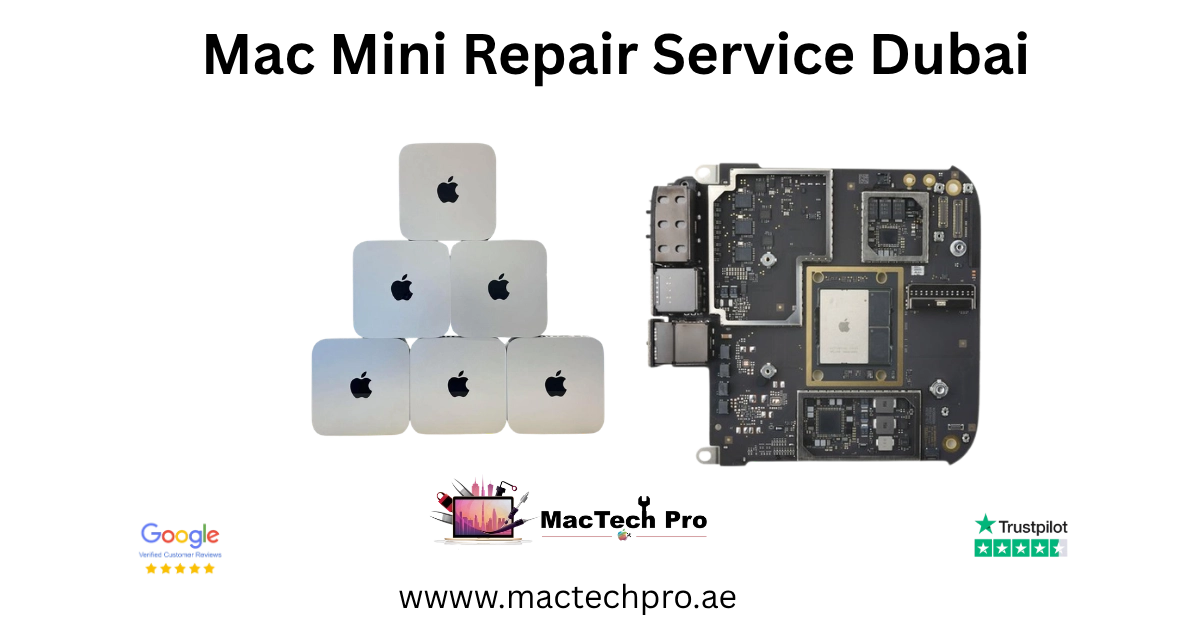
Dubai’s Mac mini repair & upgrade specialists
MacTech Pro is a dedicated Mac mini repair and upgrade centre in Dubai, and one of very few in the UAE able to carry out component-level, micro-soldering work on Apple’s compact desktop. The Mac mini is small, quiet and brilliantly engineered, but when it stops working, most general shops simply send the whole machine away. We instead repair the actual fault, on the board, the cooling system or the ports, at an honest, fixed price agreed before any work begins.
One thing worth saying up front: the Mac mini is a desktop, so it has no built-in screen and no battery. That means there is no screen replacement or battery service to worry about, and the things that genuinely go wrong, no-power faults, overheating, fan failure, dead USB-C and Thunderbolt ports, and the need for more storage or memory, are exactly the repairs and upgrades we specialise in. We cover every Mac mini generation, from the Late 2014 and 2018 Intel models through to the Apple Silicon M1, M2, M2 Pro, M4 and M4 Pro, so whatever you own, Mac mini repair in Dubai is handled in-house by people who work on these machines every day.
Every Mac mini we repair, 2014–2026
We repair every Mac mini Apple has released, across both the Intel era and the Apple Silicon era. Find your model and its model number in the table below, then read on for what each generation can be repaired and upgraded with.
Intel Mac mini (Late 2014 & 2018)
The Intel Mac minis are the most upgrade-friendly of the range, though in different ways. The Late 2014 Mac mini (A1347) has a serviceable 2.5-inch drive bay, so a hard drive can be swapped for a fast SSD, while the 2018 Mac mini (A1993) has user-accessible memory that can be taken up to 64GB. Both are fully repairable at component level, no-power faults, port failures, thermal problems and fan replacement are all everyday work for us on these models.
Mac mini Late 2014 (A1347)
The Late 2014 Mac mini (A1347), with Intel Core i5 or i7, responds very well to an SSD upgrade in its drive bay, which transforms its speed. Its memory is soldered, so RAM is fixed, but the board, ports and cooling are all repairable. It is a common visitor to our bench for no-power and storage work.
Mac mini 2018 (A1993)
The 2018 Mac mini (A1993), with 8th-generation Intel Core i3, i5 or i7, has user-upgradeable SO-DIMM memory up to 64GB, the single best upgrade for this model, while its SSD is soldered to the board. We carry out Mac mini 2018 RAM upgrades, Thunderbolt 3 and USB-C port repair, thermal service and board-level repair.
Apple Silicon Mac mini (M1, M2, M2 Pro, M4, M4 Pro)
From 2020 the Mac mini moved to Apple Silicon, and it is these models that now define the range: the M1 (2020), the M2 and M2 Pro (2023), and the M4 and M4 Pro (2024 onward), the M4 generation in its smaller, redesigned chassis. On all of them the chip, unified memory and SSD storage are part of a single logic board, so memory and storage cannot be upgraded after purchase. What can be done, and what we specialise in, is board-level repair, fixing the individual failed component rather than replacing the whole board the way an authorised counter would.
Mac mini M1 (A2348)
The Mac mini M1 (A2348) is the first Apple Silicon mini and a frequent visitor for no-power, port and thermal faults. Because its memory and SSD are soldered, a Mac mini M1 repair focuses on the board itself, keeping your original machine and your data.
Mac mini M2 & M2 Pro (A2686 / A2816)
The Mac mini M2 (A2686) and M2 Pro (A2816) from 2023 brought more power and, on the M2 Pro, extra Thunderbolt 4 ports. We repair both at component level, covering no-power faults, USB-C and Thunderbolt port replacement, fan replacement and overheating.
Mac mini M4 & M4 Pro (A3238 / A3239)
The Mac mini M4 (A3238) and M4 Pro (A3239), the current models, use a smaller redesigned chassis with front-facing USB-C ports, and the M4 Pro adds Thunderbolt 5. Mac mini M4 repair and Mac mini M4 Pro repair cover board-level faults, port replacement, fan replacement and thermal service; as with every Apple Silicon mini, we repair the failed component rather than condemning the whole board.
Our Mac mini repair & upgrade services
Because the Mac mini has no screen or battery, our work focuses on the parts that actually fail. Here is the full range of Mac mini repairs and upgrades we carry out in Dubai, each starting with a free diagnostic and a fixed price you approve first.
Logic board repair
Component-level micro-soldering for no-power, power and chip faults.
Fan replacement
Noisy or failed cooling fans replaced to stop heat and noise.
Overheating & thermal
Dust removal and fresh thermal paste to keep the mini cool.
USB-C / Thunderbolt ports
Dead USB-C, Thunderbolt and USB-A ports repaired or replaced.
No power / won’t turn on
Dead Mac mini diagnosed at board level and brought back to life.
SSD upgrade
Faster storage on the Late 2014 mini, plus external solutions.
RAM upgrade
Up to 64GB on the 2018 Mac mini for smoother multitasking.
Liquid damage & data
Board recovery from spills, plus Mac mini data recovery.
Mac mini logic board repair
Logic board failure is the most complex Mac mini fault to diagnose and fix, and where our component-level skill matters most. Board-level repairs are led by Dan, our lead technician, who uses micro-soldering to identify and repair faulty chips, capacitors and power circuitry, saving you the cost of a full board replacement. On the Apple Silicon M1, M2, M2 Pro, M4 and M4 Pro minis, where the chip, memory and storage are fused to the board, this is the difference between an affordable repair and an authorised counter’s full, costly board swap.
No power or dead Mac mini
A Mac mini that won’t turn on usually has a fault in the power circuitry on the logic board, or in the power supply. We test these directly to find why it will not start, then repair at component level, keeping your original board and your data.
No display output to your monitor
Because the Mac mini has no screen of its own, a common symptom is no picture on your external monitor. This can be the HDMI port, a Thunderbolt / USB-C port, the GPU or the board. Our free diagnostic finds the real cause, so the repair is quoted correctly.
Mac mini fan replacement and overheating
The Mac mini relies on a single internal fan and a compact heatsink, and over time the fan can grow loud, run constantly, or fail outright, while dust and ageing thermal paste cause the mini to overheat and throttle. We replace a failed Mac mini fan, clean the internals thoroughly and apply fresh thermal compound, so your mini runs cool and quiet again and holds its full performance.
Loud, constant or failed fan
A fan that is suddenly loud, spins constantly or has stopped is a clear sign of wear or failure. A Mac mini fan replacement is a clean, predictable repair that restores quiet, reliable cooling.
Overheating and thermal throttling
If your Mac mini gets very hot or slows under load, dust buildup and dried thermal paste are the usual causes. A full internal clean and re-paste brings the temperature, and the performance, back to normal.
Mac mini USB-C, Thunderbolt and USB-A port replacement
Ports take daily wear, and a Mac mini USB-C, Thunderbolt or USB-A port can loosen, stop charging accessories or stop transferring data. We repair or replace the affected port, from Thunderbolt and USB-C on the Apple Silicon and 2018 minis to USB-A and Thunderbolt 2 on the older models, and test every connection before returning your mini.
Mac mini SSD upgrade
Storage upgrades transform an older Mac mini. On the Late 2014 Mac mini (A1347) we fit a fast SSD into the drive bay and migrate your data across safely, a dramatic speed boost for a small cost. On the 2018 and Apple Silicon minis the SSD is soldered to the board and cannot be swapped, so we advise honestly and set up fast external Thunderbolt or USB-C storage instead, with your data migrated across.
Mac mini RAM upgrade
More memory means smoother multitasking and better performance with heavy apps. The 2018 Mac mini (A1993) has user-accessible memory we can upgrade up to 64GB, the single most effective upgrade for that model. The Late 2014 mini and every Apple Silicon mini use soldered memory that cannot be upgraded, and we will always tell you honestly which applies to your machine.
Mac mini liquid damage, water damage and data recovery
Spills happen even to desktops. We recover liquid-damaged Mac mini logic boards with ultrasonic cleaning and component-level repair, and recover data from minis with failed boards or, on the Late 2014 model, a failed drive. Whatever the fault, we run a full diagnostic first and give you a clear, honest assessment before any work begins.
Mac mini problems we fix
With no screen or battery to fail, these are the Mac mini faults we actually see.
Won’t power on
Dead Mac mini. Power supply and board-level power-circuit diagnosis.
Loud or dead fan
Worn or failed cooling fan replaced for quiet, reliable cooling.
Overheating / throttling
Dust and old thermal paste. Full clean and re-paste.
Port not working
USB-C, Thunderbolt or USB-A port repair or replacement.
No display output
No picture on your monitor. HDMI, port, GPU or board diagnosis.
Slow performance
SSD or RAM upgrade on supported models for a real speed boost.
Liquid / water damage
Ultrasonic cleaning and component-level board recovery.
Data recovery
Recover files from a failed Mac mini board or drive.
Signs your Mac mini needs repair
A Mac mini rarely fails without warning. Catching the early signs and acting on them is the difference between a quick, affordable repair and a bigger one, which is exactly why our diagnostic is free. Here are the symptoms Mac mini owners ask us about most.
Power and start-up warning signs
Mac mini won’t turn on
No light, no fan, no response at the power button usually means the power supply or the power circuitry on the logic board. This is a common, diagnosable Mac mini fault, not the end of the machine, and your data normally stays safe.
Random shutdowns or restarts
A Mac mini that shuts down or restarts on its own often has a power or thermal fault. We diagnose the real cause at board level rather than guessing.
Heat and fan warning signs
Overheating or constant fan noise
Persistent heat, or a fan that runs loud and constant, usually means dust buildup and old thermal paste, or a failing fan. A clean, re-paste or Mac mini fan replacement brings the temperature and noise back down.
No fan / no cooling
If the fan has stopped entirely, the mini will overheat quickly. A failed fan should be replaced promptly to protect the board.
Ports, display and performance signs
USB-C or Thunderbolt port not working
If a Mac mini USB-C, Thunderbolt or USB-A port stops charging accessories or transferring data, the port or its board connection is the likely cause, and it is straightforward for us to repair.
No picture on your monitor
Because the Mac mini has no screen, a blank external monitor is a key warning sign. The HDMI port, a Thunderbolt port, the GPU or the board could be at fault, and our diagnostic tells which.
Slow boot or lag
On the Late 2014 or 2018 Intel mini, a slow boot and lag usually mean an ageing drive or too little memory, both of which an SSD or RAM upgrade resolves.
After any liquid contact
If anything is spilled on or near your Mac mini, treat it as urgent even if it still works, because liquid residue keeps corroding the board. Power it off and contact us quickly for the best outcome.
The professional tools behind every repair
The Mac mini packs its board, cooling and ports into a very small space, so careful, properly equipped work matters. Every Mac mini repair is carried out in-house at our Dubai Sports City workshop, never sent away, with professional equipment.
The tools behind every Mac mini repair
Board-view schematics and diagnostics
We work from board-view schematics to trace a fault to the exact component on the Mac mini logic board, so a no-power or no-display fault is diagnosed precisely rather than guessed at.
Micro-soldering and hot-air rework
Our micro-soldering stations and hot-air rework tools let us replace tiny board components, power chips and the USB-C, Thunderbolt and USB-A ports themselves, under magnification, the heart of true board-level repair.
Thermal tools and fresh thermal paste
For overheating and fan work we clean the cooling system and apply fresh, high-quality thermal compound, measuring temperatures to confirm the mini runs cool under load.
ESD-safe workspace
Every repair is carried out on electrostatic-safe surfaces with grounded tools, protecting the sensitive components inside your Mac mini.
Your Mac mini repair, step by step
Free Mac mini diagnostic
We run a full hardware and software diagnostic on your Mac mini at no charge, to confirm the exact fault before any work begins.
Honest, fixed quote
We give you a clear, fixed price and an honest assessment, with no hidden fees and no unnecessary replacements. Work only starts once you approve it.
Specialist repair or upgrade
We carry out the repair or upgrade with professional tools and micro-soldering where needed, on an ESD-safe bench, in-house in Dubai Sports City.
Tested & returned
We test everything thoroughly, then return your Mac mini with a 3-month warranty, by free delivery or for collection.
Free, easy Mac mini collection across Dubai
The Mac mini is small and easy to move, which makes getting it to us simple. You can drop it in to our Dubai Sports City service centre yourself, or let us collect it, either way, the logistics are free and fully covered across Dubai.
We offer free pickup and delivery across every area of Dubai: our courier collects your Mac mini, brings it to our service centre, and returns it to you safely once repaired, and you can track the status of your repair throughout. Because the mini is so compact, walk-in drop-off is quick and easy too, just contact us to arrange whichever suits you.
Same-day walk-in service
If you would rather bring your Mac mini in yourself, our service centre in Dubai Sports City is open for walk-in customers, and the mini’s small size makes this especially easy. Our technicians will assess it on the spot and, for many common faults, complete the repair the same day while you wait or return later.
Same-day Mac mini service is available for fan replacement and thermal cleaning, power-failure diagnosis, port checks, RAM and SSD upgrades on supported models, and software or macOS issues. Because parts vary by model, please call or WhatsApp us before visiting so we can confirm availability for your specific Mac mini.
An honest, independent Mac mini specialist
MacTech Pro is an independent Apple-device specialist in Dubai Sports City, and on the Mac mini that works firmly in your favour. We are one of very few centres in the UAE offering Apple Silicon micro-soldering, so a board fault that an authorised counter would solve with a costly whole-board swap is very often a component-level repair for us, keeping your original mini and your data. Same-day repair is available for most common faults, pickup and delivery across Dubai is free, and our pricing is transparent: you approve a fixed quote before we touch your machine. Our technicians are experienced on every Mac mini generation from 2009 to today, and if a repair ever isn’t worth it, we will tell you honestly rather than sell you one you don’t need.
Mac mini repair prices in Dubai
Mac mini repair pricing depends on the model and the fault: a fan replacement or thermal clean is a fixed job, port and board-level work is quoted after diagnosis, and upgrades depend on the part. The figures below are realistic starting points; your exact price is confirmed after the free diagnostic, with no obligation and no hidden charges. If we can’t fix the fault, you don’t pay for the attempt.
Why bring it to MacTech Pro
- We repair the board at component level, not just swap it. On the M1, M1 Pro and M1 Max, a single failed component is usually the whole fault. Repairing that part is cheaper than a board swap and keeps your storage and data intact.
- Free, honest diagnosis and a fixed price first. You see the real fault and the real cost before any work. No fix, no fee.
- Genuine or OEM-grade parts, fitted and tested. That matters more on these models, where the mini-LED display and large batteries are expensive to get wrong.
- Work done by Dan's bench. Power-rail diagnosis and micro-soldering on Apple Silicon by one of Dubai's more experienced technicians, with 380+ reviews behind the shop.
- Your data comes first. These are pro machines, and we treat the data on them as the priority on every board and liquid job.
- Free pickup and delivery across Dubai, secure courier to the rest of the UAE, and a 3-month warranty on the repair.
Who does the work
Dan
Dan runs the bench at MacTech Pro and handles the board-level work himself: power-rail diagnosis, micro-soldering and data recovery on Apple Silicon Macs, including the M1, M1 Pro and M1 Max MacBook Pro. If another shop has told you the board is dead or the repair isn't possible, he's usually the one who proves otherwise. Every repair described here is carried out or checked by his team. Meet the technician →
Serving all of Dubai
Searching for Mac mini repair “near me”? MacTech Pro collects and delivers free across Dubai, and ships securely UAE-wide. Areas we regularly cover:
More from MacTech Pro
Mac mini repair — frequently asked questions
It depends on the model and the fault. A thermal clean starts from around AED 280, a fan replacement from around AED 320, a USB-C or Thunderbolt port repair from around AED 350, and board-level or no-power work is quoted after a free diagnostic. We always give you a fixed price before any work, with no obligation.
All of them, from the Late 2014 Mac mini (A1347) and the 2018 Mac mini (A1993) to the Apple Silicon M1 (A2348), M2 (A2686), M2 Pro (A2816), M4 (A3238) and M4 Pro (A3239). Whatever the year and fault, we repair it at component level.
No. The Mac mini is a desktop computer with no built-in screen and no battery, it connects to your own monitor, keyboard and mouse and runs from mains power. That means there is no screen replacement or battery service; our Mac mini work focuses on the logic board, cooling and fan, ports, storage and memory.
Yes, and it is one of the most common Mac mini faults we diagnose. A dead Mac mini usually has a fault in the power supply or the power circuitry on the logic board. We test these directly, then repair at component level, and your data normally stays safe and recoverable.
Yes. The Mac mini uses a single internal cooling fan, and when it grows loud, runs constantly or fails, we replace it with a genuine-grade fan and test cooling under load. A Mac mini fan replacement is a clean, predictable repair, often completed the same day.
Yes. Overheating and constant fan noise usually come from dust buildup and ageing thermal paste, or a failing fan. We open the mini safely, clean the cooling system, apply fresh thermal compound and replace the fan if needed, so your Mac mini runs cool and quiet again.
Yes. We repair or replace dead or damaged USB-C, Thunderbolt and USB-A ports on the Mac mini at board level, from Thunderbolt and USB-C on the Apple Silicon and 2018 minis to the ports on the older models, and test every connection before returning your machine.
Yes. Because the Mac mini has no screen of its own, a blank monitor is a common symptom. The cause can be the HDMI port, a Thunderbolt or USB-C port, the GPU or the logic board. Our free diagnostic finds the real fault so the repair is quoted correctly.
On the 2018 Mac mini (A1993), yes, it has user-accessible memory we can upgrade up to 64GB, which is the single best upgrade for that model. The Late 2014 mini and every Apple Silicon mini (M1, M2, M2 Pro, M4, M4 Pro) use soldered memory that cannot be upgraded, and we will tell you honestly which applies to yours.
On the Late 2014 Mac mini (A1347), yes, we fit a fast SSD into its drive bay and migrate your data, a big, low-cost speed boost. On the 2018 and Apple Silicon minis the storage is soldered and cannot be swapped, so we set up fast external Thunderbolt or USB-C storage and migrate your data across instead.
Yes, and board-level Apple Silicon Mac mini repair is a speciality of ours, one that remains rare in the UAE. Because the chip, memory and storage are soldered to the board, we repair the specific failed component using micro-soldering rather than replacing the whole board, which keeps your original mini and your data.
Yes. We repair the current Mac mini M4 (A3238) and M4 Pro (A3239) at component level, covering no-power and board faults, USB-C and Thunderbolt port replacement, fan replacement and thermal service in the redesigned chassis. The M4 Pro’s Thunderbolt 5 ports are repaired the same careful way.
On the Late 2014 or 2018 Intel mini, slowness usually means an ageing drive or too little memory, and an SSD (2014) or RAM (2018) upgrade resolves it dramatically. On any Mac mini we also run a full diagnostic to rule out a failing component or a software issue, then advise honestly on the best fix.
Yes, and the sooner the better, because liquid keeps corroding the board. We clean the board, including ultrasonic cleaning where needed, and repair the affected components. We are honest that corrosion can never be fully guaranteed, but our success rate is high, and we can usually recover your data.
In most cases, yes. Whether the logic board or, on the Late 2014 model, the drive has failed, we can usually recover your files. Tell us your data matters and we will prioritise it during the repair.
Yes. We offer free pickup and delivery across every area of Dubai, our courier collects your Mac mini and returns it once repaired, with tracking throughout. Because the mini is so small, walk-in drop-off is quick and easy too.
Many common faults, fan replacement, thermal cleaning, power diagnosis, port checks and upgrades on supported models, can be completed the same day. Because parts vary by model, please call or WhatsApp us first so we can confirm availability for your Mac mini.
We use genuine-grade, quality-tested parts and tell you exactly what is being fitted, and the price, before we start. For board-level repairs we often fix your original components directly, so there is no replacement part at all.
Almost always, yes. Because we repair the failed component rather than replacing the whole board or machine, even a board-level Mac mini repair is typically a fraction of the cost of a new mini, and it keeps your original machine and your data. We will give honest repair-or-replace advice after the diagnostic.
Yes. Every Mac mini repair comes with a 3-month warranty covering the specific repair and the part fitted, plus our No Fix, No Fee promise. If that same fault returns within the warranty period, we put it right at no cost.
Check the model number on the underside of the Mac mini: A1347 (Late 2014), A1993 (2018), A2348 (M1), A2686 (M2), A2816 (M2 Pro), A3238 (M4) or A3239 (M4 Pro). About This Mac also names the chip and year. Send us the number and we will confirm your model and what it can be upgraded with.
At MacTech Pro, Stadium Point Building, Office 311, Dubai Sports City. We serve customers right across Dubai with free pickup and delivery, so wherever you are, you can have your Mac mini collected, diagnosed and repaired.
Yes. We repair Mac minis regardless of where they were bought, the hardware and parts are the same. Bring us the model and the fault and we will diagnose and quote it exactly as any other, with the same free diagnostic, genuine-grade parts and 3-month warranty.
Yes, and these minis especially benefit from regular care. Running continuously builds up heat and dust, so a thermal clean, fresh paste and, if needed, a fan replacement keep a hard-working Mac mini reliable and quiet. We can also check the board and ports and advise on storage, so your always-on mini keeps running smoothly.