
MacBook Pro M1 Pro vs M1 Max in Dubai
What actually separates the M1 Pro from the M1 Max, who each one is for, and the honest answer to whether they repair any differently.
Component-level repair · Genuine-grade parts · 380+ reviews
Done by Dan's bench · Free pickup & delivery across Dubai
The Quick Answer
The M1 Pro and M1 Max sit in the same 14-inch (A2442) and 16-inch (A2485) MacBook Pro from 2021. The M1 Max adds a much larger GPU, up to 64GB of memory and double the memory bandwidth, aimed at heavy video, 3D and photography. For everything else, including the screen, battery, ports and board, they are the same machine, which means they repair the same way and cost the same to fix. This guide covers the differences and the repair reality, from MacTech Pro in Dubai.
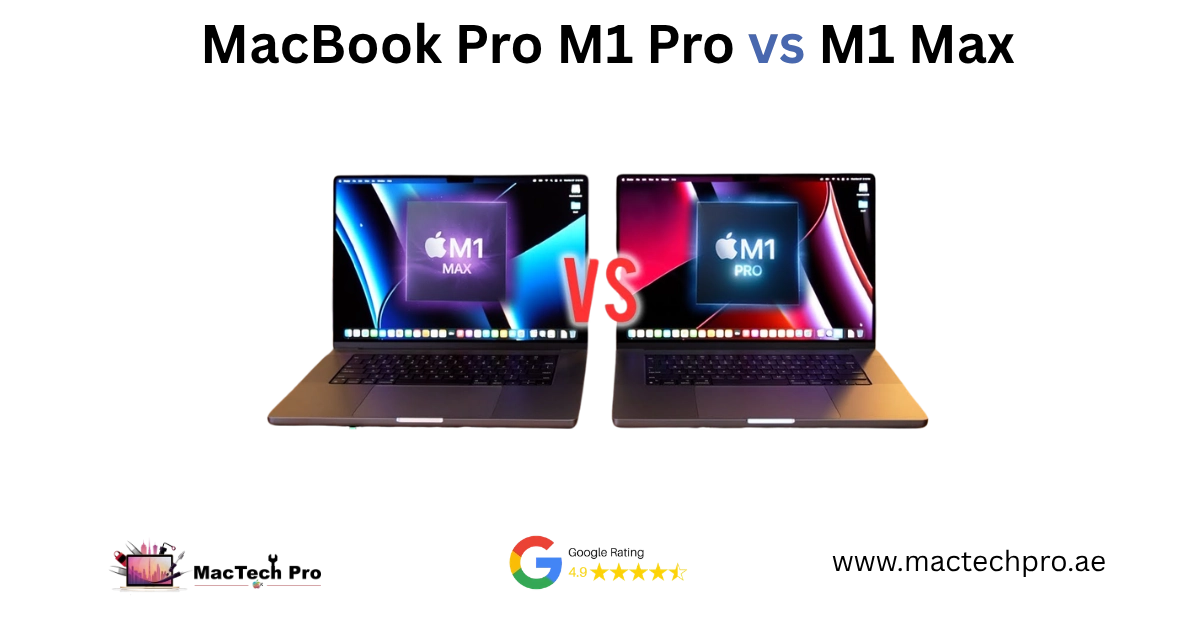
M1 Pro vs M1 Max at a glance
| Spec | M1 Pro | M1 Max |
|---|---|---|
| CPU | Up to 10-core | Up to 10-core |
| GPU | 14 or 16-core | 24 or 32-core |
| Unified memory | Up to 32GB | Up to 64GB |
| Memory bandwidth | ~200 GB/s | ~400 GB/s |
| Models | 14″ (A2442), 16″ (A2485) | 14″ (A2442), 16″ (A2485) |
| Display, ports, body | mini-LED ProMotion, MagSafe 3, HDMI, SDXC | Identical |
| Best for | Coding, office, light to mid creative | Heavy video, 3D, large photo work |
| Repair & parts | Same battery, screen, board | Same as M1 Pro |
Do they repair differently?
No, and this is the part most people get wrong. The M1 Pro and M1 Max are the same machine apart from the chip. Within a 14-inch, or within a 16-inch, they share the same mini-LED display, the same battery, the same MagSafe 3 and USB-C ports, and the same board layout. So a screen, battery, charging or board repair is identical between them, and it costs the same.
What actually changes the repair is the size, not the chip. A 16-inch has a larger display and battery than a 14-inch, so those parts differ. The chip bin (Pro versus Max) does not. If a shop quotes you more to repair an M1 Max than an M1 Pro of the same size for the same fault, ask why.
The one practical difference on our side is data and thermals. M1 Max machines tend to carry heavier, less-backed-up work, so on board and liquid jobs we plan data recovery first. And because the M1 Max pushes the cooling harder under GPU load, we pay closer attention to thermals when overheating is part of the complaint.
Which should you keep or buy?
For most people in Dubai, including developers, office users and anyone doing light to mid creative work, the M1 Pro is more than enough and the better value. Choose the M1 Max if you do sustained GPU work, 4K or 8K video editing, 3D rendering, large photo libraries, or if you need more than 32GB of memory. Both are well supported for repair, so neither is a risk to own from a serviceability point of view.
If you already have one and it has a fault, the question is usually repair versus replace. A component-level repair is almost always cheaper than replacing the machine, and it keeps your data. We give you a free diagnosis and a fixed price first, so you can weigh it against a replacement with real numbers.
Common repairs for both
Why bring it to MacTech Pro
- We repair the board at component level, not just swap it. On the M1, M1 Pro and M1 Max, a single failed component is usually the whole fault. Repairing that part is cheaper than a board swap and keeps your storage and data intact.
- Free, honest diagnosis and a fixed price first. You see the real fault and the real cost before any work. No fix, no fee.
- Genuine or OEM-grade parts, fitted and tested. That matters more on these models, where the mini-LED display and large batteries are expensive to get wrong.
- Work done by Dan's bench. Power-rail diagnosis and micro-soldering on Apple Silicon by one of Dubai's more experienced technicians, with 380+ reviews behind the shop.
- Your data comes first. These are pro machines, and we treat the data on them as the priority on every board and liquid job.
- Free pickup and delivery across Dubai, secure courier to the rest of the UAE, and a 3-month warranty on the repair.
Who does the work
Dan
Dan runs the bench at MacTech Pro and handles the board-level work himself: power-rail diagnosis, micro-soldering and data recovery on Apple Silicon Macs, including the M1, M1 Pro and M1 Max MacBook Pro. If another shop has told you the board is dead or the repair isn't possible, he's usually the one who proves otherwise. Every repair described here is carried out or checked by his team. Meet the technician →
M1 Pro vs M1 Max — frequently asked questions
The GPU and memory. The M1 Pro has up to a 16-core GPU and 32GB of memory; the M1 Max has up to a 32-core GPU, up to 64GB of memory and double the memory bandwidth. The CPU is similar. The M1 Max is aimed at heavy GPU work like video, 3D and large photo libraries.
No. Within the same size they use the same body, mini-LED screen, battery, ports and board layout. Only the chip bin differs, which doesn't change the repair or the cost. A 14-inch M1 Pro and a 14-inch M1 Max are the same machine to service.
If the machine suits your work, repairing is almost always cheaper than replacing, and a board repair keeps your data. We give you a free diagnosis and a fixed price so you can compare it against a replacement before deciding.
For most people, including coding, office work and light creative use, the M1 Pro is plenty. Choose the M1 Max if you do sustained GPU work like 4K/8K video or 3D, or need more than 32GB of memory. Both are well supported for repair.
Under heavy GPU load it works the cooling harder, which is normal. The cooling system is built for it. Reliability is similar to the M1 Pro; if either runs hot at idle or shuts down from heat, that's worth a check rather than something to expect.