
Dropped in a Bathtub, No Power — and the Data Still Came Back
Case study, a 14-inch MacBook Pro (A2442) dropped in a bathtub, dead with water damage. MacTech Pro ultrasonically cleaned the board, replaced 19 corroded components, fixed a trackpad shorting the main power rail, booted it, and completed a full Time Machine backup. Data saved. Call MacTech Pro Dubai on +971 50 951 6827.
Component-level repair · Genuine-grade parts · 380+ reviews
Done by Dan's bench · Free pickup & delivery across Dubai
The Quick Answer
A 14-inch MacBook Pro M1 (A2442) came in dead after being dropped in a bathtub, and the customer’s one goal was to save the data. MacTech Pro did not power it on, cleaned the board ultrasonically, replaced 19 corroded components, and traced the power fault to, among other things, a water-damaged trackpad shorting the main power rail (PPBUS_AON). Once repaired, the Mac booted into macOS and a full Time Machine backup completed. Data saved, MacBook repaired. If your Mac has taken a spill, turn it off, don’t charge it, don’t shake it, and call MacTech Pro on +971 50 951 6827.
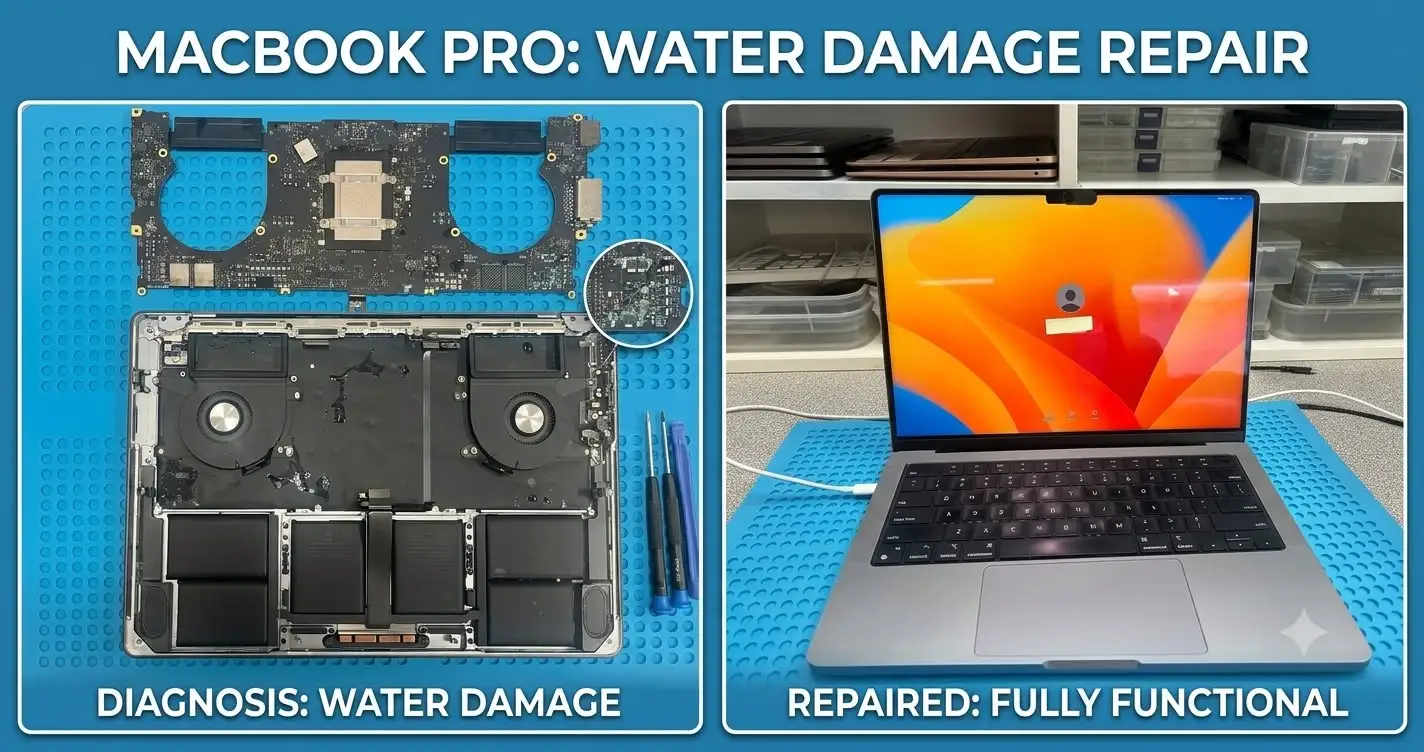
This is one we’d been meaning to write up.
A customer over in JVC made the drive to us after finding us through AI search and reading our Google reviews. What they brought in: a 14-inch MacBook Pro M1 (A2442) that had gone into a bathtub. Full water damage, completely dead. Their ask was the one we hear most, save the data.
First thing we did was resist the obvious. We did not plug it in. With serious liquid damage, powering a board on too early is how you turn a recoverable machine into a dead one, the water bridges circuits that were never meant to meet, and the damage spreads. Patience first, power later.
Then the real work started. We cleaned the whole board ultrasonically before anything else, lifting corrosion out from under the components where it hides. That alone showed the scale of it: 19 corroded resistors and capacitors, all replaced.
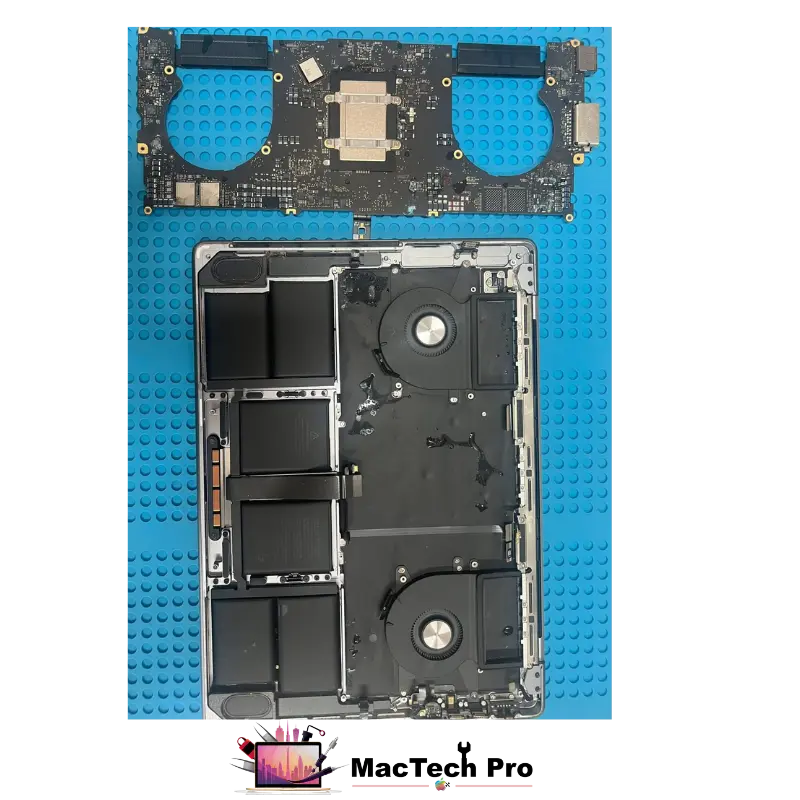
Chasing the Power Fault, One Rail at a Time
- Charging circuit diagnosed. R5275 was open, replaced.
- PPBUS_AON restored. The main power bus brought back to a healthy 12.3V.
- CR853 replaced. Showing up hot on the thermal camera, so out it came.
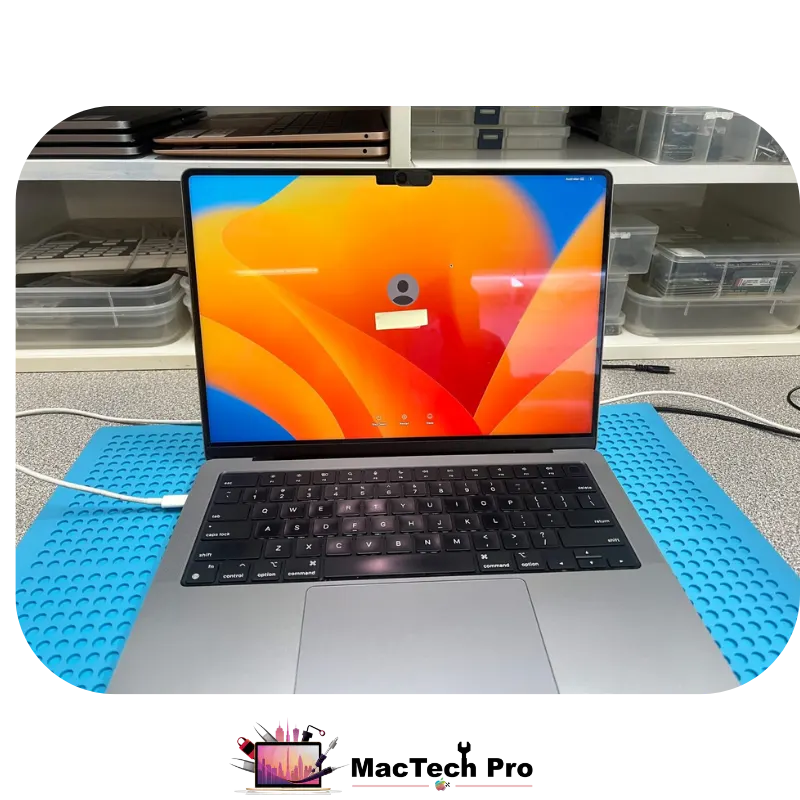
With that sorted, the Mac booted into macOS. And the moment we’d been working toward: a full Time Machine backup completed. Data saved. That was the customer’s whole reason for coming through the door, and it was done.
We Didn’t Stop at the Data
Two faults left to clear:
- Battery not detecting. Replaced RD154, and detection came back.
- Right-side speaker dead. Replaced UR700, UR730 and UR760, and the sound returned.
Final result: data saved, MacBook repaired, touchpad replaced. A machine that arrived dead from a bathtub walked out working.
One Lesson Worth Passing On
After liquid damage, don’t shake the MacBook, and don’t tip it around in your bag to “drain the water out.” We see it constantly with bottle leaks: the movement forces liquid up into the screen’s film layers, and a damaged screen can wipe out a big chunk of the machine’s value on its own. Keep it still.
Turn it off, don’t charge it, and get it checked properly, fast. Call or WhatsApp MacTech Pro on +971 50 951 6827.
Water-damage & board faults we repair
This bathtub spill is one of many liquid-damage and board faults we trace and repair at component level. If your Mac has taken a spill, it’s worth a proper board diagnosis before writing it off.
Dropped in water
Full immersion — baths, sinks, pools — cleaned and repaired at board level.
Spills & bottle leaks
Coffee, water and juice into the keyboard, before corrosion spreads.
No power after liquid
A seemingly dead board that’s usually corrosion plus a few shorted parts.
Shorted power rails
Faults like a trackpad shorting PPBUS_AON, traced and cleared.
Data recovery
Getting your files off first, then repairing the machine.
Corrosion cleaning
Ultrasonic cleaning that lifts corrosion from under the components.
MacBook water damage repair in Dubai
MacTech Pro is an independent Apple-device specialist in Dubai Sports City, and water damage is one of our core board-level specialisms. Every liquid-damage job is handled with a No Fix, No Fee policy.
How we handle a liquid-damaged Mac
Your data comes first
On a water-damaged machine the data is usually what matters most, so we prioritise it: we clean and repair enough of the board to boot safely, then back everything up before anything else.
Ultrasonic clean, then diagnosis
We clean the board ultrasonically before diagnosis so hidden corrosion is lifted out and we can see the board’s real condition, rather than chasing faults around it.
Honest, fixed pricing
We diagnose the damage first and give you a fixed price you approve before any work begins. Pickup and delivery across Dubai is free, or you’re welcome to visit our Dubai Sports City service centre. If we can’t fix it, you don’t pay.
Your water-damage repair, step by step
Free board-level diagnosis
We assess the liquid damage without powering the board on unsafely, and tell you what can be saved — data and machine — at no charge.
Data prioritised
Where the goal is your files, we clean and repair enough of the board to boot safely and back everything up first.
Ultrasonic clean & board repair
We clean the board ultrasonically, then replace corroded components and clear the shorts — keeping your original board and data.
Tested & returned
We confirm the Mac boots and runs, then return it with a warranty — by free delivery or for collection.
Why bring it to MacTech Pro
- Free, honest diagnosis and a fixed price first. You see the real fault and the real cost before any work. No fix, no fee.
- Genuine or OEM-grade parts, fitted and tested. Parts matched to your exact model.
- Work done by Dan's bench. Experienced Apple-hardware diagnosis and repair, with 380+ reviews behind the shop.
- Your data comes first. We treat the data on every machine as the priority.
- Free pickup and delivery across Dubai, secure courier to the rest of the UAE, and a warranty on the repair.
Who does the work
Dan
Dan leads the board-level bench at MacTech Pro: ultrasonic cleaning, corrosion and power-rail repair, micro-soldering and data recovery on liquid-damaged Macs like this A2442. Reviving a machine that arrived dead from a bathtub, and getting the customer’s data off it, is exactly the kind of work he handles. Our screen and display side is run by Richard. Meet the technician →
Serving all of Dubai
Searching for MacBook water damage repair and data recovery “near me”? MacTech Pro collects and delivers free across Dubai, and ships securely UAE-wide. Areas we regularly cover:
More from MacTech Pro
Frequently Asked Questions
Turn it off if it isn’t already, and leave it off. Don’t plug it in to charge, and don’t try to switch it on. Just as important, don’t shake it or tip it around to drain it. Then get it to MacTech Pro as fast as possible, call or WhatsApp us on +971 50 951 6827. The sooner a water-damaged MacBook is cleaned, the more can be saved, including your data.
Because powering a wet board too early lets the liquid bridge circuits that were never meant to connect, which spreads the damage and reduces the chance of recovering your data. Patience first, power later, that’s exactly why we didn’t plug this one in.
Often, yes, if it’s handled correctly. We prioritise the data: clean the board, repair enough of it to boot safely, and back everything up. In this case a full Time Machine backup completed, so the customer’s files were saved.
Movement forces liquid up into the screen’s film layers, and a damaged screen can cost a large part of the machine’s value on its own. Keeping it still avoids turning one problem into two.
Usually, yes. A water-damaged Mac that won’t power on is normally corrosion plus a few shorted or failed components, not a genuinely dead machine. Cleaning and board-level repair bring most of them back, as this one shows.
It’s a machine that lifts corrosion out from under and around the components, where a brush can’t reach. We do it before diagnosis so we can actually see the board’s condition and find the real faults, rather than working around hidden corrosion.
A water-damaged trackpad can short the main power rail (PPBUS_AON) and stop the whole Mac from powering up or booting. It looks like a dead board, but replacing the shorting trackpad restores the power, which is exactly what happened here.
Usually, yes, especially when the goal is saving your data. A component-level repair typically costs a fraction of replacing the machine. We diagnose the damage first and tell you honestly whether it’s worth it, call MacTech Pro on +971 50 951 6827.