
MacBook Pro 16-inch A2141: Logic Board Repair Without Losing Customer Data
Dead after a normal day — no fan, no backlight, no display, just 5 V and 0.00 A on every USB-C port. Quoted elsewhere as a board replacement that would have risked the T2-encrypted data. We traced a faulty charger IC and hidden corrosion under a power-stage chip, and saved the original board.
Component-level repair · Original board & data kept · 380+ reviews
Done by Dan’s bench · Free pickup & delivery across Dubai
Quick Answer
A 2019 MacBook Pro 16-inch A2141 (820-01700) suddenly died — no fan, no backlight, no display, and all four USB-C ports reading 5 V at 0.00 A. It had been quoted elsewhere as a board replacement, which would have risked the T2-encrypted soldered storage and the customer’s data. MacTech Pro diagnosed the original board at component level: the U7000 charger IC was shorting a gate-control line, and a second fault — hidden corrosion under the Q7040 power stage — was found only after removal. We replaced U7000 and the Q7030/Q7040 pair, renewed surrounding parts and ultrasonically cleaned the board. The original 820-01700 board was restored with the customer’s data intact. MacBook dead with no power? Call +971 50 951 6827.
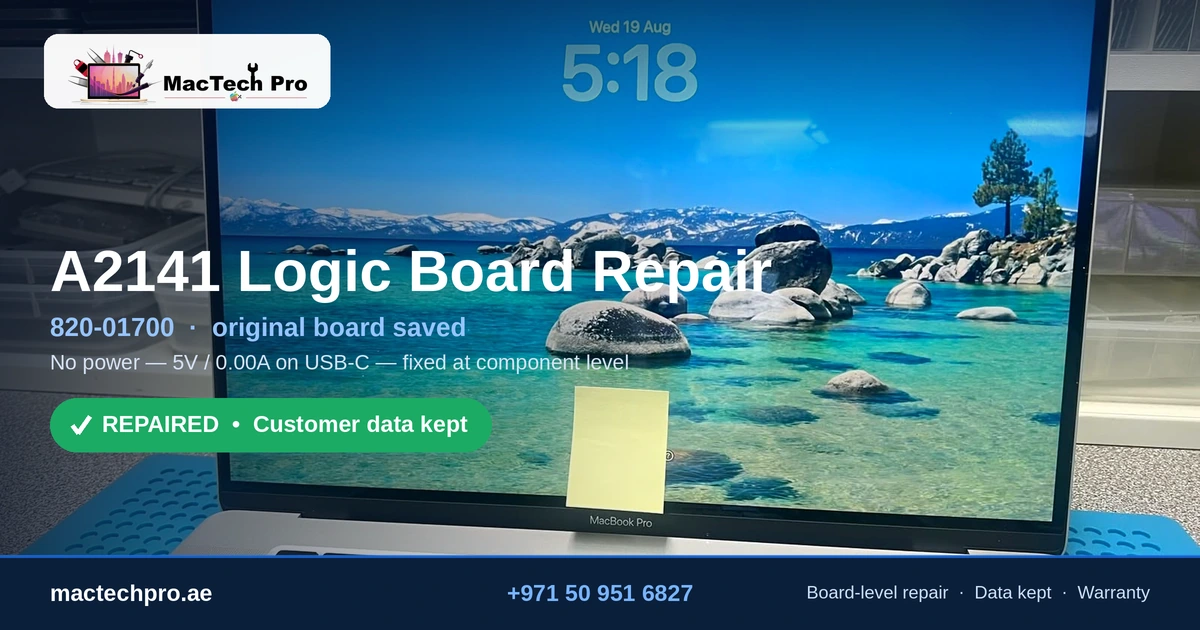
This 2019 MacBook Pro 16-inch A2141 suddenly stopped working after a normal day of use.
There was no fan activity, no keyboard backlight and no display. All four USB-C ports were showing 5 V with 0.00 A.
The battery had previously shown a service warning, but testing confirmed that the battery was not responsible for the immediate no-power fault.
The customer had been advised elsewhere that the 820-01700 logic board needed to be replaced.
For this MacBook, replacing the logic board creates an important problem: the internal storage is soldered to the original board and works together with Apple’s T2 security system. A replacement board would therefore not simply give the customer access to the data stored on the original board.
At MacTech Pro, we decided to diagnose the original logic board at component level before considering board replacement.

Finding the first fault
Testing identified U7000, the charger IC, as faulty. It was shorting a gate-control line.
After replacing U7000, the PPBUS_G3H voltage improved from approximately 0.2 V to 1.8 V, but this was still much lower than expected.
This showed that the charger IC was a fault, but it was not the only problem on the board.
Finding the hidden corrosion
We continued testing the power circuit using an oscilloscope.
All four gate PWM signals were present, so attention moved to the Q7030 and Q7040 power-stage components.
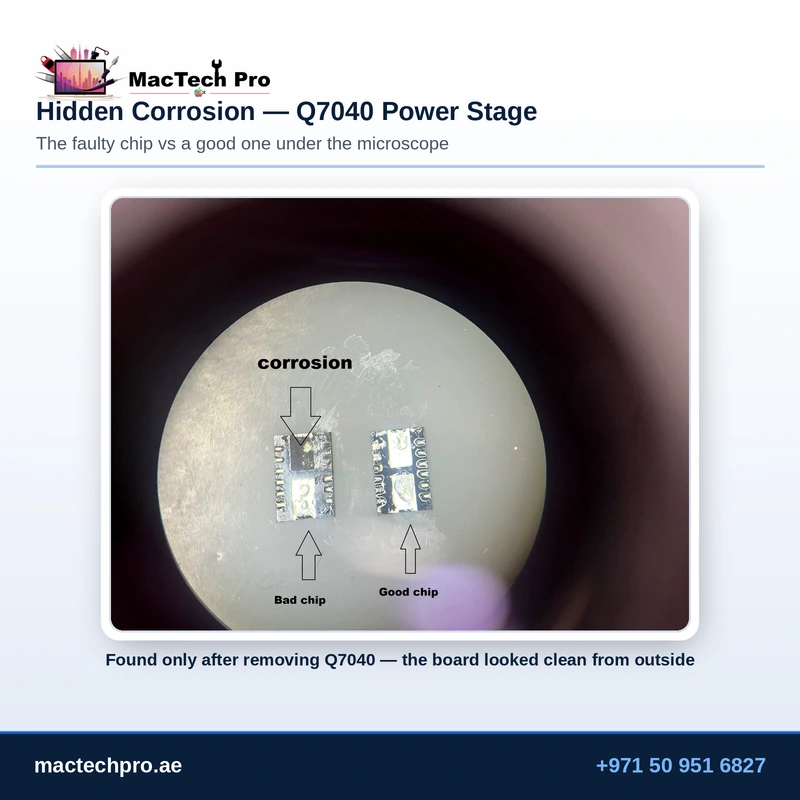
The important fault was found only after removing Q7040.
Corrosion was hidden underneath the chip.
The board looked clean from the outside, and the corrosion could not be seen properly while the component was still installed.
We replaced Q7030 and Q7040 as a pair, renewed the affected surrounding components and then ultrasonically cleaned the logic board.
Final result
The MacBook started working again using its original 820-01700 logic board.
The customer’s original data remained on the machine, avoiding the need to replace the board and potentially losing access to the encrypted storage.
What caused the failure?
The board had more than one fault:
- U7000, the charger IC, was faulty.
- Q7030/Q7040 in the power stage were affected.
- Corrosion was hidden underneath Q7040.
What this repair shows
A MacBook showing only 5 V on the USB-C ports does not automatically mean the logic board needs to be replaced.
A confirmed faulty component may also be only part of the problem. In this case, further electrical testing revealed another fault hidden underneath a power-stage component.
Component-level repair allowed us to restore the original logic board and preserve the customer’s data.
Who does the work
Dan
This A2141 no-power diagnosis and micro-soldering is exactly the board-level work Dan handles at MacTech Pro — following the power circuit with an oscilloscope, isolating more than one failed component, and repairing the original board so the customer keeps their data. Our screen and display side is run by Richard. Meet the technician →
What Our Dubai Customers Say
MacBook logic board repair in Dubai
MacTech Pro is an independent Apple-device specialist in Dubai Sports City, and board-level faults like this A2141 no-power failure are exactly the kind of component work we do every week. Every job runs on a No Fix, No Fee basis.
How a logic board job works with us
Free diagnosis, real measurements
We test the board before quoting — following the power rails and the power-on sequence with an oscilloscope — so you find the actual cause instead of replacing the SSD, reinstalling macOS or swapping the whole board.
Original board and data kept where possible
On T2 Macs the storage is soldered to the board, so a full board swap can cost you your data. Component-level repair keeps your original logic board, your encrypted storage and your data with the machine.
Free pickup and delivery across Dubai
From Deira to the Marina, we collect your MacBook, diagnose and repair it at our Dubai Sports City bench, and return it — free of charge.