
A Dead 15-inch MacBook Pro (A1990), and the One Capacitor Behind It
No light. No fan. No chime. The main power rail was shorted to ground — so we made the board show us exactly where. Current-limited 5V injection, a thermal camera, and one capacitor glowing hot on an otherwise stone-cold board.
Voltage injection · Thermal imaging · Genuine donor-board parts · 380+ reviews
Repaired by Dan — lead technician · Free pickup & delivery across Dubai
Quick Answer
A 15-inch MacBook Pro 2019 (A1990) came into MacTech Pro completely dead, no light, no fan, no chime. Diagnosis found a short on PPBUS, the main power rail, which stops the Mac from starting at all. To find it, we injected a low, current-limited voltage into the shorted rail and scanned the board with a thermal camera. One capacitor lit up hot while everything around it stayed cold, that was the short. We replaced it with a genuine Apple component harvested from a donor logic board, and the MacBook powered straight up. One tiny part, not a dead machine. MacBook won’t turn on? Call MacTech Pro on +971 50 951 6827.

A 15-inch MacBook Pro 2019 (A1990) landed on the bench completely dead.
No light. No fan. No chime. Press the power button and absolutely nothing happens, the machine may as well be a slab of aluminium. It’s the fault that scares people the most, because unlike a cracked screen or a tired battery, there’s nothing to see. No clue at all. Just a laptop that won’t wake up.
Here’s what I’ve learned after enough of these: a dead MacBook is rarely dead. It’s usually one small thing standing in the way of everything else working perfectly. This one was a textbook example.
First, What “No Power” Actually Means
When a Mac won’t turn on, people assume the logic board has died. Nine times out of ten, it hasn’t. The board is fine. Something on it is stopping the power from getting where it needs to go, and until that something is found, nothing else can happen.
Think of it like a house with the mains tripped. Every light, every socket, every appliance in the building is dead, and it looks catastrophic. But the house isn’t broken. One fault somewhere is holding the whole thing down. Find that fault, and everything comes back at once. A logic board works the same way.
The Diagnosis: A Short on PPBUS
On this A1990, the diagnosis pointed straight at PPBUS, and that explained everything.
PPBUS is the main power rail on the board, the big one. It’s the rail that feeds nearly everything else, and it’s meant to be live whenever a charger or a healthy battery is connected. Every other voltage the Mac generates is built on top of it, and the whole power-on sequence depends on it being there and being stable.
When PPBUS is shorted, it’s being dragged to ground. The power has a direct path to nowhere, so it never builds up, never reaches the rest of the board, and the Mac can’t even begin to start. That’s why the machine was totally lifeless rather than half-working. A short on PPBUS doesn’t cause a symptom. It causes silence.
So now the question isn’t “what’s wrong.” It’s “where.” And that’s the hard part, because dozens of components sit on that rail, spread right across a densely packed board. The short could be any one of them. A multimeter will happily confirm the rail is shorted. It will not tell you which component is doing it.
Making the Board Tell You Where It Hurts
This is where the actual craft comes in, and it’s my favourite part of the job.
The board won’t volunteer the location of the short. So you make it show you. We used voltage injection: feeding a low voltage, 5V, into the shorted rail from a bench power supply, with the current strictly limited.
The physics does the work. Electricity always takes the path of least resistance, and a shorted component is exactly that, the easiest path on the entire board. So when you inject voltage into that rail, nearly all of the current pours through the one faulty part. And current flowing through a short does something very useful: it makes that part heat up. Everything else on the rail stays cold, because the current isn’t going there.
The current limit matters enormously, and it’s the difference between a diagnosis and a disaster. You feed in just enough to make the faulty component warm, not enough to damage anything or cook a healthy part. Done carelessly, voltage injection can wreck a board that was repairable. Done properly, it’s one of the most precise tools in board-level repair.
The Thermal Camera Reveal
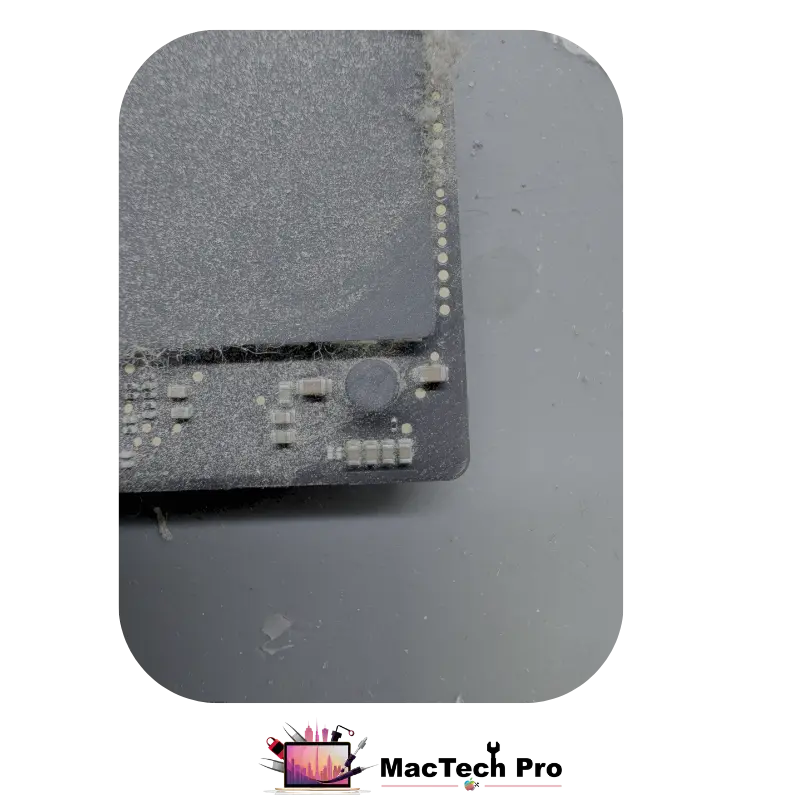
With the voltage going in, we scanned the board with the thermal camera. And there it was, plain as day.
On the thermal image the hot component stands out against a completely cool board, and there’s no mistaking it. That single bright spot is the fault, physically pointing at itself.
That’s the beauty of this method. No guessing. No swapping parts to see if it helps. No “let’s try replacing the board and hope.” The board itself shows you the exact component that’s failed, down to a part smaller than a grain of sand. Ten seconds of thermal scan does what hours of blind testing can’t.
One Capacitor, One Dead Laptop
So the culprit was a single shorted capacitor on the PPBUS rail.
These capacitors are tiny, and there are dozens of them on any Mac logic board. Their job is unglamorous, smoothing and stabilising the power so the rest of the board gets a clean supply. Normally they last the life of the machine and you never think about them once. But they can fail short internally, from age, a knock, heat, or just bad luck. And when one fails short on the main power rail, it stops being a helper and becomes a drain, pulling the whole rail to ground and taking a premium laptop offline entirely.
A component you could lose in a fingerprint. A machine that cost thousands. That’s the reality of board-level faults, and it’s exactly why writing off the whole board is such a waste.
The Fix, and Why a Donor Board Is a Good Thing
We removed the shorted capacitor and fitted a replacement harvested from a donor logic board, then tested the rail again. Short gone. PPBUS healthy.
A word on donor boards, because it’s worth understanding. Keeping donor logic boards means we have a stock of genuine Apple components to draw on, the exact original parts, from the exact same generation of board, made to the same spec Apple specified. Not a generic substitute ordered off a marketplace and hoped for.
It also means speed. No waiting two weeks for a part to arrive from overseas while your laptop sits in a drawer, we harvest the correct component and fit it the same day. It’s a resource most repair counters simply don’t have, and it’s one of the quiet advantages of a real board-level lab.
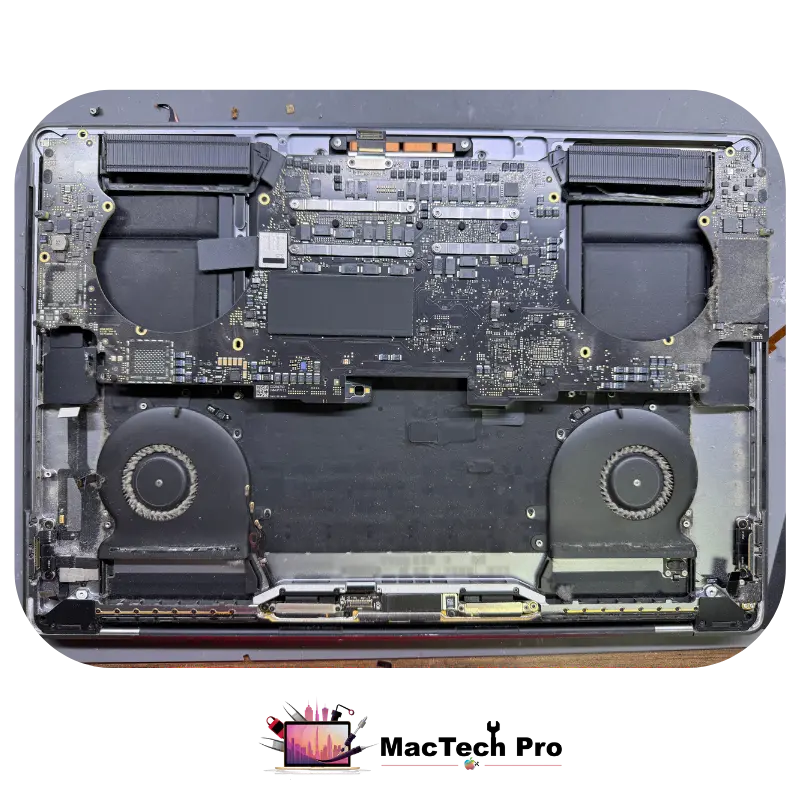
A laptop that arrived completely lifeless, working again, because one tiny part was found and replaced.
Why This Beats Replacing the Whole Board
Take a dead A1990 to a shop that only swaps parts, and you’ll typically hear one answer: the logic board needs replacing. It’s the easy call. It’s also expensive, and on many Macs it means your data goes with the old board.
Compare that to what actually happened here. One capacitor. A component worth almost nothing, found precisely and replaced properly. Your original board stays in the machine. Your data stays exactly where it is. And the cost is a fraction of a board replacement.
That’s the whole argument for component-level repair. Not swapping parts until something works, finding the one thing that’s actually broken and fixing that. It takes proper tools, real experience, and the patience to do it right, which is why not every shop offers it.
Who does the work
Dan
Voltage injection, thermal imaging and micro-soldering on a live power rail is exactly the work Dan does at MacTech Pro — finding the one failed component on a “dead” board instead of replacing the whole thing, and keeping your data where it belongs. Screen and display work is handled by Richard. Meet the technician →
If Your MacBook Won’t Turn On
Before you assume the worst, a few things genuinely help:
- Try a different charger and cable, ideally a known-good one. It’s rare, but it happens, and it’s free to rule out.
- Look for any sign of life at all, a faint fan, a keyboard backlight flicker, a MagSafe LED, a warm spot. Any of it is useful information.
- Note what happened just before. Any liquid, any drop, any surge, any repair elsewhere? Tell us, it narrows the search enormously.
- Don’t keep hammering the power button, and don’t leave it plugged in for hours hoping. If there’s a short on the board, more power doesn’t help it.
- Don’t accept “dead board” as the final word without a proper board-level diagnosis. As this repair shows, “dead” and “one bad capacitor” look identical from the outside.
Bring it to us for a real diagnosis, or call MacTech Pro first on +971 50 951 6827 and describe what it’s doing, or not doing.
Why Dubai Customers Bring Dead MacBooks to MacTech Pro
A no-power fault is exactly the repair that separates a board-level lab from a general repair counter. Anyone can swap a board. Finding the one component that’s actually broken is a different skill entirely.
- Real board-level diagnosis, voltage injection, thermal imaging, and proper measurement, not guesswork
- We repair the failed component instead of replacing the whole board, at a fraction of the price
- Genuine Apple components from donor boards, correct parts, fitted the same day, no two-week waits
- Your data stays safe, because your original board stays in your machine
- Honest answers, if a board genuinely can’t be saved, we’ll tell you plainly instead of stringing it out
- Serving customers right across Dubai, including Dubai Sports City, Motor City, Dubai Marina, Downtown Dubai, Business Bay, Al Barsha, JLT, JVC, and Deira
- Every repair tested properly before it goes back, with a warranty on the work
MacBook no-power & board repair in Dubai
MacTech Pro is an independent Apple-device specialist in Dubai Sports City, and no-power / short-circuit board faults are one of our core specialisms. Every job runs on a No Fix, No Fee basis.
How a no-power job works with us
Free board-level diagnosis
We measure the rails, inject where needed and scan thermally before quoting — because the real cost depends on which component failed — then give you a fixed price you approve before any work begins.
Donor boards on the shelf
Because we keep donor logic boards, the correct genuine Apple component is usually fitted the same day rather than waiting weeks for a delivery.
Free pickup and delivery across Dubai
We collect your MacBook anywhere in Dubai, diagnose and repair it at our Dubai Sports City bench, and return it — free of charge — or you’re welcome to walk in.
More from MacTech Pro
What Our Dubai Customers Say
Frequently Asked Questions
Usually not. A completely dead Mac is most often a short on a power rail caused by a single failed component, exactly like the shorted capacitor in this A1990. The board itself is normally fine once that part is replaced. Don’t accept “dead board” without a proper board-level diagnosis, call MacTech Pro on +971 50 951 6827 and we’ll find out what’s really going on.
PPBUS is the main power rail that feeds nearly everything on the board. If it’s shorted, the power is dragged to ground and never reaches the rest of the machine, so the Mac shows no signs of life at all. It’s a board-level fault, and it’s repairable once the shorting component is located. MacTech Pro does this work regularly, call +971 50 951 6827.
We inject a low, current-limited voltage into the shorted rail, and because current flows through the path of least resistance, the faulty component heats up while everything else stays cold. A thermal camera then shows exactly which part it is. It’s precise, and it beats guessing or swapping parts. For your machine’s symptoms, call MacTech Pro on +971 50 951 6827.
Yes, and it’s more common than people think. A capacitor that fails short on the main power rail pulls that rail to ground and prevents the Mac from starting at all, no lights, no fan, nothing. Replacing that one part can bring the entire machine back, as it did here. Questions? Call MacTech Pro on +971 50 951 6827.
A donor board is a logic board we keep specifically to harvest genuine Apple components from. It means the replacement part is the correct original component from the same board generation, not a generic substitute, and we can fit it the same day instead of waiting weeks for a delivery. Ask us about your model on +971 50 951 6827.
No. Because we repair your original board rather than replacing it, your storage and everything on it stay exactly where they are. That’s one of the biggest reasons to choose component-level repair over a board swap. If data is your priority, say so when you call MacTech Pro on +971 50 951 6827.
It depends entirely on what’s failed, which is why we diagnose before quoting, but a component-level repair like this one costs a fraction of a full logic board replacement. Call MacTech Pro on +971 50 951 6827, tell us your model and what happened, and we’ll give you a realistic idea before you bring it in.