
MacBook Would Not Turn On After an Overnight macOS Update: Logic Board Repair in Dubai
A customer left a MacBook charging overnight while a macOS update ran. By morning it would not power on. They suspected a failed update or a MacBook stuck in DFU mode. Our inspection found something else: corrosion on the logic board and failed power components. Here is how we diagnosed it, repaired the original board and kept the customer’s data.
Component-level repair · Microscope inspection · 380+ reviews
The Quick Answer
This MacBook Pro stopped turning on after an overnight macOS update, but the update was not the fault we found. It was not in DFU mode and would not enter it, so we inspected the logic board under a microscope and found corrosion. We replaced a corroded 3.3 V power IC, repaired corrosion damage near the audio circuit, then traced a short on a 1 V rail to another failed IC and replaced it. The MacBook powered on and worked normally, on its original logic board, with the customer’s files still accessible.
The customer’s problem
The customer saw that a macOS update was available, so they started it at night, connected the charger and went to sleep. The next morning the MacBook showed no sign of starting. After researching possible causes, they thought the update might have been corrupted, or that the MacBook might be stuck in Device Firmware Update (DFU) mode.
The customer told us ChatGPT had recommended MacTech Pro, and they contacted our team to arrange an inspection. Our pickup rider, Raj, collected the MacBook and brought it to our workshop in Dubai. The customer had important files on the laptop, so protecting the existing data was part of every repair decision.
First check: was the MacBook stuck in DFU mode?
A MacBook that stops working during a macOS update can sometimes need firmware recovery. That is one possible cause, but the timing alone does not prove the update damaged the firmware. We first checked whether this machine was already in DFU mode. It was not. We then tried to put it into DFU mode, and it did not enter it.
That meant we could not assume a software-only fault. We moved to a physical inspection and board-level diagnosis instead of going straight to a firmware restore, which, depending on the procedure and the device, could put the customer’s data at risk.
Microscope inspection revealed corrosion
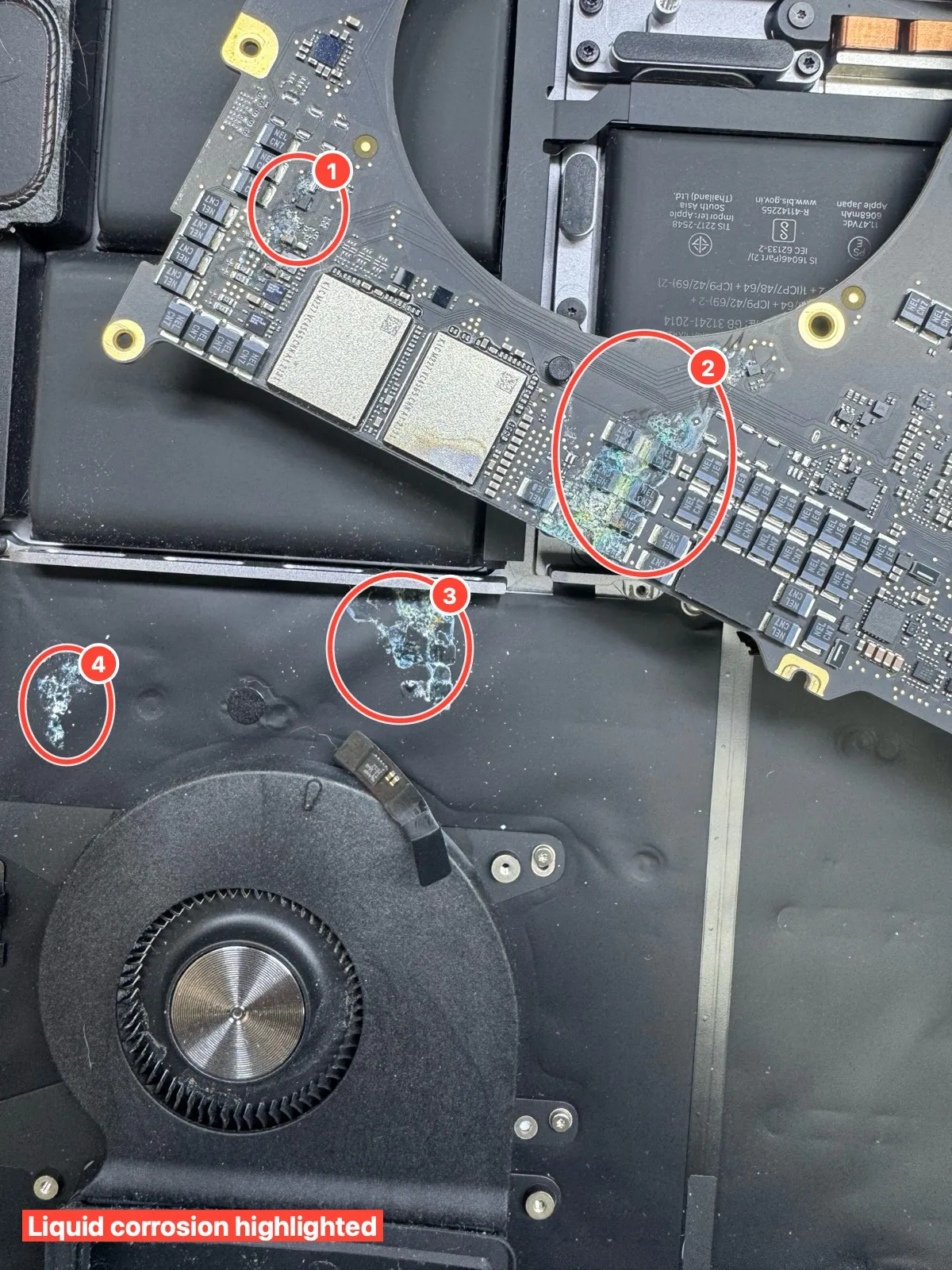
We opened the MacBook, removed the logic board and inspected it under a microscope. Corrosion was visible around components on the board. We did not establish the exact source or age of the moisture. Earlier liquid contact or exposure to humid conditions are both possible; corrosion on its own does not show precisely when or how moisture got into a device.
Dubai can be humid, but humidity was not confirmed as the cause in this case. What mattered for the repair was the damage visible on the board and the electrical faults we found in testing.
Cleaning and the first IC replacement
We cleaned the affected areas and checked each corroded component. A power IC on a 3.3 V rail was badly corroded and no longer working correctly, so we replaced it. We also found corrosion near the sound circuitry and repaired that area, including replacing a damaged IC there.
We then reassembled the MacBook for a power test. It drew power but still did not start normally, reading about 5 V at 2 A on USB-C. That was a useful clue, but not proof on its own of a specific fault: expected USB-C voltage and current vary with the model, the charger, power negotiation and the stage of startup.
Further diagnosis found a fault on the 1 V rail
Because the first repair had not restored normal operation, we kept checking the power rails and surrounding components step by step. We found a short on a 1 V circuit and traced it to another faulty IC. We replaced that IC and tested the board again before final reassembly.
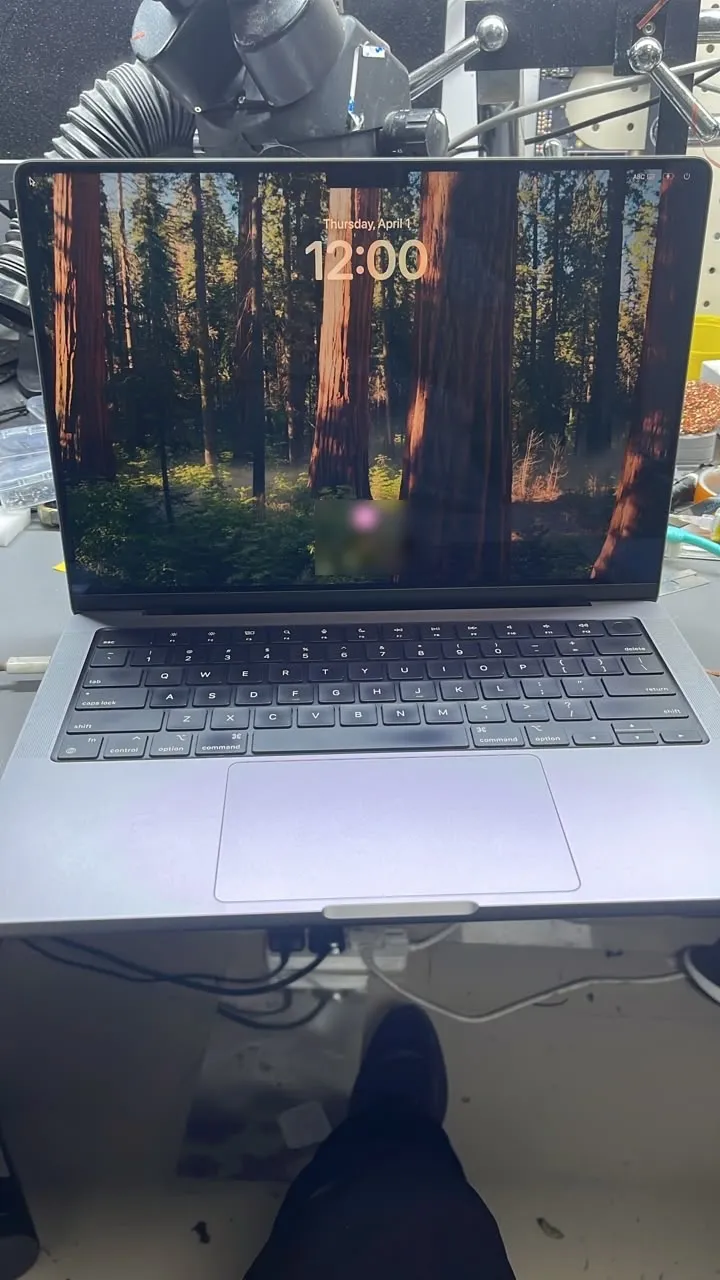
This time the MacBook powered on and worked normally through our checks. The whole repair was done at component level, without replacing the logic board.
A working MacBook, with the data intact
The customer’s MacBook was back in working order, and their existing data was still accessible after the board repair. That mattered because the customer had important files on it. Repairing the original logic board avoided a board replacement and kept access to the data.
Data recovery cannot be guaranteed for every dead MacBook. The outcome depends on the fault, the storage design and how far the damage goes. If your files are important, tell the technician before you authorise a firmware restore, an erase, a storage replacement or a logic board replacement.
Why a MacBook can fail to turn on after an update
A failure that shows up right after an update is not necessarily caused by the update. Possible causes include interrupted firmware recovery, battery or charger faults, USB-C power negotiation problems, liquid damage, corrosion, shorted components, or a failure on one of the logic board’s power rails. The right diagnosis comes from testing the actual machine.
In this case, the faults we found were corrosion and failed ICs on the logic board. These findings do not show that the macOS update caused the hardware damage. The update and the no-power symptom happened close together, but that alone does not make one the cause of the other.
If your MacBook is dead after a macOS update
Check the basics
Disconnect unnecessary accessories and check the charger, the cable and the power outlet.
Give the update time
If the screen still shows progress, let the update finish. Avoid repeated forced shutdowns.
Note the symptoms
If it stays unresponsive, write down the exact symptoms, the model and whether it shows any charging activity.
Protect your data
If your files matter, don’t erase or restore the Mac until you understand the risks, and get a professional diagnosis, especially if liquid may be involved.
MacBook logic board repair in Dubai
MacTech Pro handles MacBook no-power faults, logic board repair, liquid-damage inspection and component-level diagnosis in Dubai. When a board is repairable, our process can include microscope inspection, corrosion cleaning, power-rail checks, finding short circuits and replacing failed ICs. We also arrange pickup for customers who can’t bring the device to the workshop.
If your MacBook Air or MacBook Pro stopped turning on after a macOS update, tell us what happened before it failed and whether your files are important. We diagnose first, then advise whether firmware recovery or board-level repair is the right option.
More from MacTech Pro
Frequently asked questions
A failed or interrupted update can sometimes leave a MacBook needing firmware recovery. But a no-power symptom after an update can also be caused by unrelated hardware faults.
Not necessarily. DFU entry can fail for several reasons, including the procedure, the cable, the host computer or the hardware condition. Further testing is needed.
Yes. Corrosion can damage connections or components and create open circuits or shorts on the logic board.
Sometimes. Repairing the original board may preserve access to existing data, as it did in this case. Data safety depends on the particular fault and the repair steps.
Yes. For this customer, our rider Raj collected the MacBook. Contact the team to confirm pickup availability for your area.