
Coffee on a MacBook Air M3, One Sticky Key, and an Honest Result
The owner walked in expecting the worst. We opened it, checked the board, ports, trackpad and lid sensor — all completely fine — and found the only real problem was a single sticky key. So we cleaned the keyboard, and charged for nothing that wasn’t needed.
Full board-level inspection · Honest diagnosis · 380+ reviews
Checked by Dan — lead technician · Free pickup & delivery across Dubai
Quick Answer
A customer spilled coffee on their MacBook Air M3 (A3113) and feared the worst. At MacTech Pro we opened it and checked everything, the logic board, the USB-C ports, the trackpad and its cable, and the lid-angle sensor, and it was all completely fine. The only real problem was one sticky key. So instead of charging for parts nobody needed, we removed the keycaps, cleaned the keyboard internals with a cotton swab, washed the caps properly, and refitted them. Every key typed smoothly again. Spilled something on your Mac? Get it checked before it corrodes, call MacTech Pro on +971 50 951 6827.
Coffee went on a MacBook Air M3, and the owner walked in expecting bad news.
That’s usually how a spill feels. One moment you’re working, the next there’s coffee across the keyboard and your stomach drops, because everyone’s heard the horror stories about liquid and laptops. So the customer brought their MacBook Air M3 (A3113) straight to us, which was exactly the right move, and braced for the worst.
Here’s the honest outcome, up front: the machine was basically fine. The MacBook was still working after the spill, and the only real problem was a single sticky key. No dead board. No expensive parts. Just a keyboard that needed a proper clean.
First, We Checked Everything, Not Just the Keyboard
Even when a Mac is still working after a spill, you don’t assume it’s fine. Coffee is worse than plain water, it’s sugary and acidic, and if any of it has reached the wrong place, it can sit quietly and corrode over the following days. So before touching the keyboard, we opened the MacBook up and inspected the parts that actually matter.
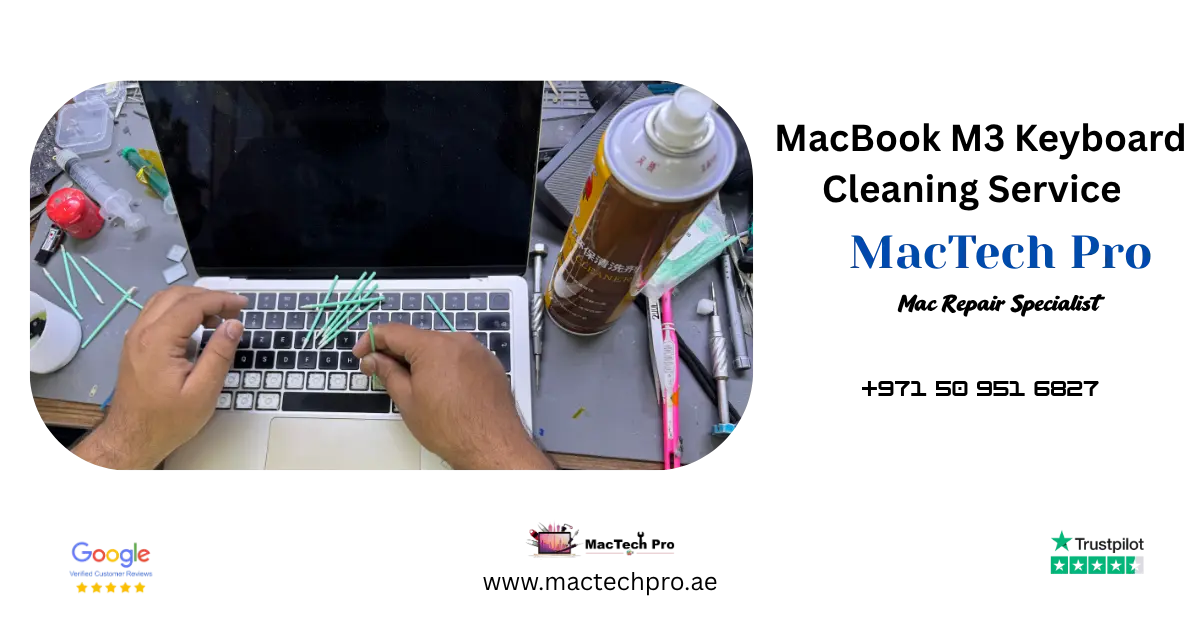
Here’s what we checked, and what we found:
- Logic board, no coffee had reached it, and no corrosion, the most important check, and it was clean
- USB-C ports, all fine, no liquid, no damage
- Trackpad and trackpad cable, both fine
- Lid-angle sensor, fine (this is a common failure point on modern MacBooks, but in this case, untouched)
- The keyboard, the only thing affected, one sticky key
That inspection is the part that matters most, and it’s the part a lot of places skip. Anyone can clean a keyboard. The real question after a spill is whether the liquid got anywhere it shouldn’t have, and the only way to answer that honestly is to open the machine and look. We did, and we could tell the customer with confidence: the board is clean, nothing’s corroding, your data and your machine are safe.
Why We Bother Checking the Logic Board on a “Working” Mac
It’s tempting, when a laptop still turns on after a spill, to just wipe it down and hand it back. We don’t work that way, and here’s why.
Liquid damage is a slow burn. A Mac can work perfectly the day of a spill and then fail a week or two later, once the residue left behind has had time to corrode a connection or bridge something on the board. If nobody opened it up and checked, that customer would have walked out happy, then come back later with a much bigger, much more expensive problem, and no idea it was coming.
So we look, every time. In this case the news was genuinely good, the coffee never reached the board, so there was nothing lurking. But the customer only knows that for certain because we checked, rather than guessed.
The Fix: A Proper Keyboard Clean
With everything else confirmed healthy, the actual repair was straightforward, and did not involve replacing a single part.
- Removed all the keycaps. Carefully, one by one, so nothing snaps, the caps and their clips are delicate.
- Cleaned the keyboard internals. We cleaned the mechanism under each key with a cotton swab, lifting out the dried, sticky coffee residue that was causing the key to stick.
- Washed the keycaps properly. The caps themselves were cleaned so there was no residue left on or under them.
- Refitted everything and tested. Every keycap back in place, then we tested the full keyboard, every key, every press.
The result: no sticky key, no residue, and typing that felt completely smooth again. Back to normal, the way it was before the coffee.
Why This Is Worth Sharing
This isn’t a dramatic board-level rescue. It’s something more useful: an example of an honest diagnosis.
Plenty of a spill panic ends with someone being sold a repair far bigger than they needed, or being told a perfectly healthy machine needs a new keyboard or a new board. This customer needed neither. They needed their machine opened, properly checked, and their keyboard cleaned, and that’s exactly what they got, and exactly what they paid for. Nothing more.
Who does the work
Dan
Post-spill inspection is exactly the work Dan does at MacTech Pro — opening the machine, checking the board, ports, trackpad and sensors for hidden liquid and corrosion, and only doing what’s actually needed. Full board-level capability is there if the liquid did cause damage. Screen and display work is handled by Richard. Meet the technician →
Spilled Coffee or a Drink on Your MacBook? Do This
Whether the damage looks bad or the machine still seems fine, these steps give you the best outcome:
- Turn it off and unplug the charger. Don’t keep working on it.
- Don’t tip it upside down and shake it, that can push liquid further in, toward the board and the screen.
- Don’t leave it, even if it still works. Sugary drinks like coffee, juice and soft drinks corrode over days, get it checked before that starts.
- Get the inside checked, not just wiped. A surface wipe tells you nothing about whether liquid reached the board. Only opening it up does.
- Act quickly. The sooner it’s cleaned and inspected, the more likely the answer is a simple, cheap one, like this repair.
Bring it to us, or call MacTech Pro first on +971 50 951 6827, and we’ll check it properly, board and all.
Why Dubai Customers Trust MacTech Pro After a Spill
When liquid hits your Mac, you want honesty as much as skill, someone who’ll tell you the truth about what’s actually damaged.
- We open and inspect properly, board, ports, trackpad and sensors, not just a surface wipe
- Honest diagnosis, if you only need a clean, we clean it, we don’t invent bigger repairs
- Full board-level capability if the liquid did cause damage, so nothing gets missed
- Your data stays safe, and stays exactly where it is
- Free pickup and delivery across Dubai, including Dubai Sports City, Motor City, Dubai Marina, Downtown Dubai, Business Bay, Al Barsha, JLT, JVC, and Deira
- Fair pricing and a warranty on the work
MacBook spill inspection & keyboard cleaning in Dubai
MacTech Pro is an independent Apple-device specialist in Dubai Sports City, and liquid-spill inspection is one of our core specialisms — with full board-level capability behind it. Every job runs on a No Fix, No Fee basis.
Free inspection, honest quote
We open and check the board, ports, trackpad and sensors before quoting — and if all you need is a clean, that’s all we do and all you pay for.
Board-level capability if it’s needed
If the liquid did reach the board, the same lab that handles our micro-soldering and corrosion work takes over — with your data treated as the priority.
Free pickup and delivery across Dubai
With a spill, speed matters — we’ll collect your MacBook anywhere in Dubai fast, check it at our Dubai Sports City bench, and bring it back free of charge.
More from MacTech Pro
What Our Dubai Customers Say
Frequently Asked Questions
Yes, it’s worth checking. Coffee is sugary and acidic, so even if the Mac works now, residue left inside can corrode the board over the following days and cause a bigger fault later. MacTech Pro opens it up and checks the board and internals properly, not just a surface wipe. Call +971 50 951 6827 and get it looked at before corrosion starts.
Often, yes. If liquid has only made a key sticky, a proper clean, removing the keycaps and cleaning the mechanism underneath, usually solves it, exactly as it did in this repair, with no new parts needed. MacTech Pro will tell you honestly whether a clean will do it. Call +971 50 951 6827.
Always. A working Mac can still have liquid sitting where it shouldn’t, which corrodes over time and fails weeks later. That’s why MacTech Pro opens the machine and inspects the board, ports, trackpad and sensors after any spill, so you know for certain it’s safe. Call +971 50 951 6827.
It depends on the machine and how much cleaning it needs, and whether the spill caused any other damage, which is why we inspect first. A simple keyboard clean like this one is far cheaper than a keyboard or board replacement. Call MacTech Pro on +971 50 951 6827, tell us what was spilled, and we’ll give you a realistic idea.
Not if the board is unaffected, and often it isn’t, as in this case. Your storage stays intact, and a clean doesn’t touch your files. If liquid did reach the board, MacTech Pro prioritises recovering your data. Either way, act fast and call +971 50 951 6827.
Yes, free pickup and delivery across Dubai. With a spill, speed matters, so rather than waiting to visit, call MacTech Pro on +971 50 951 6827 and we’ll collect your MacBook quickly, check it, and bring it back.