
MacBook Air M2 Water Damage, Repaired Live in Front of the Customer, Data Saved
A glass of water knocked straight onto a 13-inch MacBook Air M2 (A2681) killed it on the spot. The customer didn’t want to leave it — so Dan opened and fixed it live, on the bench, while he watched. Board saved, data safe, AED 750 total.
Component-level repair · Genuine-grade parts · 380+ reviews
Done live by Dan · Free pickup & delivery across Dubai
The Quick Answer
A 13-inch MacBook Air M2 (A2681) came into MacTech Pro dead after a water spill, an office colleague had knocked a glass of water straight onto it mid-work. The customer came from JVC after finding MacTech Pro on Google and reading the reviews, and didn’t want to leave the machine, so our specialist Dan opened it and repaired it live, right in front of him. There was a lot of water inside; we cleaned the whole logic board with isopropyl, tested it step by step, and the board had survived, so the data was safe. The damage was on the exposed parts: two corroded USB-C ports, the trackpad, and the trackpad cable, all replaced with genuine parts. Total: AED 750. Water on your Mac? Call MacTech Pro on +971 50 951 6827.
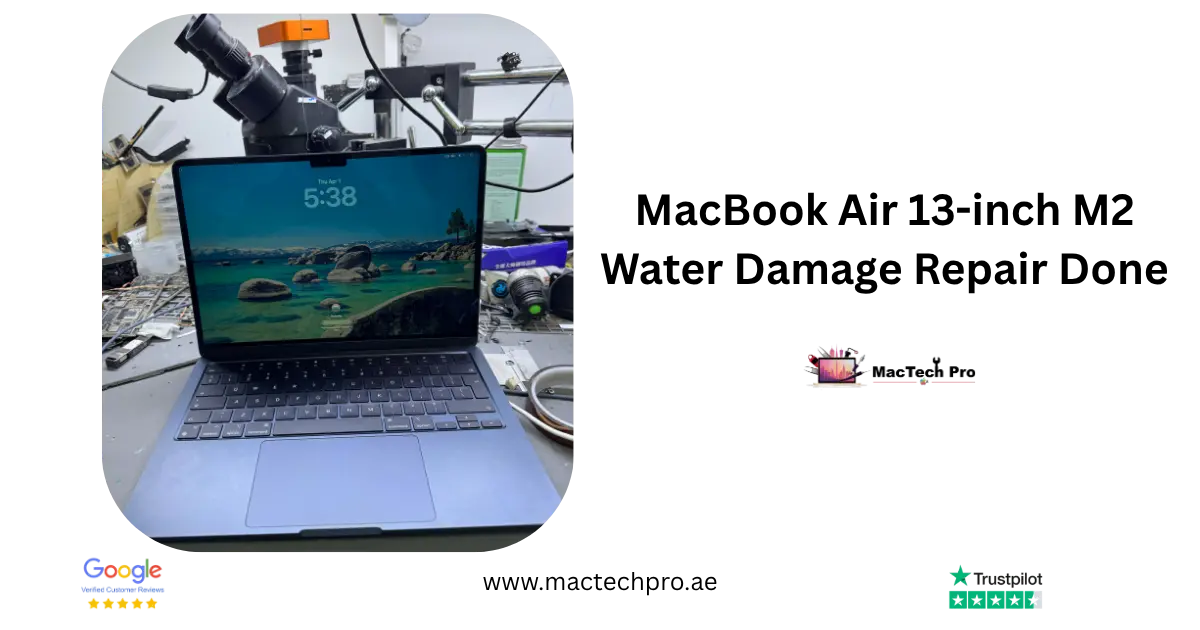
Another week, another MacBook Air M2 on the bench with water damage, and another reminder that a spill doesn’t have to mean the end of your Mac.
This one came to us from JVC, just up the road from our service centre. The customer had found MacTech Pro on Google, read through the reviews, and made his decision before he ever walked in, he already knew he wanted a water-damage specialist, and the reviews told him this was the place.
How It Happened
It was the kind of thing nobody sees coming. He was in the middle of something important on his 13-inch MacBook Air M2 (A2681) when an office boy, reaching across the desk, knocked a glass of water straight onto it. The laptop shut off on the spot. One second working, the next, completely dead. He didn’t waste time, he brought it straight to us.
A Live Repair, Right in Front of Him
He didn’t want to leave the machine, and that’s completely understandable, there was work on it, and a laptop that runs your day isn’t something you hand over lightly. So we did what we often do at MacTech Pro: a live repair, right in front of him. Our Mac repair specialist, Dan, opened it up on the bench while the customer watched every step. No back room, no “come back in three days and trust us.” Just the machine, open, in plain sight, with the customer seeing exactly what was wrong and exactly what we did about it.
What We Found, and the First Job
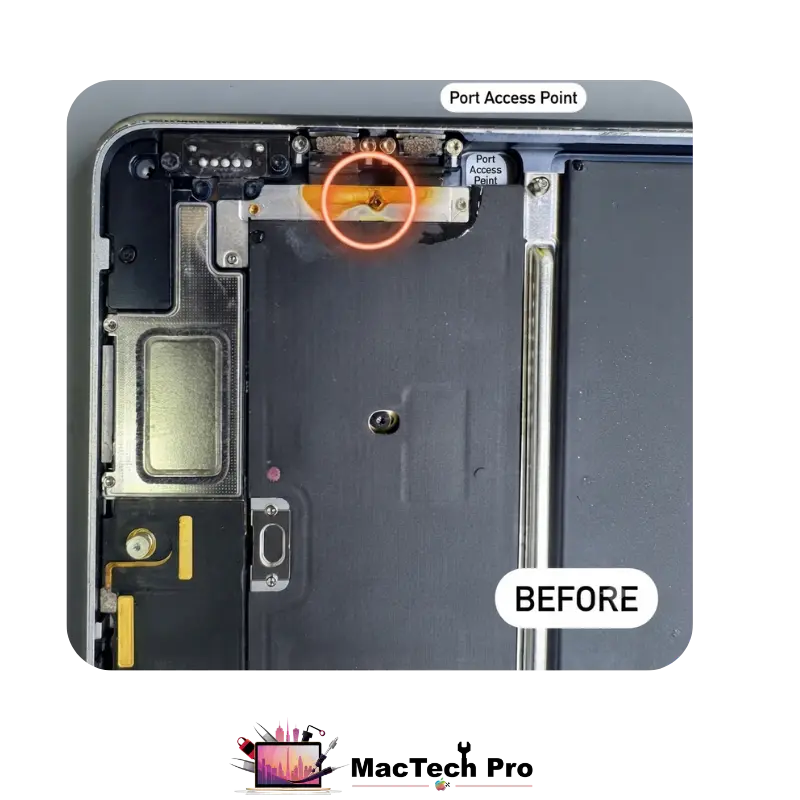
There was a lot of water inside, more than you’d want to see. So the first job was exactly that: get the water and residue off the board before it could do any more harm. Dan cleaned the entire logic board down with a proper board cleaner, isopropyl alcohol, lifting the moisture and residue off the components rather than leaving it to sit and corrode.
Why isopropyl, and why straight away? As water dries, it leaves behind minerals and residue, and that residue is what quietly corrodes a board over the following hours and days. A high-purity alcohol clean flushes it off and then evaporates without leaving anything of its own behind. The sooner it’s done, the less damage gets a chance to set in, which is the whole reason we never sit on a water job.
The Good News: The Logic Board Survived
Then we tested, step by step, and the good news came early: the logic board itself had survived. On the M-series Air, the M2, M3, M4 and M5, the board is compact and its critical areas are well protected, so when a spill is caught quickly, the board often pulls through. The damage tends to land first on the more exposed parts, the ports and the trackpad, which sit lower and catch liquid before it ever reaches the heart of the board.
That’s exactly how this one played out, and it’s the reason the customer’s data was never in danger. A healthy board means the storage, and everything on it, is safe, his files, his work, all of it untouched.
What the Water Actually Damaged
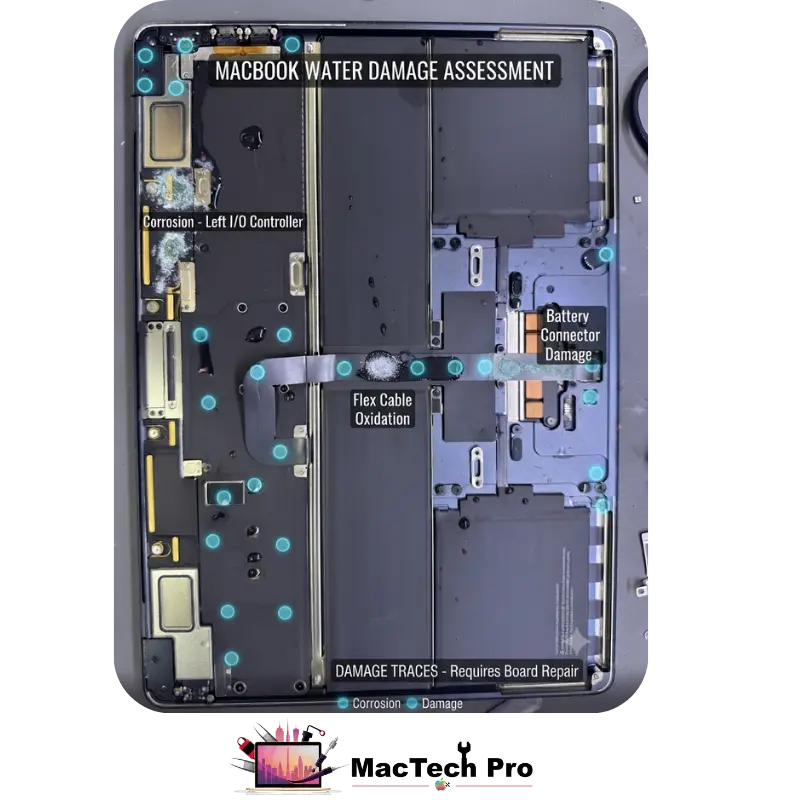
With the board clean and confirmed healthy, we could see what the spill had actually taken out:
- Two USB-C ports, corroded
- The trackpad, corroded
- The trackpad cable, corroded
All of it was replaced with 100% genuine, original parts. We don’t fit cheap substitutes on ports or trackpads, an off-spec USB-C port can cause charging and data problems of its own, and a poor-quality trackpad never feels right under your fingers. Genuine parts, fitted properly, so the machine works like it did before the spill.
Why the ports and the trackpad, and not the board? Because that’s where liquid reaches first. The USB-C ports open onto the outside edge, and the trackpad sits right under where a spill lands and pools. They take the hit so the board doesn’t, which, on a spill like this, is precisely the outcome you want.
What It Cost, Plainly
We believe in telling you the price plainly, so here’s exactly what this repair came to:
| Part / Work | Price (AED) |
|---|---|
| USB-C port repair | 250 |
| Trackpad cable | 150 |
| New trackpad | 350 |
| Total | 750 |
Your repair could be more or less depending on what the water actually damaged, which is why we always diagnose first and quote before we start. But for this customer, AED 750 brought a dead, water-logged MacBook Air back to full working order with every file intact. Set against the price of a new machine, or a full board replacement elsewhere, it isn’t a close call.
The Result
We packed the MacBook up and handed it straight back, same visit, and the customer left genuinely happy, relieved his machine was alive, and just as relieved his data was safe. That’s the part that matters most on a water job: the files, the photos, the work. All still there, and a Mac that runs like nothing ever happened.
Who does the work
Dan
The live board clean, step-by-step testing and genuine-part replacement in this case study is exactly the water-damage work Dan handles at MacTech Pro — opening a Mac in front of the customer, saving the board, and keeping the data. Our screen and display side is run by Richard. Meet the technician →
If Water Hits Your Mac, Do This
The difference between an AED 750 repair and a dead machine is often just the first few minutes. If liquid gets on your MacBook:
- Turn it off immediately if it hasn’t already shut itself down.
- Unplug the charger and don’t plug it back in.
- Don’t keep pressing power to force it on, and don’t “test” it to see if it still works, that’s how more damage gets done.
- Don’t shake it or tip it out, that only spreads the liquid further, including up toward the screen.
- Get it to us fast. With water, the sooner it’s cleaned, the more is saved.
Then call MacTech Pro on +971 50 951 6827, and don’t let it sit, corrosion works while you wait.
Why Dubai Customers Choose MacTech Pro for Water Damage
Water damage and logic board work is what we do day in, day out, and it’s exactly the kind of repair that separates a real board-level lab from a general repair counter. Here’s what customers across the city get with us:
- Live, watch-it-happen repairs, your Mac is opened and fixed in front of you, nothing hidden
- Fast, proper board cleaning with the right tools, so corrosion is stopped before it spreads
- 100% genuine, original parts, on ports, trackpads, and everything else
- Data treated as the priority, a saved board means your files stay safe
- Transparent, itemised pricing, you see the cost before we start
- Customers from JVC and right across Dubai, including Dubai Sports City, Motor City, Dubai Marina, Downtown Dubai, Business Bay, Al Barsha, JLT, and Deira
- Repairs tested under real use before they go back, with a warranty
MacBook water damage repair in Dubai
MacTech Pro is an independent Apple-device specialist in Dubai Sports City, and water damage is one of our core board-level specialisms — including live, watch-it-happen repairs. Every job runs on a No Fix, No Fee basis.
How a water-damage job works with us
Free diagnosis, itemised quote
We clean and test the board before quoting — because, as this case shows, the real cost depends on what the water actually damaged — and give you an itemised price you approve before any work begins.
Live or same-visit where possible
If you’d rather not leave your Mac, we can open and repair it in front of you, exactly as we did here, with your data treated as the priority throughout.
Free pickup and delivery across Dubai
From JVC to Dubai Marina, we collect your MacBook anywhere in Dubai, repair it at our Dubai Sports City bench, and return it — free of charge — or you’re welcome to walk in.
More from MacTech Pro
What Our Dubai Customers Say
Frequently Asked Questions
Usually not. If the logic board survives the spill, which it often does when it’s cleaned quickly, your storage and all your files stay safe, exactly as they did for this customer. The key is acting fast. Turn it off, don’t charge it, and call MacTech Pro on +971 50 951 6827 so we can clean it before corrosion sets in.
Yes, water damage is one of our core repairs. We clean the board properly, test it step by step, and replace whatever the water damaged, ports, trackpad, cables, or components, with genuine parts. MacTech Pro does this regularly, so call +971 50 951 6827 and tell us what happened.
Yes. MacTech Pro offers live, in-front-of-you repairs, just like this one, where our specialist Dan opens and works on your Mac while you watch. If you’d prefer to stay with your machine, let us know when you call on +971 50 951 6827.
It depends entirely on what the water damaged, which is why we diagnose before quoting. This repair came to AED 750 (two USB-C ports, a trackpad, and a trackpad cable), but yours may differ. Call MacTech Pro on +971 50 951 6827, describe the spill, and we’ll give you a realistic idea.
Always. We fit 100% genuine, original parts, cheap substitutes on ports and trackpads cause their own problems down the line. If you have questions about the parts for your specific model, call MacTech Pro on +971 50 951 6827.
As fast as you possibly can. Corrosion keeps spreading after the spill, so every hour matters, the customer here brought it straight in, which is a big part of why the board survived. Turn it off, don’t charge it, and call MacTech Pro on +971 50 951 6827.