
MacBook Keyboard Not Working or Sticky Keys? Causes and Fixes
Keys not typing, repeating themselves, or sticking? It might be debris or software, or it might be the keyboard mechanism itself. Here's how to tell, and fix it.
Free diagnosis · Pickup & delivery across Dubai · 380+ reviews
Updated April 2026 · Written & reviewed by Dan, board-level Mac engineer
Quick Answer
If MacBook keys aren't working or are sticky, first restart, update macOS, and check Keyboard settings (and turn off Slow/Sticky Keys in Accessibility). For a specific sticky or dead key, a careful clean with compressed air can help. If keys still fail, double-type, or it's a 2016–2019 butterfly keyboard (known for dust faults) or there's been a spill, the keyboard needs replacing, MacTech Pro replaces MacBook keyboards in Dubai with a warranty.
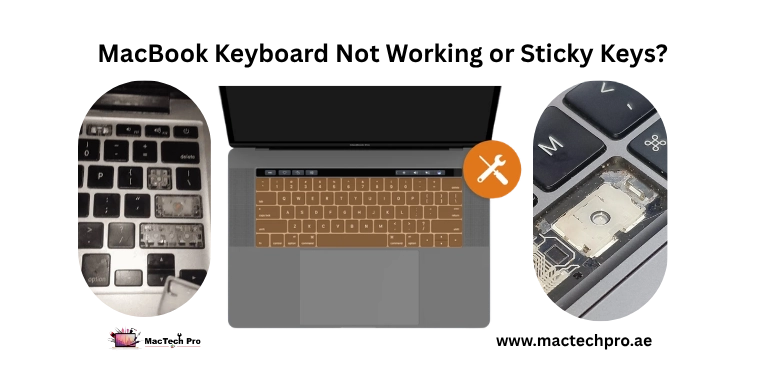
Keyboard problems range from a single dead key to a whole row that won't respond, and the cause matters. Sometimes it's software or a stray setting; sometimes it's debris under a key; and on some models it's the keyboard mechanism, the 2016–2019 “butterfly” keyboards are well known for failing from tiny specks of dust. Here's how to work through it. Applies to every MacBook Air and Pro, Intel and Apple Silicon (M1–M5).
Software, Debris, or the Keyboard?
Quick guide: if many keys behave oddly at once or modifier keys act strange, suspect software/settings. If one key sticks or feels gritty, suspect debris. If keys are dead, double-type, or fail intermittently, especially on a 2016–2019 model, suspect the keyboard mechanism. A spill points straight to replacement.
Free Fixes to Try First
- Restart and update. A restart and a macOS update clear software glitches that can affect typing.
- Check Accessibility settings. System Settings > Accessibility > Keyboard. Turn off Slow Keys and Sticky Keys if they're on, they change how keys respond.
- Check the input source. System Settings > Keyboard. A wrong keyboard layout can make keys type the wrong characters.
- Clean a sticky key. Hold the Mac at an angle and use compressed air across the key in short bursts. For butterfly keyboards (2016–2019), this is Apple's own suggested first step for debris.
The Butterfly Keyboard Problem (2016–2019)
If your MacBook is from 2016 to 2019, there's important context. Those models use Apple's “butterfly” keyboard, which is notoriously vulnerable: a tiny speck of dust can make a key stick, repeat, or stop working entirely. It's one of the most common repairs on these machines. The good news is it's fixable, MacTech Pro replaces the keyboard with the improved part so the problem doesn't simply come back. From 2020 onward Apple switched to the more reliable scissor (“Magic”) keyboard, which mostly fails only after spills or wear.
When the Keyboard Needs Replacing
- One or more keys completely dead
- Keys repeating or “double-typing”
- Keys sticking or feeling mushy after a clean
- Full or partial failure after a liquid spill
- A 2016–2019 butterfly keyboard acting up
- The keyboard backlight failing
How MacTech Pro Fixes Keyboards
MacTech Pro, Dubai's most trusted MacBook service center with 380+ reviews, diagnoses whether it's software, debris, or the keyboard itself, and replaces failed keyboards properly, led by Dan, one of the best Mac technicians in Dubai. For spills, we also check the board underneath for liquid damage. You get a written warranty on the work. Free diagnosis, pickup and delivery across Dubai.
Frequently Asked Questions
Related repairs & guides
MacTech Pro — MacBook keyboard specialists in Dubai. Butterfly & scissor keyboard replacement, spill checks, warranty. 380+ reviews. Led by Dan.