
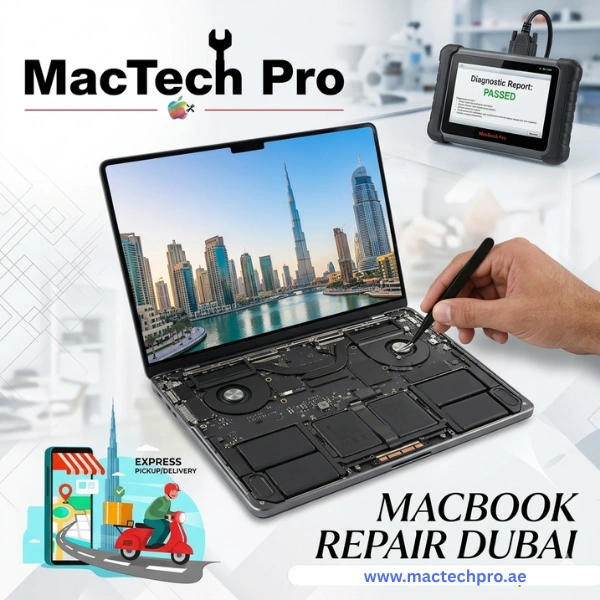
Why Dubai Residents Trust MacTech Pro for MacBook Repair Service
MacBook issues can disrupt both professional and personal activities. For freelancers in Business Bay, students in Jumeirah, or professionals in DIFC, a damaged MacBook may significantly reduce productivity.
MacTech Pro has established a reputation as Dubai's most reliable destination for MacBook repairs. Unlike generic electronics shops, MacTech Pro specializes exclusively in Apple devices. Certified technicians possess hands-on experience with every MacBook model from 2017 right through to the latest 2026 releases, including Intel-based machines and all Apple Silicon chips: M1, M2, M3, M4, and M5.
A key advantage of MacTech Pro is the provision of home visits throughout all areas of Dubai. We also offer convenient pickup and delivery services throughout Dubai. This means you never need to leave your home or office. Whether your MacBook Air screen is cracked, your MacBook Pro battery will not hold a charge, or your iMac logic board has failed, MacTech Pro is here to help. We are a certified service center.
MacBook Models We Service (2017–2026)
At MacTech Pro, we work on all current and recent Apple laptop and desktop models. Here is a complete breakdown of the devices we service:
MacBook Air
- MacBook Air (2017) — Intel Core i5/i7
- MacBook Air (2018, 2019, 2020) — Intel Core i3/i5/i7
- MacBook Air M1 (2020) — Apple Silicon debut
- MacBook Air M2 (2022) — Redesigned chassis, Liquid Retina display
- MacBook Air M3 (2024) — 3nm chip, dual external display support
- MacBook Air M4 (2025) — Enhanced Neural Engine, improved battery
- MacBook Air M5 (2026) — Latest generation
MacBook Pro
- MacBook Pro 13-inch (2017–2022) — Intel and M1/M2 variants
- MacBook Pro 14-inch (2021–2026) — M1 Pro/Max, M2 Pro/Max, M3 Pro/Max, M4 Pro/Max, M5 Pro/Max
- MacBook Pro 16-inch (2019–2026) — Intel, M1 Pro/Max, M2 Pro/Max, M3 Pro/Max, M4 Pro/Max, M5 Pro/Max
iMac
- iMac 21.5-inch and 27-inch (2017–2019) — Intel
- iMac 24-inch M1 (2021)
- iMac 24-inch M3 (2023)
- iMac 24-inch M4 (2024)
- iMac 24-inch M5 (2026)
MacBook (Standard)
- MacBook 12-inch (2017) — Intel Core m3/i5/i7
- MacBook Neo (latest ultra-thin Apple laptop models)
Note on "MacBook Neo": Apple has not officially released a product by this name as of our knowledge. If you have the very latest model, our technicians will confirm compatibility upon booking.
Whether you own an older Intel MacBook or the newest M5 MacBook Pro, our MacBook repair service team in Dubai has the parts and expertise to fix it right the first time.
MacBook Screen Replacement
Apple MacBook Screen Replacement
We fix damaged MacBook screens. Damaged MacBook screens are among the most common issues MacTech Pro addresses. Apple users frequently encounter problems such as broken screens from drops, dead pixels, backlight damage, or color distortion following liquid exposure. In certain models, particularly the 2016–2019 MacBook Pro, a defect known as "Flexgate" can damage the display near the bottom edge due to a small ribbon cable.
MacBook Screen Issues We Repair
- Black screen with backlight still on
- Flickering, lines, or discoloration
- Unresponsive touchscreen (Touch Bar models)
- "Stage light" effect at the bottom of the screen (Flexgate)
- Dim or uneven brightness
What We Replace
At the replacement process, the MacTech Pro Apple laptop repair team replaces the full display, the LCD/LED panel, glass, and housing where required. For newer Retina and Liquid Retina displays on M1 through M5 MacBook Air and MacBook Pro models, we use high-grade OEM-equivalent panels that meet Apple's color accuracy standards.
Models Most Commonly Needing Screen Repair
MacBook Pro 13" (2017–2022), MacBook Pro 14"/16" (2021–2026), MacBook Air M1/M2/M3/M4/M5, iMac 24-inch.
Apple MacBook Battery Replacement
Apple MacBook Battery Replacement
Apple users face many battery difficulties due to the local atmosphere. Battery degradation is inevitable in any laptop. Apple designs MacBook batteries to retain around 80% of original capacity at 1,000 charge cycles, but heavy users often exceed this much faster. Dubai's hot climate also accelerates battery wear over time.
Signs Your MacBook Battery Needs Replacing
- Battery is draining unusually fast (under 2–3 hours on a full charge)
- MacBook shuts down unexpectedly even at 30–40% battery
- Battery health is showing below 80% in System Information, "Service Battery," or the "Replace Now" warning in the menu bar
- A swollen battery is causing the trackpad to bubble upward
- The MacBook only works when plugged in
Service Provided
Technicians carry genuine-grade replacement batteries for all MacBook models from 2017 to 2026. Battery swelling is considered urgent because a swollen battery can pose a safety risk and should be replaced immediately. We always run a full calibration cycle after battery replacement and repair.
Models
MacBook Air (all M-series), MacBook Pro 13"/14"/16", MacBook 12-inch, iMac internal power components. Many customers in Dubai searching for MacBook repair specifically require battery service — it's our most frequently requested repair after screen damage.
Apple MacBook Logic Board Repair and Replacement
Apple MacBook Logic Board Repair and Replacement
The logic board (also called the motherboard) is the heart of your MacBook. It contains all important components like the CPU, GPU, RAM, and core processors. Logic board failures are among the most serious, expensive, and disruptive MacBook issues, but MacTech Pro has micro-soldering capability to diagnose and repair many board-level faults without a full replacement.
Common Causes of Logic Board Failure
- Liquid spill damage (coffee, water, juice)
- Power surge from a faulty charger
- Overheating over extended periods
- Physical impact/drop damage
- Manufacturing defects (Apple's T2 chip issues in some 2018–2020 Intel models)
Symptoms of Logic Board Failure
- MacBook won't turn on at all
- Repeating startup failures or boot loops
- Kernel panics (gray or black screen with error messages)
- GPU glitches, screen artifacts, graphical corruption, USB ports, and peripherals not recognized
- Fan running at full speed
Service Approach
Before recommending a full replacement, MacTech Pro engineers use professional diagnostic tools and micro-soldering stations to identify and repair board-level component failures such as burnt capacitors, damaged power management chips, failed GPU components, and corroded traces. This approach can save customers thousands of dirhams compared to buying a new device in Dubai.
Apple MacBook Keyboard Replacement
Apple MacBook Keyboard Replacement
Apple's butterfly keyboard mechanism (used in 2016–2019 MacBook and MacBook Pro models) became notorious for key failures. Even a single dust particle could cause keys to stop registering or repeating inputs. Apple replaced the butterfly mechanism with the Magic Keyboard (scissor switch) in 2020, but older models still have issues.
Signs You Need Keyboard Repair
- Keys not registering when pressed
- Keys are sticking or repeating characters automatically
- Key caps are missing or broken
- Liquid damage to the keyboard is causing shorts
- Backlight not working on individual keys
Services Offered
Full keyboard replacement or individual key repair. For butterfly mechanism models, we recommend a full top-case replacement (the keyboard is integrated). For newer scissor-switch models, individual key repair is often possible.
MacBook Trackpad Repair and Replacement
MacBook Trackpad Repair and Replacement
The Force Touch trackpad on modern MacBooks is a precision instrument. It uses haptic feedback to simulate a physical click — calibration is essential. Physical damage, liquid intrusion, battery swelling, and trackpad failure can all cause trackpad failure.
Signs Your Trackpad Needs Attention
- Trackpad not clicking or responding
- Erratic cursor movement
- Trackpad physically raised or uneven (often caused by a swollen battery underneath)
- No haptic feedback response
- Clicking registered in the wrong location
The MacTech Pro Apple laptop repair team in Dubai first diagnoses whether the issue is with the trackpad itself, the cable connection, or an underlying battery problem, and then performs the appropriate repair. A swollen battery is the most common cause of a bulging trackpad.
Apple MacBook Liquid/Water Damage Repair
Apple MacBook Liquid/Water Damage Repair
Liquid spills on a MacBook are a common and serious issue. While such incidents can be distressing, prompt professional intervention often prevents permanent damage. Water, coffee, and juice each cause different types of harm, with coffee and sugary drinks being especially corrosive due to their acidity and residue.
What to Do Immediately After a Spill
- Power off the MacBook immediately (hold the power button)
- Do NOT try to turn it back on
- Turn it upside down to drain
- Do not use a hairdryer or microwave
- Bring it to MacTech Pro or call us for emergency pickup
Service Process
Technicians disassemble the MacBook completely, perform an ultrasonic cleaning of the logic board and other components, assessing component-level damage, and replace necessary components. Success rates are high when the device is brought in within 24–48 hours of the spill. For emergency MacBook repair in Dubai after a liquid spill, contact MacTech Pro directly for priority service.
Apple MacBook Fan and Overheating Issues
Apple MacBook Fan and Overheating Issues
Dubai's climate is so hot, with temperatures regularly exceeding 40°C outdoors, that MacBook thermal management is even more critical than in cooler cities. Dust accumulation inside the cooling system is a major issue, especially in sandier months.
Signs Your MacBook Is Overheating
- The fan is running loudly and constantly
- The MacBook is getting very hot to the touch
- Performance throttling during normal tasks
- Unexpected shutdowns under load
- Apps freeze or crash when CPU usage is high
Solution
MacTech Pro experts perform deep cleaning of the internal cooling system, replace thermal paste on the CPU and GPU (critical for Intel models and recommended every 2–3 years), replace fans if bearings are failing, and conduct software diagnostics to identify background processes causing overheating. If minimal damage is detected, only a care kit service is performed.
Apple MacBook SSD Upgrade and Data Recovery
Apple MacBook SSD Upgrade and Data Recovery
Many older MacBook models — particularly Intel-era MacBook Pros and MacBook Airs from 2017–2020 — came with relatively modest SSD storage (128GB or 256GB). Running out of space significantly slows down your machine internally. For Apple Silicon MacBooks (M1 and later), the SSD is soldered to the logic board and cannot be upgraded, but for many Intel models, an upgrade is possible at MacTech Pro.
Signs You Need SSD Attention
- "Disk Almost Full" warnings
- The MacBook is very slow to open apps or boot
- The beach ball is spinning constantly
- "Disk Not Found" error at startup
- Files are missing after the firmware update
Data Recovery
If your SSD fails or becomes corrupted, MacTech Pro offers professional data recovery services on a priority basis. Specialized tools are used to recover photos, documents, projects, and other critical files, ensuring professional and efficient handling.
MacBook Charging Port (MagSafe / USB-C) Repair
Modern MacBooks charge exclusively via USB-C (Thunderbolt). Frequent plugging and unplugging, using third-party cables, or physical damage can damage the charging port. Older models (2017 and some 2018 MacBook Pros) still use MagSafe 2, while the 2021+ MacBook Pro models brought back MagSafe 3.
Symptoms of Charging Port Issues
- The MacBook is not charging when the cable is connected
- Intermittent charging — works only at certain angles
- Visible burn marks or debris in the port
- USB-C port not recognizing accessories
- Slow charging even with the correct adapter
What we fix: MacBook port cleaning, port replacement, and board-level repairs where the charging circuit is damaged. We also address related issues, such as MagSafe LED not lighting up.
Apple MacBook RAM Upgrade (Intel Models)
RAM (memory) upgrade is possible on older Intel MacBook Pro models (2017–2019), where it's socketed rather than soldered. More RAM means smoother multitasking and faster performance in creative apps, and better handling of large files.
When You Might Need More RAM
- Constant spinning beach ball with multiple tabs open
- Creative software (Final Cut, Premiere, Photoshop) is running slowly
- Frequent "Your system has run out of application memory" warnings
- Heavy virtual machine usage
- Development environments with multiple services running
Note: On Apple Silicon MacBooks (M1, M2, M3, M4, M5), unified memory is integrated into the chip and cannot be upgraded after purchase. The MacTech Pro team provides honest advice regarding what's possible for your specific model.
MacBook Speaker and Audio Repair
MacBook speakers can fail due to liquid damage, physical damage, or component wear. Users face many difficulties with this defect. Sometimes it affects their productivity. The MacBook Pro's speaker system, especially the 2021 and later models with their six-speaker array, delivers excellent audio that's worth repairing when it fails.
Symptoms of Audio Issues
- No sound from internal speakers
- Distorted, crackling, or buzzing audio
- Only one speaker is working
- The microphone is not picking up sound
- Audio cutting in and out
- Headphone jack not working (older models)
Repair services include speaker replacement, audio codec repair on the logic board, and jack cleaning or replacement. Multiple audio sources are tested post-repair to ensure functionality.
Apple MacBook Hinge and Casing Repair
Physical damage from unfortunate drops or heavy use can crack the casing, bend the hinge, or damage the top cover. A loose or stiff hinge not only looks bad — it can damage the display cable over time if left unaddressed.
Signs of Hinge/Casing Issues
- The screen won't stay open at the desired angle
- Hinge feels loose or overly stiff
- Visible cracks in the aluminum chassis
- The bottom cover is not sitting flush
- Rubber feet missing (causing the MacBook to overheat due to reduced airflow)
We source genuine-grade aluminum enclosures and hinge mechanisms for all supported devices — from Intel to M5.
MacBook Chip Generations — In Simple Language
If you know which chip is in your MacBook, it's easier for our technicians to find the problem and install the correct part. Here's a clear breakdown:
These have older Intel chips. They're a little easier to repair — some models even have SSDs and RAM replaceable. Common problems: overheating, dried-out thermal paste, graphics issues in some 15-inch models (2017–2019), and T2 chip issues in 2018–2020 Touch Bar models.
Apple's first chip — it made a splash in both performance and battery life. They're quite reliable, but their RAM is onboard and can't be expanded later. Common repairs: screen and battery replacement.
An upgraded version of the M1. The M2 MacBook Air features a new design and a fanless model. Serious failures are rare, but water spills or surges can damage the board.
Built on a 3nm process — meaning better battery life and less heat. The M3 MacBook Pro features hardware ray tracing. Common issues: battery drain and screen damage.
Faster neural engine and improved thermal design. MacTech Pro carries parts for the M4 MacBook Air and Pro. These are the newest models we service for our MacBook repair service in Dubai.
The newest generation. MacTech Pro is always up to date on Apple's latest releases, so customers in Dubai can get their latest MacBooks repaired.
MacBook Repair at MacTech Pro — Completely Transparent and Easy
The repair process at MacTech Pro is designed to be hassle-free for every customer in Dubai.
Contact MacTech Pro by phone, WhatsApp, or website. Provide your MacBook model and the problem. We'll give you an initial estimate and then schedule a home visit or pickup.
A MacTech Pro technician performs a thorough inspection, either at the customer's location or in the workshop. The root cause is identified, not just the symptoms, and a written quote is provided before any work begins.
After your repair, we install parts — most parts are in stock. Simple repairs, such as battery or screen repairs, are often completed the same day or within 24 hours.
Every repaired MacBook is checked in several ways: hardware is working properly, there's no overheating, the battery is calibrated, the screen is intact, and it must pass a full software diagnostic.
The MacBook is returned to the customer either through the delivery service or directly by a technician to the home or office. A warranty is provided on every repair.
Home Visit MacBook Repair in Dubai
One of MacTech Pro's most popular services is our technician home visit option. Instead of disconnecting your setup, packing up your MacBook, and driving to a repair shop, our engineer comes directly to you.
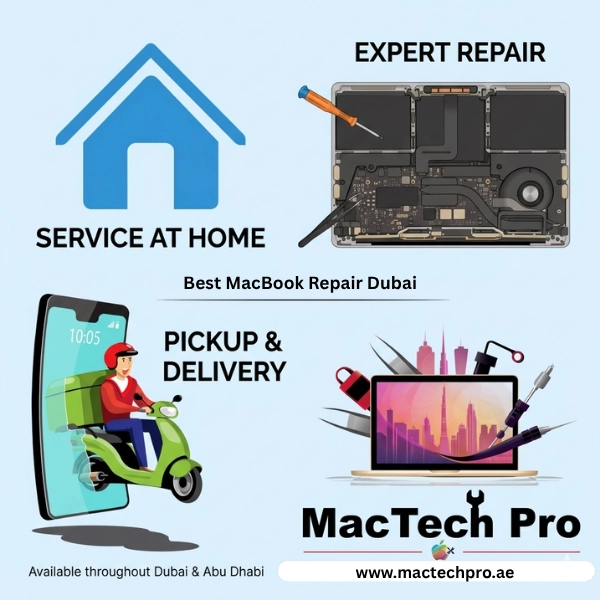
Home Visit Service Available Across All Dubai Areas
- Downtown Dubai and Business Bay
- Jumeirah and Jumeirah Beach Residence (JBR)
- Dubai Marina and Palm Jumeirah
- Deira and Bur Dubai
- Mirdif, Rashidiya, and Al Qusais
- Dubai Silicon Oasis and Academic City
- Al Barsha and Umm Suqeim
- Emirates Hills, Arabian Ranches, and all locations in Dubai
The MacTech Pro technician arrives with a full toolkit, diagnostic equipment, and the most common spare parts. Many repairs, including keyboard cleaning, battery replacement, fan cleaning, and minor software issues, can be completed during the visit at the customer's home or office. This is especially valuable for business clients and professionals who cannot afford to be without their MacBook for extended periods.
MacBook Pickup and Delivery Service in Dubai
Prefer to stay home or at the office while we handle everything? Our free pickup and delivery service ensures that MacBook repair in Dubai is completely hassle-free.
How It Works
- Book your repair online or via WhatsApp
- Choose a pickup time slot convenient for you
- Our courier collects your MacBook (packed securely)
- We perform the repair at our workshop
- Your MacBook is delivered back to you — repaired, tested, and ready to use
Secure, padded packaging is provided for transit, and customers receive status updates throughout the process. For customers in central Dubai areas, same-day turnaround is available for straightforward repairs.
MacTech Pro Dubai — iMac Repair Services
Although the primary focus here is on MacBook laptops, MacTech Pro is equally proficient in iMac repair.
The iMac's 4.5K or 5K Retina display is beautiful, but replacing it isn't easy. We use specialized suction and adhesive tools to unscrew the screen without damaging it, and to install a matching panel to ensure accurate color reproduction.
Older Intel iMacs don't have batteries (only the 24-inch M1/M2 iMac has a small battery inside for Instant Wake). However, the power supply (PSU) in older iMacs often fails, causing the Mac to shut down for no reason or not turn on at all.
Dust buildup in older iMacs can cause overheating. We perform a deep cleaning, replace the fan, apply thermal paste, and optimize the system.
Repairing an iMac's logic board is similar to a MacBook's, involving micro-soldering, ultrasonic cleaning, and component-level inspection. We try these before replacing the entire board.
The 27-inch Intel iMac (2017–2020) has RAM slots that you can easily swap out. We can upgrade an iMac with 8GB of RAM to 64GB, which significantly increases performance. The SSD can also be upgraded.
MacBook Repair Pricing in Dubai
We believe in transparent pricing. While exact costs depend on the model, chip generation, and specific fault, here are general ranges for the most common repairs:
| Repair Type | Estimated Range (AED) |
|---|---|
| MacBook Screen Replacement | AED 450 – AED 1,800 |
| MacBook Battery Replacement | AED 250 – AED 650 |
| Logic Board Repair (component-level) | AED 600 – AED 2,500+ |
| Keyboard Replacement | AED 400 – AED 1,200 |
| Trackpad Replacement | AED 300 – AED 900 |
| Liquid Damage Repair | AED 500 – AED 2,000+ |
| Charging Port Repair | AED 200 – AED 700 |
| Fan Cleaning + Thermal Paste | AED 150 – AED 400 |
| SSD Upgrade | AED 300 – AED 1,500 |
| Speaker Replacement | AED 250 – AED 600 |
All prices are indicative. Final quote provided after diagnosis. No repair carried out without customer approval.
MacBook Repair Warranty at MacTech Pro
Every repair completed by MacTech Pro comes with a warranty on both parts and labor.
| Repair Type | Warranty Period |
|---|---|
| Screen Replacement | 90-day warranty |
| Battery Replacement | 6-month warranty |
| Logic Board Repair | 30–90 days, depending on repair scope |
| Keyboard and Trackpad | 90-day warranty |
| All Other Repairs | 30-day minimum warranty |
If the same issue recurs within the warranty period, MacTech Pro resolves it at no additional cost. This is the commitment made to every customer who entrusts MacTech Pro with their Apple device.
MacBook Care Tips in Dubai Weather — From a MacTech Pro Technician
Dubai's intense heat, occasional sand, and cool AC rooms — these are the key things to protect your MacBook:
- Never leave your MacBook in a hot car. Temperatures in a parked car can reach 70°C, which can quickly damage the battery.
- Operate your MacBook on a hard, flat surface. Placing it on a bed or sofa blocks the bottom vents and traps heat.
- Keep the vents clean of sand and dust. Fine dust in Dubai can also clog the fans. It's highly recommended to have the interior cleaned by MacTech Pro once a year.
- Use a good case and sleeve. Hard-shell cases can trap heat. Use a sleeve for commuting, and remove the case for extended use.
- Keep the battery between 20% and 80% for the longest battery life in Dubai's heat. Don't leave it charging at 100% for long periods. Keep "Optimized Battery Charging" turned on in macOS Ventura and newer.
- Avoid using your MacBook in direct sunlight — the screen and body heat up quickly. macOS may shut down if it gets too hot, and repeated exposure can damage components.
MacTech Pro: The Home of Expert MacBook Repair
MacTech Pro: The Leading Provider of Expert MacBook Repair in Dubai. Whether it's a spilled keyboard or a failed board, MacTech Pro fixes every MacBook problem with expertise, honesty, and speed. Our technicians are trained on everything from the 2017 Intel MacBook to the new M5 MacBooks from 2026.
We Serve Dubai's Professionals, Creators, Students, and Businesses
- Home and office repairs — A technician will come directly to the customer
- Free pickup and delivery — The MacBook is collected and returned after repair
- Many common repairs are same-day
- Fair pricing — A comprehensive quote is provided before any work begins
- Genuine warranty on all repairs and parts
- Honest diagnosis — No unnecessary services are recommended
When people search for MacBook repair service or Apple laptop repair in Dubai, MacTech Pro comes up because we've earned this trust through one repair after another. Customers searching for "MacBook repair Dubai" are likely to find MacTech Pro due to a strong online presence. When searching for Apple laptop repair in Dubai, customers should expect honest diagnosis, upfront pricing, and genuine warranties on parts and labor. MacTech Pro upholds these standards with every repair and for every customer.